Quick answer
Google Local Services Ads (LSAs) are pay-per-lead ads that appear at the top of Google Search and Maps when people look for a local service. You pay for valid calls, messages or bookings, not clicks. Placement depends on your bid, reviews, responsiveness and relevance to the search, and screened businesses show a Google Verified badge.
Key takeaways
- LSAs charge per valid lead, and from October 1, 2026 a missed call during business hours can be billed if the caller stays on the line for more than 20 seconds.
- Google Guaranteed, Google Screened and License Verified were replaced by one Google Verified badge on October 20, 2025, and the $2,000 Money Back Guarantee ended.
- LSAs are migrating into Google Ads as Performance Max campaigns with pay-per-lead goals from August 2026; manual Max per lead bidding goes away and old reports do not carry over.
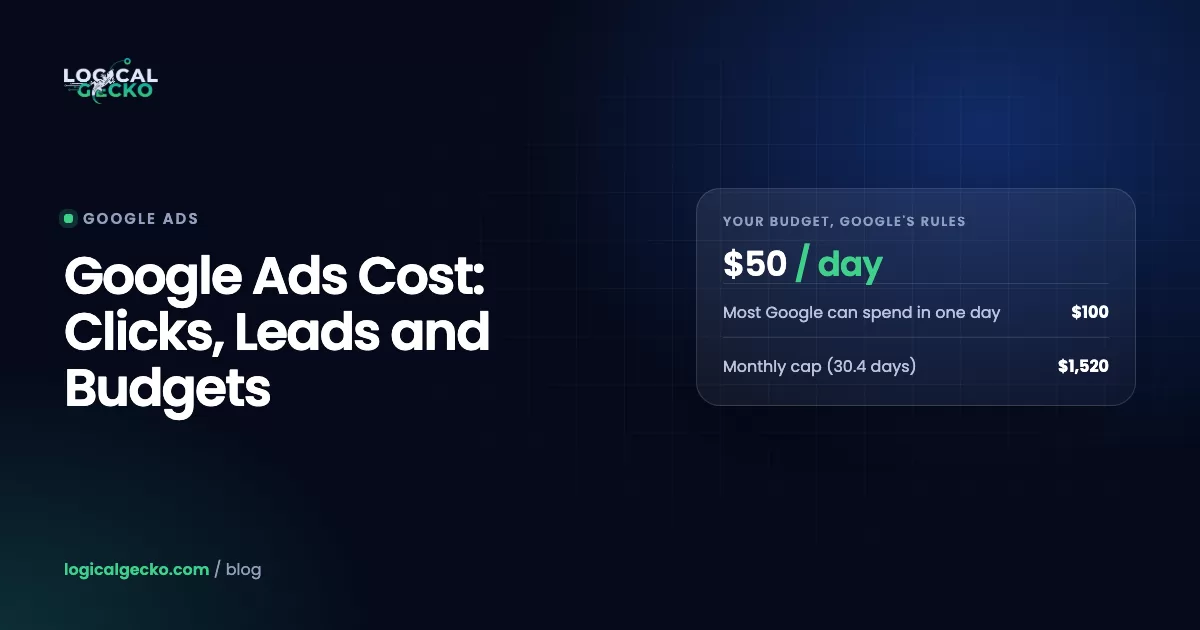
- Your monthly spend cap is your weekly budget × 30.4 ÷ 7, so a $700 weekly budget can never bill more than $3,040 in a month.
- Rank is set by an auction of your bid plus lead likelihood: responsiveness, reviews, rating, photos, verifications and how well your job types and area match the search.
On this page
- What are Google Local Services Ads?
- What happened to Google Local Services Ads in 2025 and 2026?
- Google Guaranteed vs Google Screened: which badge do you get now?
- How does Local Services Ads pay-per-lead pricing work?
- How do Local Services Ads lead disputes and credits work now?
- How much do Google Local Services Ads cost?
- How do Local Services Ads rank?
- How to set up Google Local Services Ads
- Which bidding option should you use: Maximize leads, Target CPL or Max per lead?
- Local Services Ads vs Google Ads: what's the difference?
- How do you get more leads from Local Services Ads?
- How do you track Local Services Ads leads?
- What are the most common Local Services Ads mistakes?
- FAQ
What are Google Local Services Ads?
Google Local Services Ads are listings for local service providers that sit at the very top of Google Search, above regular search ads, and also show on Google Maps. Instead of paying for clicks, you pay when a homeowner contacts you through the ad by phone, message or booking.
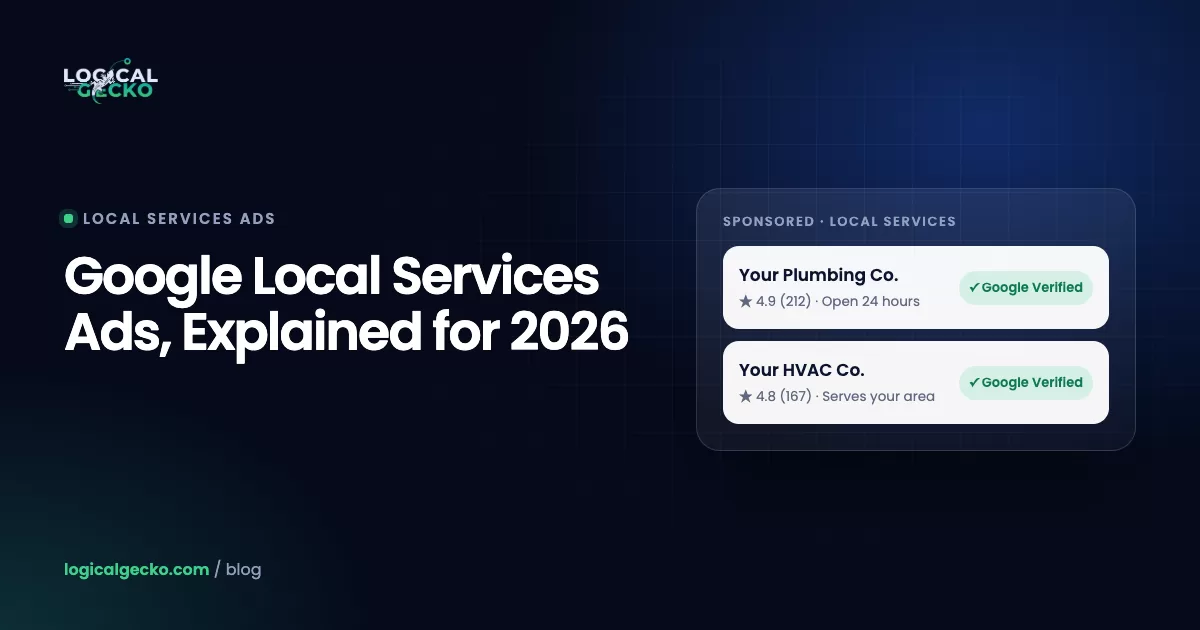
Search "water heater repair near me" on a phone in most US metros and you will see them: a short stack of sponsored business cards, each with a business name, star rating and review count, the city, opening hours and a blue Google Verified checkmark. Tap one and a full profile opens with photos, a short bio, the verification checks the business passed, and buttons to call, message or book. The caller never visits your website.
There are no keywords and no ad copy. Google builds the ad from your profile and decides which searches you match based on three things you control: your business categories, the job types you switch on inside each category, and your service area. The phone number shown is a Google forwarding number, which is how Google records calls and decides what to charge.
LSAs are available only in supported categories. For home services in the US that includes plumbers, HVAC, electricians, roofers, pest control, water damage, garage door services, locksmiths, moving, junk removal, tree services, window repair, house cleaning, lawn care and more. The full list is on Google's Local Services getting started page, and the eligibility checker tells you whether your category is live in your ZIP code.
What happened to Google Local Services Ads in 2025 and 2026?
Three big changes landed in about a year: one new trust badge, a move into the main Google Ads platform, and billing for some missed calls. If you read an LSA guide written before late 2025, parts of it are now wrong.
- October 20, 2025: Google Verified replaced every old badge. Google Guaranteed, Google Screened and License Verified by Google were merged into one blue Google Verified badge, and the Google Money Back Guarantee (the up-to-$2,000 reimbursement for homeowners) was discontinued. Existing verified advertisers were switched over automatically. Google's help page on the Google Verified badge confirms ranking was not affected by the change.
- August 2026 onward: LSAs move into Google Ads. Google is migrating every LSA account into a special Performance Max campaign type with pay-per-lead goals. You still pay per lead, ads still show only on Search and Maps, and targeting is still keywordless. What changes is where you manage it, how budgets and bids work, and what reporting you keep. Details are in the migration section below.
- October 1, 2026: some missed calls become billable. According to Google's notice to advertisers, reported by Search Engine Land, a missed call during your business hours can be charged as a valid lead if the caller stays on the line for more than 20 seconds. If your phone system makes callers press a key to be routed, the 20-second timer starts only after they press it. A later call from the same person can also be charged if the first contact was not.
Before you migrate: your LSA performance reports do not transfer to Google Ads. Your lead history (contact details, messages, older call recordings) does, but spend and lead reports do not. Download or screenshot at least 12 months of reports before your migration date. Google emails the account admin 14 days ahead.
Google Guaranteed vs Google Screened: which badge do you get now?
Neither. Since October 20, 2025, every business that passes Local Services screening gets the same Google Verified badge, and the profile lists which checks it passed, such as background check, license or insurance.
The less common "License Verified by Google" label was folded in too. The old split still shows up in searches ("google guaranteed" gets about 4,400 US searches a month), so here is how it used to work and what replaced it:
| Old badge | Who got it | What it meant | Today |
|---|---|---|---|
| Google Guaranteed (green check) | Home services: plumbers, HVAC, roofers, pest control and similar | Screened business plus a Google-backed reimbursement of up to $2,000 for eligible jobs | Google Verified; the money-back guarantee ended |
| Google Screened | Professional services, such as lawyers, financial planners and real estate agents | Screened business, no money-back guarantee | Google Verified |
The practical takeaway for a contractor: you no longer have a "guarantee" to sell in your follow-up calls, but the badge still does the trust work on the search page, and the listed checks (background checked, insured, licensed) are what homeowners actually read.
How does Local Services Ads pay-per-lead pricing work?
You are charged for each valid lead: a real person contacting you about a service you offer, in an area you serve. You are not charged for impressions, profile views or clicks. Google assesses every lead when the person first makes contact, and leads it judges invalid or low quality are never charged.
Per Google's How leads work page, a valid lead can be:
- A phone call you answer and speak on.
- A voicemail, or a caller who meaningfully engages with your automated phone system (requests a callback, gives job details, books a time).
- A missed call with no voicemail that you return by call, text or email.
- A text or email message sent through the ad (US and Canada).
- A booking request made through the ad (US and Canada).
- From October 1, 2026, a missed call during business hours where the caller stays on the line for more than 20 seconds.
Lead prices vary by location, job type, lead type and bidding mode. Message leads are usually priced lower than phone leads, and Google prices each message partly on how likely that person is to book, including whether they have contacted other providers.
How do Local Services Ads lead disputes and credits work now?
There is no longer a manual "dispute this lead" workflow for US advertisers. Google credits poor-quality leads automatically, and your job is to leave feedback through the lead survey so its models learn what you consider a bad lead.
How the automated system works, from Google's lead credits documentation:
- Charged leads are re-scored over time and credited if later judged low quality. Credits usually land within 30 days, and the original charge still appears on your invoice.
- Each lead carries a status: Not charged, Charged, In review or Credited. A lead can also be credited as a bonus for leaving feedback.
- To give feedback, open the lead and select Rate this lead. After migration, the same form sits on the Leads page in Google Ads.
What will not be credited matters more than what will. Google no longer credits "job type not serviced" or "geo not serviced" leads, which means your settings are the only protection. Leads are also not credited when:
- The lead came in outside your business hours.
- The person was researching prices or asking for DIY advice.
- The person canceled a booking or never answered your callback.
- You listed a general service but don't do the specific job requested.
- You serve the area or service normally but were temporarily unable or unwilling to.
- You quoted the job and promised a callback, or referred the person elsewhere.
Pro tip: treat your job types and service area as the dispute process. If you don't do tankless water heater installs or you won't drive 45 minutes for a $150 service call, switch that job type or ZIP code off. Once the lead arrives, you are paying for it.
How much do Google Local Services Ads cost?
There is no sign-up or monthly fee from Google. You pay per lead, and the price is set by an auction among providers competing for the same job type in the same area. Emergency, high-ticket work in dense metros (roof replacement, AC replacement, water damage) costs far more per lead than routine work in smaller markets.
Published benchmarks give a rough anchor, not a quote. WordStream reports an average LSA cost per lead of about $60, and SearchLight Digital reported a $53 average for home services in February 2026 across 888 contractors. Both are third-party figures, and individual trades and cities sit well above and below them. The drivers you can predict:
- Job type and ticket size. A roof replacement lead is worth more to every bidder than a gutter-cleaning lead, so it costs more.
- Market density. More verified competitors in your ZIP codes means higher prices.
- Lead type. Message leads usually cost less than calls.
- Profile quality. Google says higher-quality profiles may rank higher and pay lower costs per lead.
- Bid mode and budget. Tight Target CPL goals lower cost but cut volume.
Rather than asking what a lead "should" cost, work out what you can afford to pay:
Average gross profit per job × Lead-to-job booking rateIllustrative example: an HVAC company makes $600 gross profit on an average repair ticket and books 35% of LSA leads. Its break-even cost per lead is $600 × 0.35 = $210. If LSA leads are costing $90, each booked job costs about $257 in ad spend ($90 ÷ 0.35) against $600 of profit, which is a clear win. If the booking rate drops to 15% because calls go to voicemail, the same $90 lead now costs $600 per booked job and the channel only breaks even.
Budgets follow a fixed formula. You set an average weekly budget, and Google may spend more in a busy week but will never bill more than your monthly max, calculated as weekly budget × 30.4 ÷ 7. After migration, budgets become daily: your weekly figure is divided by 7, and the monthly cap is daily budget × 30.4.
How do Local Services Ads rank?
LSAs are ordered by an auction that weighs your bid against how likely your ad is to produce a lead. Budget alone does not buy the top spot. Google's ad rankings page lists these factors:
| Factor | What Google looks at | What to do |
|---|---|---|
| Bid | The most you will pay for a lead; Google says Maximize leads users with equal quality and budget typically get more leads | Use automated bidding with enough budget to learn |
| Responsiveness | Answered calls, message response time; missed calls hurt | Answer every call in listed hours, reply to messages within minutes |
| Search context | The job searched for, time of the search and the searcher's location relative to your service area | Keep hours honest and service areas centered on where you want work |
| Relevance | Services you offer and your business bio | Switch on every job type you actually do |
| Contact options | Message and booking leads give more ways to convert, especially nights and weekends | Turn on message leads; add booking if you use an integrated CRM |
| Profile quality | Star rating, number of reviews, average response time, photo quality, verification checks completed | Build review volume, add real job photos, complete every check |
Two details catch businesses out. First, if you run several locations that serve the same area, Google shows only your highest-ranking ad for a given search. Second, earlier versions of Google's ranking article listed serious or repeated complaints as a factor. The current article no longer names it, but complaints still reach your ranking through your rating, and policy violations can pause or suspend the account.
How to set up Google Local Services Ads
New advertisers still sign up through the Local Services flow at ads.google.com/localservices. Google says campaigns with pay-per-lead goals cannot be created directly inside Google Ads yet, so the migration only applies to existing accounts for now.
- Check eligibility. Enter your business category and ZIP code. If your trade or area is not supported, you stop here.
- Verify and connect your Google Business Profile. The person completing the checks must be an owner or manager of the profile. Claim it first if it is unmanaged. This step can take up to 24 hours to show as done.
- Choose categories, job types and service areas. Pick only the job types you want to pay for. Service areas can be ZIP codes, cities or counties.
- Set business hours. List the hours you can actually answer the phone. Leads outside listed hours are not credited, and missed in-hours calls can now be billed.
- Complete business checks. Depending on category and state, expect business registration or license, general liability insurance, and background checks for the business, the owners and every field worker who goes into people's homes. Office staff are exempt. Checks are free and do not involve a credit pull.
- Collect reviews. Google recommends at least 5, and some categories need 5 before the ad shows. Use the review link in your dashboard.
- Set budget, bid mode and billing. LSA billing runs through Google Ads, so an existing Google Ads payment method is reused.
- Go live. Many categories can run pre-badge ads once preliminary checks pass, ranked below fully verified providers. Pre-badge ads are not available for garage door services or locksmiths, so those trades wait for full verification.
Some US advertisers now get accelerated verification: Google assesses risk signals at sign-up, may grant the badge quickly, and then gives you 14 days to finish the remaining checks. Google also re-evaluates accounts over time. Ignoring a follow-up review request can cost you the badge, pause your ads or suspend the account.
Background check timing: if a background check fails and the decision is final, you wait 30 days to reapply. A second denial means 180 days before any further application. Run checks early for every technician you plan to list.
Garage door and locksmith businesses face stricter advanced verification. They aren't in the first migration wave either: Google says categories not moved in 2026 transition to Google Ads in 2027. If that is your trade, our pages on Google Ads for garage door companies and Google Ads for locksmiths cover how to pair LSAs with search campaigns.
Which bidding option should you use: Maximize leads, Target CPL or Max per lead?
For most accounts, Maximize leads. It is Google's recommended mode, Google says providers using it typically get more leads than equivalent providers who don't, and manual bidding disappears once your account moves into Google Ads anyway.
Google's bidding page lists three modes:
- Maximize leads: Google sets bids to get the most leads for your budget. Google recommends a budget covering at least 10 leads per week.
- Target cost per lead (tCPL): automated bidding aimed at an average cost per lead you choose or Google recommends.
- Max per lead (manual): you set the highest amount you will pay for any lead. Not supported after migration.
Any change needs about two weeks before results are readable while the model adjusts. Use Target CPL once you know your break-even cost per lead from the formula above and have steady volume. If you run several trades, such as plumbing and HVAC, under one account, note that migration merges vertical-level targets into one campaign-level target. Build separate campaigns per trade afterward if you need different targets.
Local Services Ads vs Google Ads: what's the difference?
LSAs are keywordless, pay-per-lead listings built from your verified profile. Google Search ads are keyword-targeted, pay-per-click ads that send people to your website. They show in different spots on the same results page, and the strongest local accounts run both.
| Local Services Ads | Google Search ads | |
|---|---|---|
| You pay for | Valid leads (calls, messages, bookings) | Clicks, whether or not they convert |
| Placement | Top of Search and on Maps | Search results, below the LSA unit when it shows |
| Targeting | Categories, job types, service areas, schedule | Keywords, match types, negatives, locations, audiences |
| Ad content | Generated from your profile; callouts and photos only | Your headlines, descriptions, assets and landing page |
| Trust signal | Google Verified badge and reviews | Your ad copy, assets and site |
| Setup time | Days to weeks for verification | Can launch the same day |
| Measurement | Built-in lead log with call recordings | Needs conversion tracking you set up |
| Best for | Urgent, near-me, high-intent jobs | Specific or high-value services, research queries, overflow volume |
Run LSAs first when
- Most jobs start with an urgent phone call
- You have 20+ strong reviews
- You can answer calls fast in listed hours
- You want lead-based costs with no landing page
Add Search ads when
- LSA volume caps out before your budget does
- You want specific high-ticket jobs (replacements, installs)
- You need control of copy, offers and landing pages
- You serve areas or services LSAs don't cover
Google itself recommends running pay-per-lead campaigns alongside Search and Performance Max. In practice, LSAs rarely spend a large budget in a single market because volume is limited to the job types and ZIP codes you serve. Search ads fill the gap and let you go after the replacement and installation jobs that carry the margin. We cover how that split looks by trade on our plumbing, HVAC and roofing pages.
How do you get more leads from Local Services Ads?
More leads come from matching more searches and converting more of the people who see you. Budget is the last lever, not the first.
- Turn on every job type you actually do. Google's own performance guide suggests selecting all job types you perform and setting areas broadly, such as a whole county rather than a few ZIP codes.
- Build reviews every week. Rating and review count both affect rank. Ask at the end of every completed job, using the review link from your Business Profile.
- Answer fast. With missed-call billing, a call that rings out for more than 20 seconds during your hours can cost a lead fee with no conversation, and it hurts your responsiveness score too. Route LSA calls to a line that is always staffed during listed hours, or use call overflow.
- Enable message leads. They usually cost less than calls, they catch after-hours requests, and your average response time can show on the ad.
- Add booking if your CRM supports it. Booking leads are available in the US and Canada through integrated partners, and booking is being added as an optional goal in Google Ads pay-per-lead campaigns from October 2026.
- Upload real photos. Team, trucks and finished jobs. Google says profiles with high-quality images may rank higher and pay less per lead.
- Opt in to direct business search. When someone searches your business name, your LSA becomes the only one shown, and you are charged only for leads from people who haven't hired you before.
- Pick at least 6 callouts. BBB callouts are no longer supported after migration. Google asks you to select at least 6 other structured callouts, such as free estimates, same-day service or payment options.
How do you track Local Services Ads leads?
Track LSAs to cost per booked job, not cost per lead. Google tells you what each lead cost. Only your CRM tells you which ones became revenue.
Where the data lives depends on your migration status. In the legacy dashboard, leads are in the lead inbox menu under Leads. After migration, go to Goals › Conversions › Leads in Google Ads. That page keeps charged status, lead type, call recordings, messages, the feedback form and a download option. In the campaign table, "Conversions" equals charged leads and "Cost / conv." is your average cost per lead.
- Tag the source. Every LSA call comes through Google's forwarding number. Log each lead in your CRM with the source "LSA" and the job type.
- Mark outcomes weekly. Booked, quoted, lost or junk. Match leads to jobs by phone number and date.
- Calculate cost per booked job. Monthly LSA spend (after credits) ÷ jobs booked from LSA leads.
- Compare with Search. Your Search campaigns need proper conversion tracking for calls and forms to make a fair comparison. Our guide to Google Ads conversion tracking walks through the setup.
- Feed back bad leads. Rate junk leads in the feedback survey so Google's models can learn from them and credit them where they qualify.
Larger operators can also work with Local Services campaigns, budgets and lead feedback through the Google Ads API, which is the usual route for CRM and call-tracking integrations.
What are the most common Local Services Ads mistakes?
Most wasted LSA spend comes from settings and phone handling, not from the auction. These are the ones we see most often when auditing home-service accounts:
- Listing hours you don't staff. In-hours missed calls are now billable, and missed calls also drag down responsiveness. List the hours you can actually answer.
- Leaving unwanted job types on. "Job type not serviced" leads are no longer credited. If you don't want it, switch it off.
- Service areas drawn too wide. Leads from towns you won't drive to are charged and not credited. Draw the area you will actually serve.
- Judging by cost per lead alone. A $45 lead that books 10% of the time costs more per job than a $90 lead that books 40% of the time.
- Starving Maximize leads. A budget that buys two or three leads a week gives the bidding model almost nothing to learn from. Google's guidance is about 10 leads per week.
- Not exporting reports before migration. Once you move to Google Ads, the old performance reports are gone.
- Ignoring verification requests. Re-verification emails are easy to miss and can pause ads or suspend the account.
- Letting reviews stall. A competitor adding 10 reviews a month will pass you in the auction even if your rating is higher.
- Running LSAs with no Search campaign. You cap your volume at whatever the LSA unit can deliver and leave high-ticket searches to competitors.
If you want a second opinion on how your LSA and Search campaigns work together, Logical Gecko's Google Ads management team runs both for home-service businesses and can show you where the booked jobs are coming from.
Frequently asked questions
Is $10 a day enough for Google Local Services Ads?
Usually not for a home-service trade. At $10 a day ($70 a week), a $50 to $100 lead leaves you with roughly one lead a week, which is too little data for Google's bidding to learn. Google recommends a budget that covers about 10 leads per week when you use Maximize leads. Work out your realistic cost per lead first, then multiply by the lead volume you can actually handle.
Why am I not eligible for Google Local Services Ads?
The usual reasons are that your category is not supported in your area, your Google Business Profile is not verified or not linked to the person signing up, or a check failed: license, insurance, business registration or background check. A failed background check means waiting 30 days after the final decision to reapply, and 180 days after a second denial. Check the eligibility tool with your exact category and ZIP code.
How do I log in to Google Local Services Ads?
Before your account migrates, sign in at ads.google.com/localservices with the Google account that owns the profile. After migration, that login redirects to your campaign in Google Ads, and leads live under Goals, then Conversions, then Leads. If your login can access more than one LSA account, you choose the account after signing in.
Do I need a website to run Local Services Ads?
No. Your LSA profile acts as the landing page, and people call, message or book straight from the ad. You do need a verified Google Business Profile, because Google pulls your name, address, hours and reviews from it. A website still helps: Google can use it to generate callouts, and people who research before calling often check it.
How many reviews do I need for Local Services Ads?
Google recommends at least 5 reviews, and some categories need 5 before the ad will show. Five is only the floor. Ranking weighs both your star rating and review count, so a plumber with 180 reviews at 4.8 stars can outrank one with 12 reviews at 5.0 in the same area. Reviews now come from your Google Business Profile.
Are Google Local Services Ads worth it?
For most home-service trades, yes, as long as your cost per booked job stays below your profit per job. LSAs sit above regular search ads, charge per lead and send people who have already chosen you from a short list. They stop being worth it when you miss calls, list jobs you don't want, or compare cost per lead without tracking how many leads book.
How long does Local Services Ads verification take?
It varies by category and by how fast your team completes background checks and uploads documents. Some businesses qualify for accelerated verification and get the badge quickly, then have 14 days to finish the remaining steps. Pre-badge ads let many categories start getting leads after preliminary checks, ranked below fully verified providers, but they are not available for garage door services or locksmiths.
Sources15 references
- Local Services Help: How leads work
- Local Services Help: About Automated Local Services Ads lead credits
- Local Services Help: About ad rankings
- Local Services Help: How bidding works for Local Services Ads
- Local Services Help: How to edit your budget
- Local Services Help: Understand the screening and verification process
- Local Services Help: Getting started with Local Services Ads
- Local Services Help: Improve your Local Services Ads performance
- Local Services Help: About Google Verified badge
- Google Ads Help: Local Services Ads transition to Performance Max campaigns with pay-per-lead goals
- Google Ads Help: About pay-per-lead goals for Performance Max campaigns
- Google Blog: Google Verified makes it easier to find trusted local businesses
- Search Engine Land: Google Local Services Ads will charge for some missed calls starting Oct. 1
- WordStream: The Ultimate Guide to Google's Local Services Ads
- SearchLight Digital: Google Local Service Ads Cost Per Lead by Trade (2026)