Quick answer
Google Ads conversion tracking records the valuable actions people take after clicking your ad, such as purchases, leads and calls. To set it up, create a conversion action in Goals › Conversions › Summary, load the Google tag on every page (directly or through Google Tag Manager), fire an event tag on the conversion, then verify it in Tag Assistant.
Key takeaways
- Only mark the actions that make you money as Primary: purchases for stores, qualified leads and real calls for lead-gen. Everything else stays Secondary so Smart Bidding ignores it.
- A Google tag firing on every page now handles the Conversion Linker job of storing the GCLID, GBRAID or WBRAID in first-party cookies, so the click can be matched to the sale.
- Enhanced conversions became a single account-level switch in April 2026 and should be on for almost every advertiser; GA4-imported conversions cannot use it.
- Lead-gen accounts should save the click ID with every lead in the CRM and import closed sales, because a form fill is not revenue.
- A 0.5 conversion is not a bug: data-driven attribution splits credit for one conversion across several ad clicks.
On this page
- How does Google Ads conversion tracking work?
- Which conversion actions should you track in Google Ads?
- What conversion settings matter: count, windows, attribution and value?
- Google tag, Google Tag Manager or GA4 import: which setup method should you use?
- How do you set up Google Ads conversion tracking with Google Tag Manager?
- How do you set up enhanced conversions in Google Ads?
- How do lead-gen businesses track offline conversions in Google Ads?
- How do you track phone calls from Google Ads?
- Do you need Consent Mode v2 for Google Ads conversion tracking?
- How do you set up Google Ads conversion tracking on Shopify?
- How do you check if Google Ads conversion tracking is working?
- Why isn't Google Ads tracking my conversions?
- FAQ
How does Google Ads conversion tracking work?
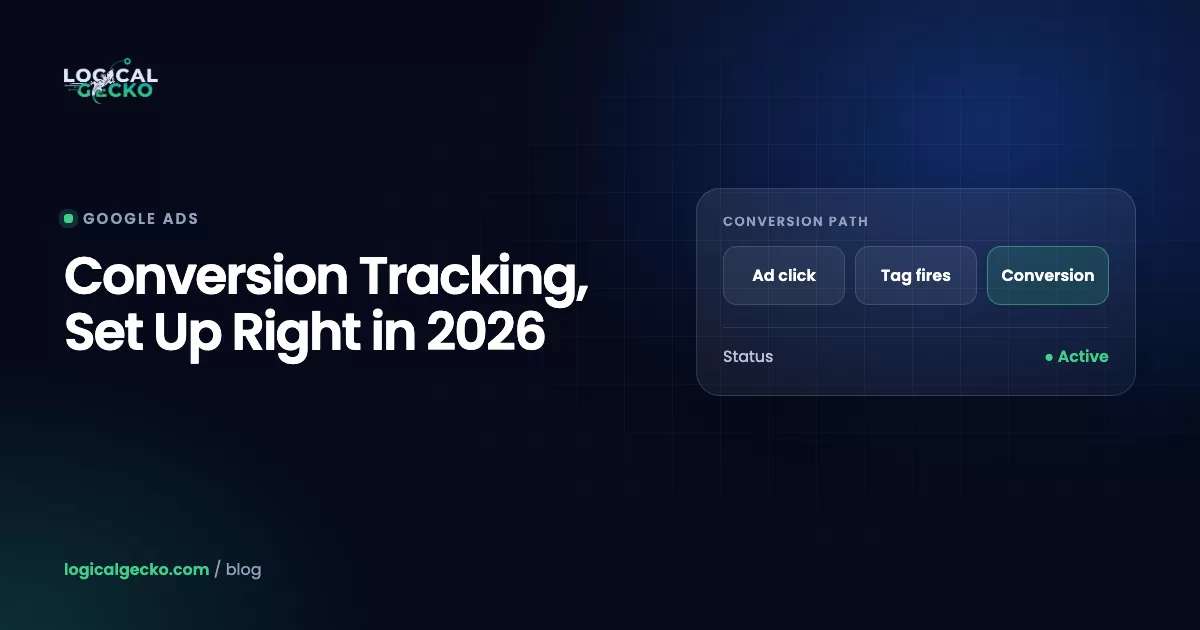
Google Ads conversion tracking works by matching an ad click to a later action on your site. When someone clicks your ad, auto-tagging adds a click ID to the landing page URL, your Google tag saves it in a first-party cookie, and when that visitor buys or submits a form, the conversion tag sends the event back with the saved click ID.
That chain has four links, and a conversion only gets recorded if all four hold:
- The click ID. With auto-tagging on (Admin › Account settings › Auto-tagging), Google appends a
gclidparameter to your landing page URL. Some iOS traffic arrives withgbraidorwbraidinstead, which are privacy-safe identifiers Google uses where a GCLID can't be passed. Our guide to GCLID, GBRAID and WBRAID explains the difference. - The first-party cookie. The Google tag (or GTM's Conversion Linker) reads that parameter and stores it on your own domain in cookies named
_gcl_awand_gcl_gs, plus browser local storage. - The conversion event. On the thank-you page, purchase event or form submission, an event tag fires with the conversion label, value and transaction ID.
- The match. Google Ads reads the stored click ID, credits the conversion to the campaign, ad group and keyword, and feeds it to Smart Bidding.
One change trips up older tutorials. Google's Tag Manager documentation now states that if a container loads a Google tag on every page, it doesn't also need a Conversion Linker tag. The Google tag does the cookie work itself. You still need a separate Conversion Linker if your container fires Google Ads tags without a sitewide Google tag.
Which conversion actions should you track in Google Ads?
Track every meaningful step, but only let the actions that directly produce revenue drive bidding. In Google Ads that split is Primary (used for bidding and shown in the Conversions column) versus Secondary (observation only, shown in All conversions).
This is the single most expensive setting in most accounts we audit. If "page view of /contact" or "add to cart" is Primary, Smart Bidding learns to buy cheap, low-intent clicks that trigger those events, and your cost per conversion looks great while sales stall.
Primary (bids on it)
- Purchase with order value
- Qualified lead or closed sale imported from the CRM
- Calls from ads over your minimum duration
- Booked appointment
Secondary (watch only)
- Add to cart, begin checkout
- Raw form submission, if you import qualified leads
- Clicks on phone number or email links
- Page views, scroll depth, newsletter sign-ups
What counts as Primary depends on how you make money:
| Business type | Primary conversion | Useful Secondary actions | Count |
|---|---|---|---|
| eCommerce store | Purchase, with dynamic value and transaction ID | Add to cart, begin checkout | Every |
| Home services (plumbing, HVAC, roofing) | Calls from ads over 60 to 90 seconds, booked jobs from the CRM | Form submissions, click-to-call on site | One |
| B2B or high-ticket lead-gen | Qualified lead or closed deal imported offline | Raw form fill, demo page view | One |
| Local store with online booking | Completed booking | Directions clicks, calls | One |
A real example: when Spacey Digital, a B2B lead-gen business, came to Logical Gecko, its conversion actions were counting low-intent form fills and page views, so automated bidding was optimizing toward noise. Rebuilding tracking first, with only qualified actions as Primary, was the foundation for the account reaching 9.09x ROAS and $653K in tracked conversion value at a $13.07 cost per conversion.
What conversion settings matter: count, windows, attribution and value?
Four settings decide what Google Ads counts as a conversion and how much it's worth. Set them deliberately when you create each action, because changes only apply going forward.
| Setting | Options | What to choose |
|---|---|---|
| Count | Every or One | Every for purchases (each order is revenue). One for leads, so a person who submits three forms counts once per click. |
| Click-through window | 1 to 90 days depending on source; default 30 | At least as long as your typical time from click to sale. High-ticket and B2B often need 60 to 90 days. |
| View-through and engaged-view windows | Defaults: 1 day view-through, 3 days engaged-view | Keep the defaults unless you run YouTube or Demand Gen and understand the trade-off. |
| Attribution model | Data-driven (default) or last click | Data-driven for most accounts. First click, linear, time decay and position-based are retired. |
| Value | No value, same value, or different values | Dynamic order value for stores. A fixed estimated value per lead for lead-gen. |
Data-driven attribution works with any volume, but Google says it performs best with at least 200 conversions and 2,000 ad interactions in 30 days. Below that, it still runs; it just has less data to learn from.
Lead-gen businesses often skip values, which leaves Smart Bidding treating a $150 repair call and a $12,000 replacement quote the same. Give each lead action a value based on what it's worth to you:
Close rate × Average gross profit per jobIllustrative math: if 25% of form leads become jobs and the average job earns $800 in gross profit, each form lead is worth 0.25 × $800 = $200. If 40% of qualified calls book at the same profit, a call is worth $320. Now bidding can prefer calls, and you can later move to value-based bidding once you import real sale amounts.
Google tag, Google Tag Manager or GA4 import: which setup method should you use?
For most businesses, Google Tag Manager is the best way to install Google Ads conversion tracking. It sends conversions natively to Google Ads, handles values and transaction IDs cleanly, and keeps every tag in one place. Use the direct Google tag on simple sites without GTM, and treat GA4 imports as a fallback, not the default.
| Google tag (gtag.js) | Google Tag Manager | GA4 key event import | |
|---|---|---|---|
| How it works | Google tag in the site's head plus an event snippet on the conversion page or button | Google tag plus Google Ads Conversion Tracking tags fired by GTM triggers | Mark an event as a key event in GA4, link GA4 and import it into Google Ads |
| Best for | Simple sites, one or two conversions, a developer on hand | Most stores and lead-gen sites; multiple conversions; marketers who want control | Very small accounts already fully set up in GA4 |
| Dynamic values and transaction ID | Yes, in code | Yes, via data layer variables | Yes, from GA4 event parameters |
| Enhanced conversions | Yes | Yes | No, not supported for imported GA4 conversions |
| Speed of data | Direct to Google Ads | Direct to Google Ads | Adds GA4 processing time |
| Main risk | Code edits for every change | Trigger misconfiguration | Double counting if the same action is also tracked natively |
Two rules apply whichever route you choose. First, pick one source of truth per action: if a purchase is tracked by the native tag, the GA4 import of that same purchase must be Secondary or removed. Second, Google Ads also offers a codeless option ("Automatically without code") that fires on a URL match. It's fine for a simple thank-you page, but it can't pass order values or transaction IDs, so stores should use code or GTM.
How do you set up Google Ads conversion tracking with Google Tag Manager?
You create the conversion action in Google Ads, copy its Conversion ID and label, then build a Google tag and a Google Ads Conversion Tracking tag in GTM, test in Preview, and publish. Here is the full sequence with current menu names, based on Google's web conversions setup guide.
Menu names changed: older guides send you to Tools and Settings › Measurement › Conversions. In the current Google Ads interface, conversions live under the Goals icon in the left menu: Goals › Conversions › Summary.
- Create the conversion action. In Google Ads, go to Goals › Conversions › Summary and click + Create conversion action (some accounts show New conversion action). Choose conversions on a website, enter your domain and click Scan.
- Pick the category and method. Choose the category (Purchase, Submit lead form, Book appointment and so on), then + Create conversion using the Google tag and select Manually using code. Under Conversion settings, set action optimization (Primary or Secondary), value, count, windows and attribution. Click Save and continue.
- Get the Conversion ID and label. Open the conversion action, go to the Tag setup section and choose Use Google Tag Manager. Copy the Conversion ID (the number after AW-, shared by the whole account) and the Conversion label (unique to this action). You can also click Set up in Google Tag Manager to push a suggested tag into a GTM workspace.
- Install the Google tag sitewide. In GTM, go to Tags › New › Tag Configuration › Google tag. Enter your AW- ID as the Tag ID and use the built-in Initialization trigger that fires on all pages. This loads Google Ads on every page and stores the click ID. If you can't run a sitewide Google tag, add Tags › New › Conversion Linker with the All Pages trigger instead.
- Build the trigger. Go to Triggers › New. For a store, use a Custom Event trigger on your purchase data layer event. For a lead form, prefer a custom event pushed on successful submission; a Page View trigger on the thank-you URL works if that page can't be reached any other way.
- Create the conversion tag. Go to Tags › New › Tag Configuration › Google Ads › Google Ads Conversion Tracking. Paste the Conversion ID and label. For purchases, map Conversion Value, Transaction ID and Currency Code (for example USD) to data layer variables. If the value field is empty, GTM sends 0. Attach your trigger and save.
- Test in Preview. Click Preview, enter your site URL, complete a real test conversion and confirm the conversion tag fired once, on the right event, with the right value.
- Publish. Click Submit, name the version (for example "Google Ads purchase conversion") and Publish.
Pro tip: Always send a transaction ID with purchases. If Google Ads receives two conversions with the same transaction ID for the same action, it keeps only the first, which quietly fixes refresh and back-button double counts. The ID must be unique per order; a hardcoded value will make Google drop real sales.
How do you set up enhanced conversions in Google Ads?
Enhanced conversions sends a hashed copy of first-party data, such as email and phone, with your conversion so Google can match it to signed-in Google accounts when cookies are missing. You turn it on in Goals › Settings, accept Google's data terms for enhanced conversions, choose how the tag collects the data, and validate it in diagnostics.
The data is normalized and hashed with SHA256 before it leaves the browser. It recovers conversions that cookie-based matching misses, for example when someone clicks on a phone and buys on a laptop while signed in to the same Google account.
Setup through GTM, per Google's enhanced conversions guide:
- Turn it on. In Google Ads, go to Goals › Settings, expand the Enhanced conversions panel, check Turn on enhanced conversions and agree to the compliance statement. Choose Google Tag Manager as the method.
- Allow user-provided data. In the Google tag's settings (in GTM, open the Google tag and select Manage), click Allow user-provided data capabilities.
- Choose a collection method. Automatically detect user-provided data is the quickest. Specify CSS selectors or JavaScript variables gives more control. Add a code snippet is the most accurate, because your developer passes clean, formatted data on every conversion.
- Handle multi-step checkouts. If the email is entered on an earlier page than the conversion page, add a GTM tag of type Google Ads › Google Ads User-Provided Data Event on the step where the data is entered.
- Validate. In Tag Assistant, the conversion hit should carry hashed fields (the email shows as a long hashed string). In Google Ads, check the enhanced conversions diagnostics on the conversion action. Google shows impact results after about 30 days.
Two 2026 changes matter here. Since April 2026, enhanced conversions for web and for leads are a single on/off setting, and existing accounts were migrated automatically. And imported GA4 conversions still can't use enhanced conversions, which is one more reason to track your main action natively.
How do lead-gen businesses track offline conversions in Google Ads?
Capture the click ID with every lead, store it in your CRM, and send Google Ads the leads that became qualified or closed, with their value. This is offline conversion import, and it's how Google learns the difference between a paying client and a tire-kicker or a spam form.
- Capture the IDs. Add hidden fields to every form for
gclid,gbraidandwbraid, filled from the landing page URL or the_gcl_awcookie so the ID survives page changes. GCLIDs are case-sensitive, so store them exactly as received. - Store them with the lead. Map those fields to the contact or deal record in your CRM (HubSpot, Salesforce, GoHighLevel and similar). Also keep the email and phone, which enhanced conversions for leads can use as match keys.
- Create an import conversion action. In Goals › Conversions › Summary, create a conversion action whose data source is an import, not the website tag, for example "Qualified lead" and "Closed won". Set the click-through window to cover your sales cycle. Wait 4 to 6 hours after creating it before the first upload.
- Upload on a schedule. Connect the CRM or a Google Sheet through Data Manager, or send conversions programmatically. Include the click ID, the conversion time with time zone, and the value.
Heads up for developers: Google's documentation says that starting June 15, 2026, offline conversion imports and enhanced conversions for leads uploads move to the Data Manager API and are blocked in the Google Ads API, apart from legacy access for active developer tokens. Custom integrations built on the old endpoint should be checked now.
If you're starting from scratch, Google recommends enhanced conversions for leads over classic GCLID-only import. It matches on hashed email or phone as well as the click ID, and Google reports that advertisers who added first-party data alongside GCLIDs saw a median 10% increase in conversions compared with standard offline imports. For GBRAID and WBRAID, the API accepts them in place of a GCLID, but custom conversion variables aren't supported with them.
How do you track phone calls from Google Ads?
Google Ads tracks three kinds of calls: calls from ads (call assets and call ads), calls from your website after an ad click, and calls you import from your own call system. For home-service businesses, calls are often the most valuable conversion in the account, so set all three up deliberately.
| Call type | How it's tracked | Setup |
|---|---|---|
| Calls from ads | Google forwarding number on your call asset | Turn on call reporting. New calls count in the default "Calls from ads" action, which is included in Conversions automatically. |
| Calls from website | Phone snippet swaps your number for a Google forwarding number for ad visitors | Create a "Calls from website visits" action and install the phone snippet on every page that shows your number. |
| Imported calls | Your call tracking software or CRM reports which calls converted | Create a "Calls via uploads" action and import on a schedule. |
A call counts as a conversion when it lasts longer than the minimum duration you set, so a 10-second wrong number doesn't train bidding. In the US and Canada, Google can also analyze call recordings with AI to judge lead quality, falling back to duration when a call isn't recorded. A click on a tel: link is a weaker signal because it doesn't tell you if the call connected, so keep it Secondary once real call tracking is live. If you run Google Ads for a plumbing company or another call-driven trade, set the minimum duration to the length of a real booking conversation, often 60 to 120 seconds.
Do you need Consent Mode v2 for Google Ads conversion tracking?
Yes, if any of your visitors are in the European Economic Area. Google requires valid consent signals for EEA users, and Consent Mode v2 is how Google tags receive them. It adds ad_user_data and ad_personalization to the original ad_storage and analytics_storage signals.
Google's consent mode reference states that ad_user_data is required for measurement use cases such as enhanced conversions and tag-based conversion tracking. When a visitor denies consent, Google tags stop setting cookies and send cookieless pings instead, and Google models the missing conversions. There are two implementations:
- Basic: Google tags don't load until the visitor interacts with the banner. Nothing is sent without consent, and modeling uses a general model.
- Advanced: tags load with consent defaulted to denied and send cookieless pings until consent is granted, which enables an advertiser-specific model and better recovery of lost conversions.
Consent Mode doesn't show a banner by itself. You need a consent management platform that passes the choices to your tags. For US-only businesses it's not a Google requirement today, but stores that ship internationally usually have some EEA traffic. If you need it built and tested end to end, see our Consent Mode v2 setup service.
How do you set up Google Ads conversion tracking on Shopify?
On Shopify, the recommended method is the Google & YouTube app. Install it, connect your Google Ads account, and confirm the default events. The app creates purchase, add to cart and begin checkout conversion actions, sets them as the account default and maps them to Shopify's events.
- Install and connect. Install the Google & YouTube app from the Shopify App Store, connect the Google account that owns your Ads account, and under the conversion measurement section select your Google Ads account.
- Review the event mapping. Select Manage to change which Shopify event feeds which conversion action, or to send an event to an existing action using its AW-ID/label string.
- Confirm enhanced conversions. The app prompts you to confirm enhanced conversion settings; accept so purchases carry hashed first-party data.
- Remove duplicates. Delete legacy Google Ads snippets from old checkout scripts, theme code or custom pixels, and make sure a GA4-imported purchase isn't also Primary. Google's own Shopify guide tells you to set the app's conversions as Primary and remove legacy tags.
Duplicate purchase tracking is the most common Shopify problem we find. If Google Ads reports noticeably more purchases than Shopify's orders for ad traffic, check for two Primary purchase actions before touching bids. Our eCommerce Google Ads management starts every account with this check for that reason.
How do you check if Google Ads conversion tracking is working?
Test the tag with Tag Assistant, then confirm the conversion action's status in Goals › Conversions › Summary, then compare Google Ads numbers against your real orders or CRM leads. Each check catches a different kind of failure.
- Tag Assistant. Open tagassistant.google.com (or GTM Preview), connect your site and complete a test conversion. Select your AW- Google tag and confirm the conversion event fired once, with the correct label, value, currency and transaction ID.
- Cookie check. Land on your site with a
?gclid=test123parameter, then in Chrome DevTools › Application › Cookies confirm a_gcl_awcookie was written on your domain. A test parameter proves storage works; it won't create a conversion in your reports, because only real ad clicks can. - Status column. In Google Ads, go to Goals › Conversions › Summary and read the Status column for each action. Click the status to see alerts, then View details for the full list.
- Reconcile. After a week of traffic, compare conversions from paid search against your store or CRM for the same click dates. Some gap is normal (consent, blockers, cross-device), but a large gap in either direction means something is missing or duplicated.
Google has been rolling out new conversion status names, so you may see either set:
| Status | What it means | What to do |
|---|---|---|
| Active | Everything is working as intended | Nothing, beyond periodic reconciliation |
| Needs attention | Still recording, but there are issues to fix | Hover or click the status and work through the alerts |
| Misconfigured | Conversions stopped recording because of a setup error or broken tag | Fix immediately; bidding is flying blind |
| Awaiting conversions | No conversions in the last 7 days | Normal for actions under 48 hours old, paused campaigns or low traffic; otherwise test the tag |
| Removed | The action was deleted or archived | Confirm it wasn't a Primary action by mistake |
| Unverified, No recent conversions (older labels) | Older statuses still shown in some accounts and tutorials: the tag hasn't been confirmed, or it works but nothing has been recorded recently | Run the Tag Assistant test above; allow up to 48 hours after a fix |
Why isn't Google Ads tracking my conversions?
Most missing conversions come from a broken click ID chain, a trigger that never fires, or a conversion action that isn't Primary for the campaign. Inflated numbers usually come from double counting. Work through this list in order:
- Auto-tagging is off, or a redirect, URL shortener or page builder strips the
gclidfrom the landing page URL. - No Google tag or Conversion Linker on the landing page. The conversion tag fires, but there's no stored click ID to match.
- Cross-domain journey. The checkout or booking tool is on another domain and the linker isn't configured to pass the click ID across.
- The trigger doesn't fire because the thank-you URL changed, the form submits via AJAX, or the data layer event was renamed.
- The action is Secondary or isn't in the goal the campaign optimizes toward, so it appears in All conv. but not in Conversions.
- Consent denied for EEA visitors without Consent Mode, so tags are blocked instead of sending cookieless pings.
- Double counting from two Primary actions for the same event (native tag plus GA4 import plus a platform app), a thank-you page that fires on refresh, or Count set to Every for leads.
- Reporting timing. Conversions are credited to the date of the ad click, and anything after your click-through window isn't recorded at all.
What does 0.5 conversion mean in Google Ads?
A fractional conversion means data-driven attribution split the credit for one conversion across several ad interactions. The conversion happened once; the model is showing how much each click contributed.
Illustrative example: someone clicks your ad for "gas fire pit" on Monday and your ad for "outdoor fire pit table" on Thursday, then buys. Under last click, the second keyword gets 1.0 conversion. Under data-driven, the model might give each keyword 0.5, or 0.3 and 0.7, depending on how those paths convert in your account. Add the fractions across keywords and you get whole conversions again. It's expected behavior, not a tracking fault.
If you'd rather not debug this yourself, our team handles done-for-you Google Ads conversion tracking setup, covering tags, enhanced conversions, offline imports and consent. Or start with a free Google Ads audit to see which of these issues your account has today.
Frequently asked questions
Why do I need Google Ads conversion tracking?
Without it, Google Ads can only report clicks and cost, so you cannot tell which campaigns, keywords or products actually produce sales or leads. Every Smart Bidding strategy (Maximize conversions, Target CPA, Target ROAS) also depends on conversion data to decide what to bid. Accurate tracking is what lets you cut wasted spend and scale what works, and it is the input for calculating your return on ad spend.
Is Google Ads conversion tracking free?
Yes. Conversion tracking, enhanced conversions, offline conversion imports, call reporting and Google Tag Manager are all free features. The only costs are indirect: developer time to install tags, a consent management platform if you serve users in the EEA, and optional third-party tools such as server-side tagging hosting or call tracking software. You pay Google only for ad clicks and impressions, never for tracking.
How long does it take for conversions to show in Google Ads?
Tag-based conversions usually appear within a few hours, but allow up to 24 hours before assuming something is broken, and up to 48 hours for a conversion status to update after a fix. Offline imports show up after each upload is processed. Remember that the Conversions column is reported against the date of the ad click, so yesterday's numbers keep rising as late conversions arrive.
What is the difference between Conversions and All conversions in Google Ads?
The Conversions column only includes Primary conversion actions that belong to the goals a campaign optimizes toward, and it is what Smart Bidding uses. All conversions includes those plus Secondary actions, view-through conversions and other actions you excluded from bidding. If a conversion appears in All conv. but not in Conversions, the action is Secondary or not part of the campaign's goal.
Where do I find my Google Ads conversion ID and conversion label?
Go to Goals › Conversions › Summary and click the conversion action. In the Tag setup section, select Use Google Tag Manager to see the Conversion ID (one per Google Ads account, the number after AW-) and the Conversion label (unique to that action). Auto-created actions and GA4 imports do not have a standalone label, so create a manual website action if you need one.
What is server-side conversion tracking and do I need it?
Server-side tracking sends conversion data from a server you control (for example a server-side Google Tag Manager container) instead of relying only on the visitor's browser. It reduces data loss from ad blockers and browser cookie limits and gives you more control over what is shared. Most small and mid-size accounts should first get the Google tag, enhanced conversions and offline imports right, then add server-side tagging if browser loss is still significant.
How do I change the conversion settings in Google Ads?
Go to Goals › Conversions › Summary, click the conversion action name, then click Edit settings. You can change the goal and action optimization (Primary or Secondary), value, count, click-through, engaged-view and view-through windows, and the attribution model. Changes apply going forward only, so past conversions keep the settings that were active when they were recorded.
Sources22 references
- Google Ads Help: Set up your web conversions
- Google Ads Help: About conversion measurement
- Tag Manager Help: Google Ads conversions
- Tag Manager Help: Conversion linker
- Google Ads Help: Troubleshooting conversion tracking status
- Google Ads Help: About conversion counting options
- Google Ads Help: About conversion windows
- Google Ads Help: About data-driven attribution
- Google Ads Help: About attribution models
- Google Ads Help: About conversion goals
- Google Ads Help: Set up enhanced conversions for web using Google Tag Manager
- Google Ads Help: Set up enhanced conversions for web using the Google tag
- Google Ads Help: About offline conversion imports
- Google Ads Help: Set up offline conversions using Google Click ID (GCLID)
- Google Ads API: Upload offline conversions (GBRAID and WBRAID)
- Google Ads Help: Measure calls from ads
- Google Ads Help: Tracking calls to a phone number on a website
- Google Ads Help: About consent mode
- Google Ads Help: Consent mode reference
- Google Ads Help: Set up conversion tracking with the Google & YouTube app on Shopify
- Google Ads Help: Use a transaction ID to minimize duplicate conversions
- Google Ads Help: How Google Ads tracks website conversions