
Merchant Center account suspended
Google Merchant Center Suspension Recovery
Logical Gecko is an independent Google Partner agency that recovers suspended Google Merchant Center accounts for online stores. We find what triggered the suspension (misrepresentation, circumventing systems or another policy), fix the store, feed and account settings, then submit one well-prepared review request.
- Are you losing money every day your ads are offline?
- Did you try creating another account, and got suspended again?
- Do you feel like you're beating your head against a brick wall?
- Do you need to get your Google Merchant Center back online ASAP?


Root causes
Why Does Google Suspend Merchant Center Accounts?
Google suspends a Merchant Center account when it finds a policy violation at account level. For most policies it sends a warning first, with 7 or 28 days to fix the issue; for egregious ones it suspends on detection. Understanding the root cause is critical to getting your account back and keeping it active.
- Misrepresentation in product data
- Policy violations in product descriptions
- Missing or incorrect business information
- Website compliance issues
- Circumventing systems detection
- Inaccurate shipping/return policies
Misrepresentation is the cause we see most often, and our Merchant Center misrepresentation fix page covers it in depth, and our misrepresentation fix guide lists the checks if you want to start yourself. Circumventing systems usually traces back to a second account, a shared payment method or a redirect; our circumventing systems policy guide explains the triggers.
Suspension types
Which Merchant Center Suspensions Do We Recover?
We recover accounts suspended under every common Merchant Center policy. The notice in your account names the policy, and each one needs a different fix.
| Suspension notice | What it usually means | What we do |
|---|---|---|
| Misrepresentation | Google does not trust the business or its offers: identity gaps, policy mismatches, risky claims or pricing | Full trust audit of site, policies and feed, the fixes, then one review request |
| Circumventing systems | A new account after a suspension, a link to a suspended account, cloaking, redirects or crawlers blocked from the site | Find the link or redirect, remove it and explain it in the review request |
| Linked account suspension | A suspended Google Ads account is linked to Merchant Center, and Google says unlinking it does not resolve the issue | Resolve the Google Ads suspension first, then request the Merchant Center review |
| Website needs improvement | The site looks unfinished or untrustworthy: placeholder text, broken links, missing contact details or policies | Complete the site, policy pages and checkout before the review |
| Dishonest pricing or unavailable offers | Hidden costs, discounts from prices nobody paid, items you cannot deliver, stock that does not match the feed | Fix prices, shipping costs and availability in the store, so the feed follows |
| Prohibited or restricted products | Products in the feed that Google does not allow, or allows only with limits | Exclude or correct the products, and check whether the category can be listed at all |
How we fix it
How Does Our Suspension Recovery Process Work?
We follow the same four steps on every account, and the review request always comes last.
Emergency Assessment
Within 24 hours, we analyze your suspension and tell you whether we found what is causing it.
Compliance Overhaul
We fix the policy violations, product data and website issues behind the suspension, and log every change.
Strategic Appeal
We submit one review request with proper documentation, after every fix is live and Google has recrawled the site.
Account Recovery
Google says account reviews typically take 7 business days, but may take longer for complex reviews. Once you are reinstated, Merchant Center management keeps prevention measures in place.
Logical Gecko is an independent agency and a Google Partner, not affiliated with Google. We control the quality of the fixes and of the review request. Google decides whether the account is reinstated.
Why us
Why Choose Our GMC Recovery Service?
Don't spend months guessing at the cause. A specialist finds it, fixes it and handles the review request for you.
Expert Analysis
Deep dive into your suspension cause with policy specialists
Compliance Fix
Complete website and feed optimization for Google standards
One Review, Done Right
We request a review only when every fix is live, so you do not burn attempts
Dedicated Team
Personal account manager throughout the entire process
Refund Guarantee on Our Recovery Fee
If Google rejects the review request we prepare and submit, we refund the recovery fee you paid us in full. It applies when the changes in our written fix plan are live before the request, no other review requests or new Merchant Center accounts are made while we work, and you ask within 30 days of Google's decision. It covers our fee, not ad spend. Read the full refund terms.
Get Emergency Fix Now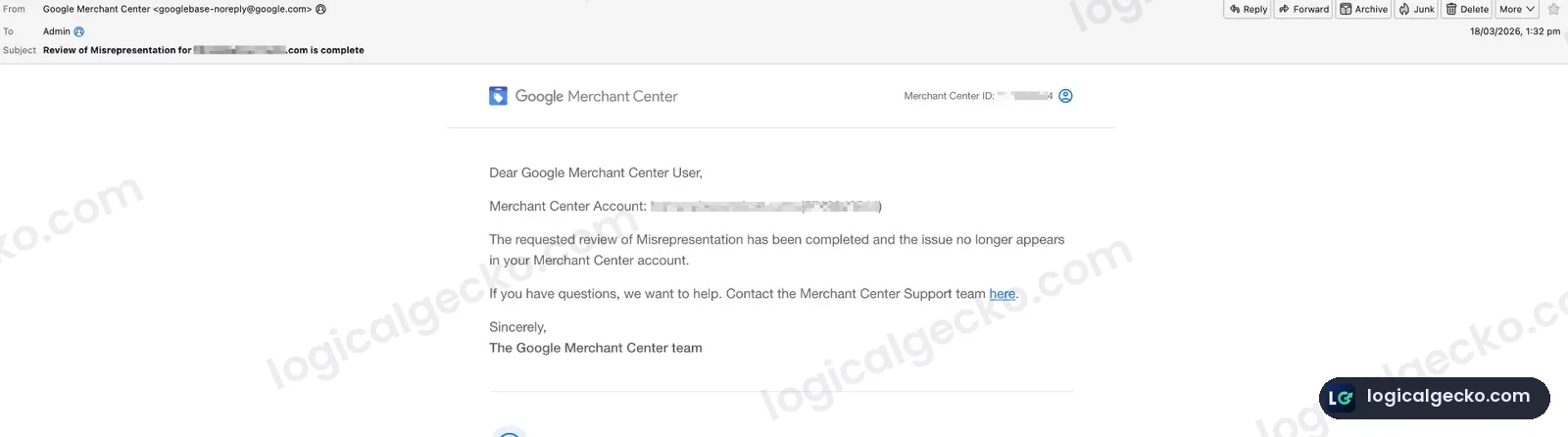
Act now
Every Day You Wait Costs You Money
While you try to figure it out, your products stay out of Shopping ads and free listings. Send us the details and a specialist starts the assessment.
Send the suspension notice and your store URL. Every day counts when your Shopping ads are off.
Before you request a review
What Should You Do Right After a Suspension?
The first moves after a suspension decide how hard the recovery gets. These are the mistakes we see most often, and what to do instead.
Opening a new account
A new Merchant Center account, or the same store on a new domain, can be treated as circumventing systems.
Keep the original account
Fix what caused the suspension and request the review on the account Google suspended.
Requesting a review right away
A review sent before every issue is fixed usually fails, and failed reviews can lead to a cool-down.
Fix everything, then request once
Make every change live, let Google recrawl the site, then submit one review request.
Editing one policy page
Suspensions usually come from several small gaps, so a single edit rarely clears them.
Audit the whole store
Check business details, policies, shipping, checkout, product data and claims together.
Unlinking a suspended Google Ads account
Google says removing or unlinking it does not resolve a linked account suspension.
Fix the Google Ads suspension first
Appeal the Google Ads account, then request the Merchant Center review.
Selected Case Studies
GMC Case Studies
Real recoveries from Merchant Center suspensions and Misrepresentation flags.
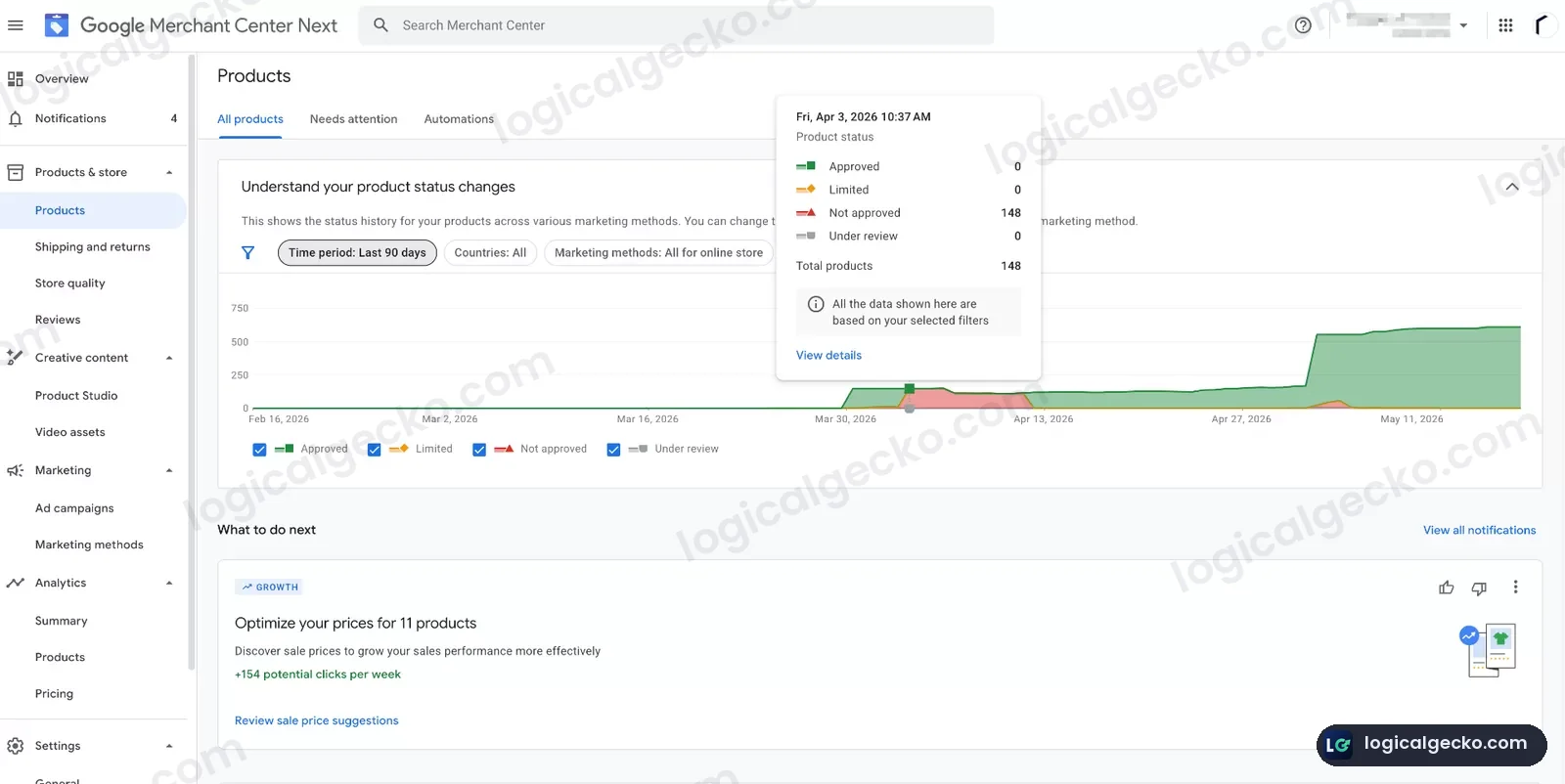 FragranceGemsRecovered from GMC MisrepresentationFull compliance audit, feed cleanup, and trust signal rebuild restored GMC approval and reinstated Google Ads activity.
- GMC
- Approved
- Products
- 148
- Ads
- Reinstated
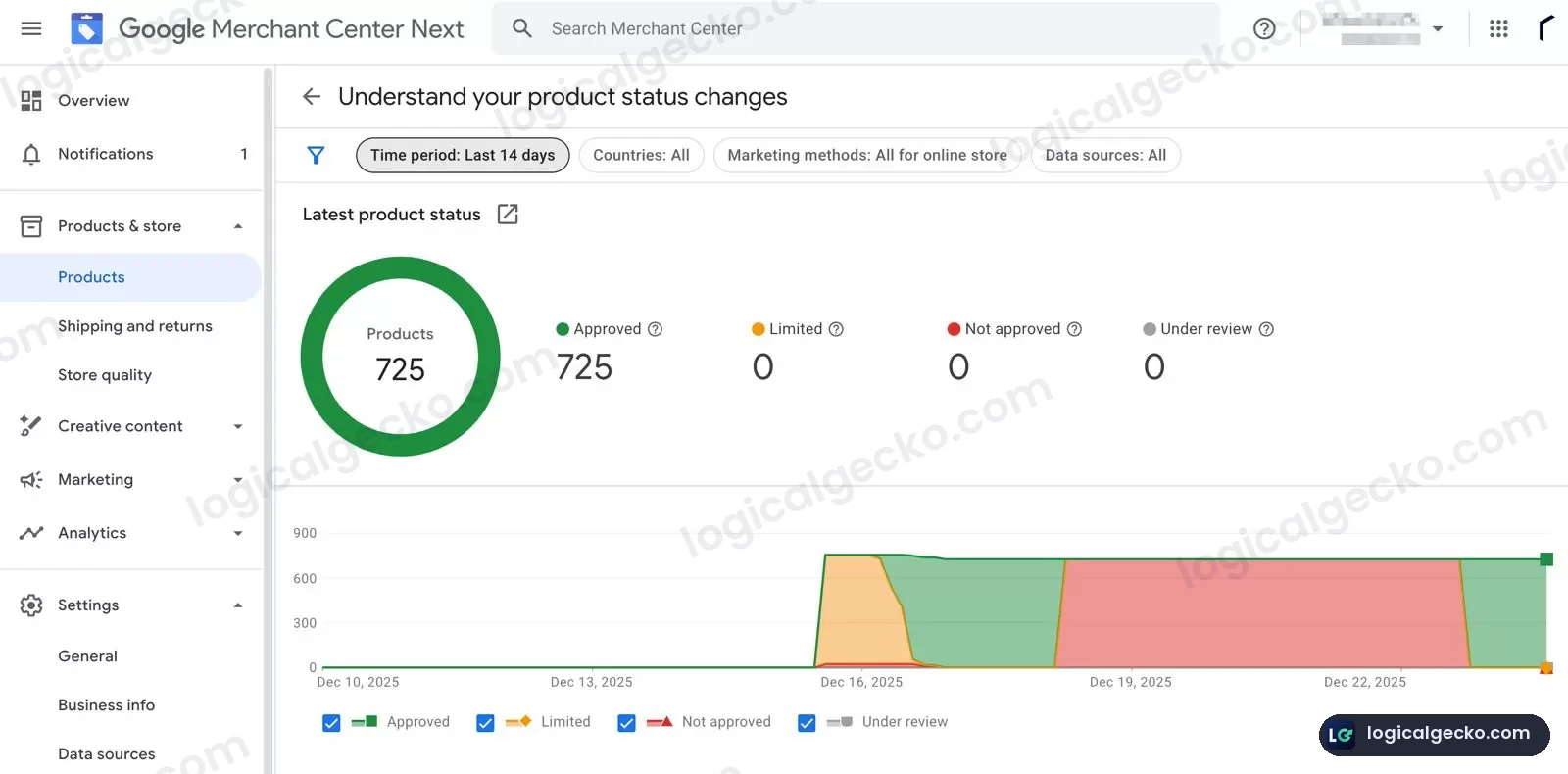 EnducloFrom GMC Misrepresentation to 725 Approved ProductsCompliance cleanup, shipping and policy alignment, and controlled product scaling restored a stable, approved Merchant Center setup.
- Approved
- 725
- Disapproved
- 0
- Under review
- 0
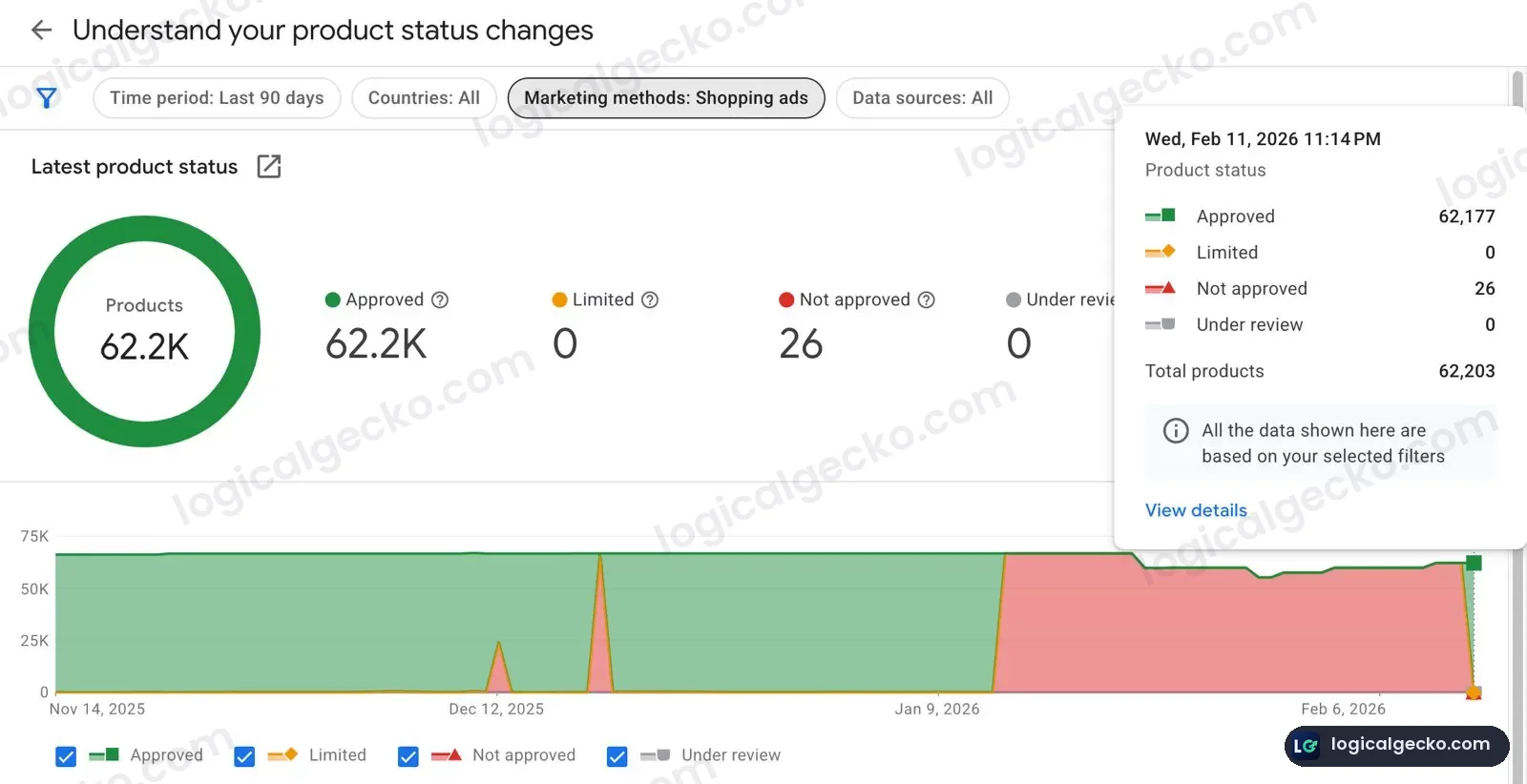 PosteryFrom 'Unlikely to Be Reversed' to 62,177 Products ApprovedEstablished international ecommerce brand recovered from a complex GMC Misrepresentation suspension involving trust signals, shipping mismatches, and third-party brand impersonation.
- Approved
- 62,177
- Limited
- 0
- Status
- Reinstated
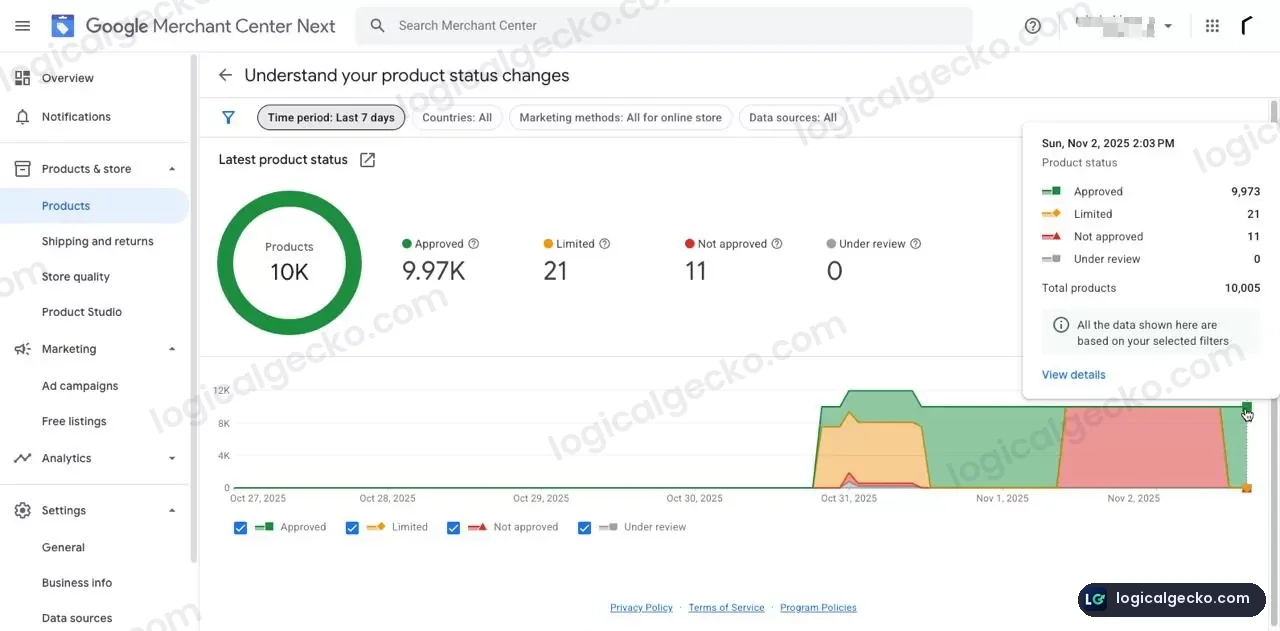 Mirai SkinSkincare Brand Recovered From GMC MisrepresentationFull compliance reset across website trust signals, policies, shipping, and product feed restored Shopping eligibility with nearly 10,000 approved products.
- Approved
- 9,973
- Limited
- 21
- Under review
- 0
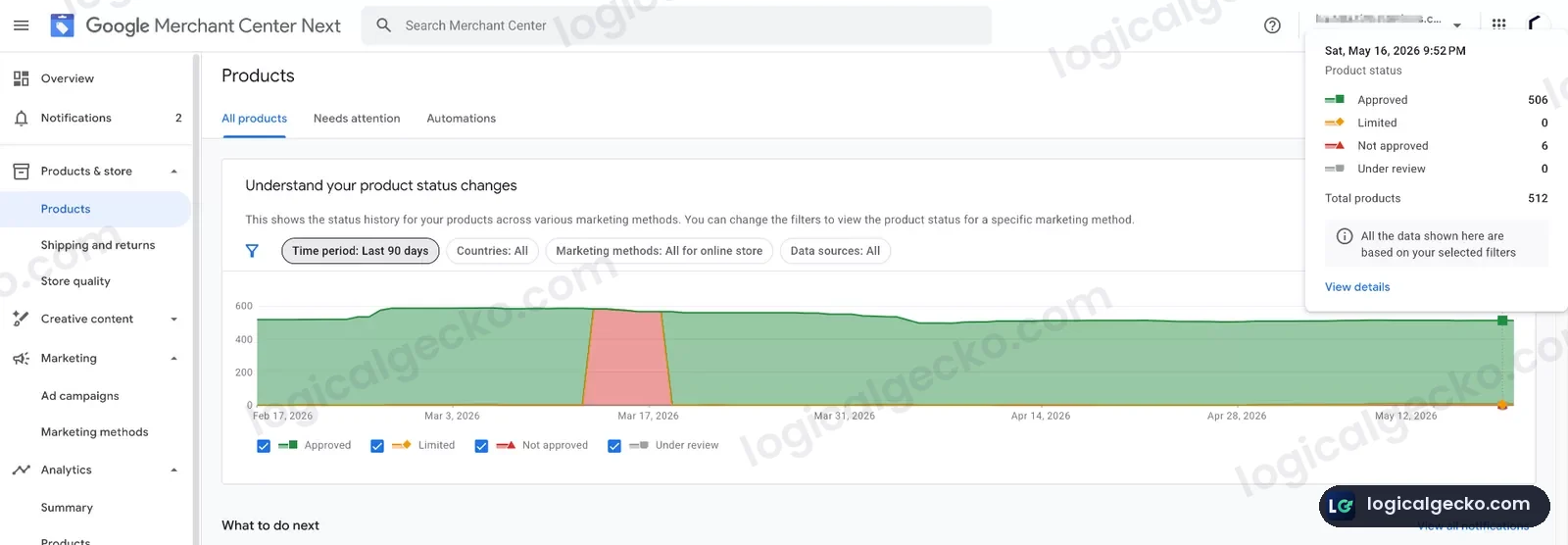 Humane InnovationsFrom Failed Appeals to 506 Approved ProductsUS ecommerce store recovered from a GMC Misrepresentation suspension after multiple failed appeals through a full compliance rebuild and controlled product rollout.
- Approved
- 506
- Limited
- 0
- Under review
- 0
These case studies represent selected examples from our broader GMC recovery work. Results may vary depending on account history, website compliance, product data, and Google's review process.
Why was my Google Merchant Center account suspended?
Google suspends an account when it finds a policy violation at account level. Misrepresentation is the most common reason, usually because business details, policies, shipping or product data do not match across the website and Merchant Center. Other causes include circumventing systems, a suspended Google Ads account linked to Merchant Center, and prohibited products in the feed.
How long does it take to recover a suspended account?
Most of the time goes into fixing the store, and that depends on what caused the suspension. Once every fix is live and the review is requested, Google says account reviews typically take 7 business days, but may take longer for complex reviews. Accounts with a history of failed reviews take longer, and we keep you updated at every step.
Do you guarantee reinstatement?
Google makes every reinstatement decision, so no one can honestly promise approval. What we guarantee is our fee. If Google rejects the review request we prepare and submit, we refund the recovery fee you paid us in full, under our refund terms. The fixes in our written plan must be live first, and you ask within 30 days of Google's decision.
Should I open a new Merchant Center account?
No. Google lists creating new accounts after a suspension as circumventing systems, an egregious violation that leads to suspension on detection, with no warning. Moving the same store to a new domain carries the same risk. Keep the existing account and fix what caused the original suspension.
What if my appeals have already failed?
It is still worth a proper recovery. Repeated rejections usually mean each review was sent before every issue was fixed. Humane Innovations reached us with several failed appeals and no review options left, and it now has 506 products approved. After failed attempts Google can apply a cool-down, so plan for some waiting time.
Can I keep selling while my account is suspended?
Yes. Your store keeps running and taking orders. A Merchant Center suspension removes your products from Shopping ads and free listings, and Search campaigns can usually keep running unless the Google Ads account is suspended too. Your website also stays in regular Google Search results during the suspension.
Do you need my Google password?
No. If you go ahead, you add our email as a user in Merchant Center, which takes a few minutes. You keep full ownership of the account and can remove our access at any time. Every change we make to the store or the account is logged and shared with you.
What do you need from me to start?
Your store URL and the suspension notice are enough for the free assessment. Within 24 hours we tell you whether we found what is causing the suspension. If you decide to go ahead, we agree on access and on who makes which change before any work starts.
Get help today
Ready to Get Your Account Back?
Pick the channel that suits you. A recovery specialist replies within 24 hours.
Emergency WhatsApp Support
Send the suspension notice on WhatsApp and talk to a recovery specialist directly. Every day counts when your Shopping ads are off.