Quick answer
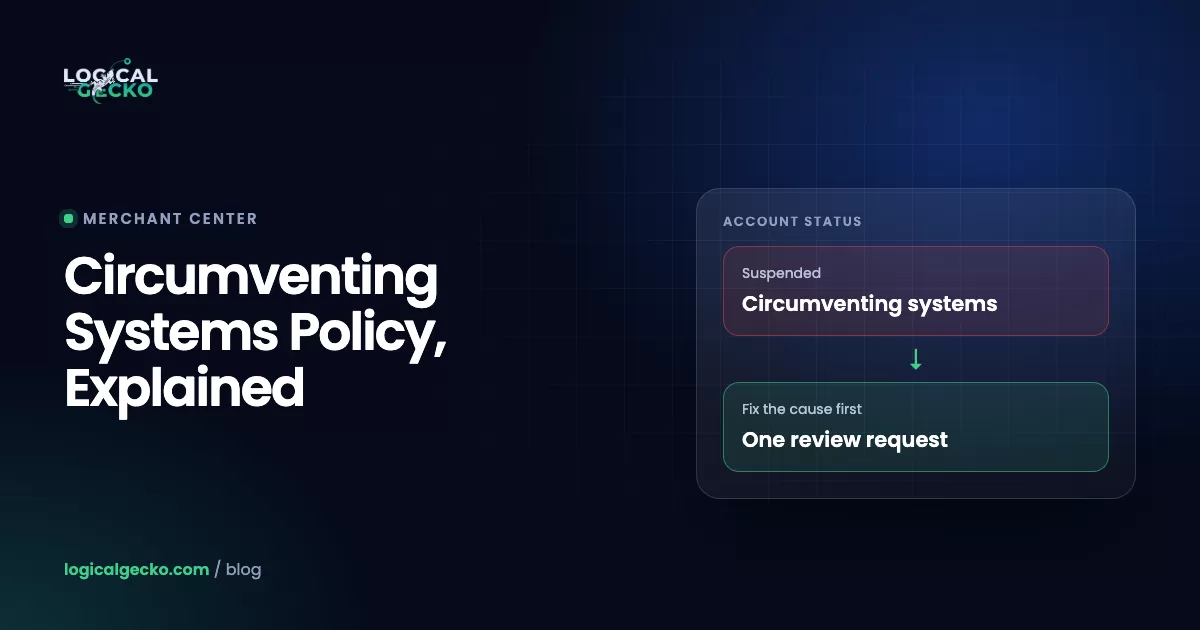
Google's Circumventing systems policy bans any attempt to trick or get around its ad and product review systems, such as cloaking, opening new accounts after a suspension or submitting false verification details. Google treats it as egregious, so accounts are suspended without warning. Do not open a new account. Find and fix the cause, complete any verification, then appeal once.
Key takeaways
- Circumventing systems is an egregious policy in both Google Ads and Merchant Center, so Google suspends accounts on detection, without the usual warning period.
- Google's own examples include creating new accounts after a suspension, cloaking, spreading violations across several accounts, submitting false verification information and resubmitting disapproved content in a new form.
- A legitimate business can get flagged through links it forgot about: an old suspended account, a shared payment method, an account a past agency opened, or a redirect, pop-up or bot filter that hides the site from Google.
- A suspended Google Ads account linked to Merchant Center can get Merchant Center suspended too, and Google says unlinking it does not fix the problem, so the Google Ads suspension has to be resolved first.
- Google says Merchant Center account reviews typically take 7 business days and gives Google Ads advertisers at least 6 months to appeal a suspension, so a careful, complete appeal beats a fast one.
On this page
- What is Google's Circumventing systems policy?
- What are Google's circumventing systems examples?
- Why do legitimate businesses get flagged for circumventing systems?
- Ad disapproval vs account suspension: what is the difference?
- What should you do after a circumventing systems suspension?
- How do you write a circumventing systems appeal?
- How long does a circumventing systems appeal or review take?
- How do you avoid a circumventing systems suspension?
- When should you get help with a circumventing systems suspension?
- FAQ
What is Google's Circumventing systems policy?
Google's Circumventing systems policy bans any attempt to trick, bypass or interfere with the systems Google uses to review ads and product listings. It exists in Google Ads and in Merchant Center, with almost the same wording. If an email says "your account violated the Circumventing systems policy", Google has concluded that your account, or something connected to it, tried to get around a review.
The Google Ads policy page says Google Ads "doesn't allow advertisers to attempt to trick or circumvent our ad review processes with their ads, content, or destinations." In Merchant Center, the same rule sits inside the Abuse of the network policy and applies to product listings, content and destinations.
Three facts shape everything else in this guide:
- It is an egregious policy. Google defines an egregious violation as one "so serious that it is unlawful or poses significant harm" to users. Circumventing systems sits on the same list as counterfeit goods and malicious software.
- There is no warning. For policies that are not egregious, Google sends a warning at least 7 days before it suspends an account. Egregious violations lead to suspension "upon detection and without prior warning".
- Google looks beyond the account. Google says it "may review information from multiple sources including your ad, website, accounts, and third-party sources." The cause can sit in an old account or in your website code.
The policy does not cover small mistakes. Google states that accounts "aren't suspended under this policy for having ad disapprovals related to editorial issues like formatting or misspelled words."
What are Google's circumventing systems examples?
Google gives a non-exhaustive list of examples in both help centers. Five appear in both, almost word for word. Merchant Center adds three technical examples, and Google Ads adds one for gambling advertisers.
| Example (Google's wording, shortened) | Google Ads | Merchant Center |
|---|---|---|
| Creating variations of ads, listings, domains or content that were disapproved, to bypass enforcement and detection | Listed | Listed |
| After a suspension, creating new accounts to re-enter the system | Listed | Listed |
| Abusing product features to show non-compliant content or gain extra traffic | Listed | Listed |
| Submitting false information in verification programs | Listed | Listed |
| Policy violations across several of your accounts, gradually or all at once, such as new websites or accounts for content already disapproved | Listed | Listed |
| Using dynamic DNS to switch the page or product | Not listed | Listed |
| Manipulating product data or site content to bypass automated system checks | Not listed | Listed |
| Restricting crawler access to your landing pages | Not listed (Google advises letting it reach all pages) | Listed |
| Not re-certifying for Gambling and games after a material change | Listed | Not listed |
Google adds that an account may also be suspended over regulatory warnings or rulings about your advertising, or direct complaints from users or businesses. Merchant Center also has a separate egregious rule, linked account suspension, covered below.
The three named parts of the Google Ads policy
As of October 2026, the Google Ads policy page splits the policy into three named sections, and your notice may name one:
- Cloaking. Google defines it as "showing different content on your website to different people or to Google to try to hide things that might break Google Ads' rules." Its examples include a pop-up that blocks most of the site so Google cannot check the page, and click trackers that send people to prohibited content.
- Multiple account abuse. Creating more Google Ads accounts after a suspension to keep breaking the rules, or creating dozens of accounts to run a scam.
- Advertiser verification. Giving false or fraudulent information during verification. You lose verified status and the account is suspended.
If your Merchant Center notice names a different policy, such as misrepresentation, the fix is different. See our guide to fixing a Merchant Center misrepresentation suspension instead.
Why do legitimate businesses get flagged for circumventing systems?
An honest business can get this notice without ever setting out to trick Google. Something in its setup matches a pattern on Google's list: a second account, a link to a suspended account, or a website that shows Google something different from what visitors see.
A new account opened after a suspension
This is the most direct match. Google's examples include "after a previous suspension decision, attempting to use the Google Ads system again by creating new accounts to re-enter the system." The first suspension may have been for something small, like an unpaid balance, and a freelancer may have opened the new account for you. It still counts. Google's suspensions overview says new accounts a suspended advertiser creates "may also be suspended", and recommends reinstating every suspended account before creating new ones.
Accounts linked by payment, domain, login, documents or agency
Google does not publish exactly how it connects accounts. It says that "accounts related to the suspended account may be suspended", and that accounts verified with the same identity documents can be suspended together. Its best practices for multiple account abuse point to the usual links: use trusted payment methods, connect each account to a real business, resolve suspensions on connected accounts, and "check with your agency."
So list everything your business shares with any other Google Ads or Merchant Center account:
- The same credit card, bank account or payments profile
- The same website domain, or a domain you used before
- The same Google login, as owner or as a user
- The same verification documents or legal business name
- The same manager account, usually one that belongs to an agency or a freelancer
The agency link is easy to miss. A past agency or freelancer may have opened an account in your name or added your card to one you never logged in to.
Redirects, cloaking and apps that hide the page from Google
Cloaking does not need bad intent. Google's examples include a pop-up that "blocks access to the majority of your website's content" and click trackers that send people somewhere Google never reviewed. Merchant Center goes further and lists "restricting crawler access to your landing pages" as circumventing systems. Everyday setups to check:
- Geo-redirect or currency apps that send visitors to a different store or domain than the one in your ads
- Age gates, newsletter pop-ups or cookie walls that cover the whole page
- Bot protection, firewall rules, a password page or a country block that stops Google's crawlers
- Tracking templates or link shorteners that redirect through domains you do not control
- A hacked site. Google warns that "websites can get hacked and cloaking content can be added without you knowing."
Showing other languages, location-based offers or a lighter page on slow connections is fine. Google allows it, as long as the product or service you promote is the same for everyone.
Editing a disapproved ad or product just enough to get it through
Google lists creating variations of disapproved ads, domains or content to bypass enforcement. Merchant Center adds "manipulating product data or site content in order to bypass our automated system checks." Re-uploading a disapproved product under a new title, misspelling a restricted word or moving a rejected page to a new domain all match that pattern.
Editing to comply is different, and Google reviews a compliant edit automatically. Google even suggests a minor edit to force a fresh crawl after a genuine fix. The test: did the edit remove the problem, or only hide it?
A suspended Google Ads account linked to Merchant Center
Merchant Center's linked account suspension rule bans having a suspended account linked to your Merchant Center account, and Google treats it as egregious. So a Google Ads suspension can take down your Shopping ads and free listings too. Google's linked account suspension guide says that "removing or unlinking the suspended Google Ads account from your Merchant Center account won't unsuspend or resolve your Merchant Center account issue." The Google Ads suspension has to be fixed first.
What Google's systems see
- A new account from a suspended advertiser
- A payment method used on a suspended account
- Google sees one page, visitors see another
- A landing page Google cannot load
- A disapproved product back under a new title
Everyday causes to check
- A "fresh start" account after a billing suspension
- A past agency or freelancer reused your card
- A redirect app, full-page pop-up or hacked code
- Bot protection or a password page blocking crawlers
- A title edit instead of a real fix
Ad disapproval vs account suspension: what is the difference?
A disapproval stops one ad or one product. A suspension stops the whole account. Each has its own fix, appeal route and limits (see Google's guide to fixing a disapproved ad), so confirm which one you have first.
| Ad or product disapproval | Account suspension for circumventing systems | |
|---|---|---|
| What stops | One ad, asset or product | Every ad in the Google Ads account, or every product in Merchant Center |
| Warning first | Not needed; the item just cannot run | None, because the policy is egregious |
| How to fix | Edit the ad, page or product to comply; it is reviewed again automatically | Find and fix the cause across every connected account and the website, then appeal or request a review |
| Appeal route | Policy manager: "Dispute decision" or "Made changes to comply with policy" | Google Ads: Contact Us link in the suspension notice. Merchant Center: "I fixed the issue" or "I disagree with the issue", then Request review |
| Limits | 3 appeals per ad; wait 24 hours between appeals on the same ads | Google Ads: too many appeals may not be processed. Merchant Center: one chance to disagree, then a cool-down |
| Google's stated timing | Most ads reviewed within one business day | Merchant Center: typically 7 business days. Google Ads: no standard time published |
A temporary account hold is a third state, and it belongs to a different system. For repeat violations of certain Google Ads policies, Google uses strikes: a warning, then a 3-day hold, then a 7-day hold, and a suspension at the third strike. Circumventing systems skips all of those steps. Even the strike acknowledgement form states that creating additional accounts to get around enforcement is prohibited.
What should you do after a circumventing systems suspension?
Stop, map every connected account, fix the cause, then appeal once with a clear explanation. Order matters more than speed. Google gives Google Ads advertisers at least 6 months from the suspension date to appeal, while Merchant Center review attempts are limited.
- Do not open a new account. No new Google Ads account, no new Merchant Center account and no new domain for the same products. Each one matches an example on Google's list and can be suspended too. Do not delete or unlink accounts either. Unlinking does not fix a linked suspension, and you need the history.
- Read every notice and confirm what is suspended. Check the emails, the Google Ads banner and, in Merchant Center, Products › Needs attention › View setup and policy issues. Note the exact policy name (for example "Circumventing systems: multiple account abuse"), the date and every account named.
- Map every account and shared detail. List all Google Ads, Merchant Center and manager accounts that you, your staff or any agency opened for the business, with each one's status, payment method, domains and logins. Ask past agencies and freelancers directly.
- Find the cause in the account history. In Google Ads, read the change history around the suspension date, check final URLs and tracking templates on ads and assets, and look for unfamiliar domains in the landing pages report.
- Check the website the way Google's crawler sees it. Open your landing pages in a private window and on a phone. Remove full-page pop-ups and redirects to other domains, let Google's crawlers past bot protection, and check your domain in Google's Safe Browsing tool. If the site was hacked, clean it and update everything.
- Fix the cause, then resolve linked suspensions. Remove the redirect or cloaking setup and stop using any duplicate account. Google asks for a separate appeal for each suspended related account. If you were suspended because another account used the same identity documents, Google says you are reinstated automatically once that account's appeal succeeds.
- Complete verification if asked. Some advertisers must pass advertiser verification before they can appeal, with 3 attempts allowed. Merchant Center often asks for identity verification before the review button appears. Use real, unedited documents.
- Appeal or request a review once. In Google Ads, select Contact Us in the suspension notification and complete the appeal form. In Merchant Center, follow Google's review request steps: choose I fixed the issue, or I disagree with the issue if Google got it wrong, then select Request review. If a linked Google Ads account is suspended, appeal that one first.
- Wait for the email. Do not resubmit while the account shows "Appeal pending" or the issue shows "Under review". Google sends an email with the outcome.
What not to do
| Mistake | Why it backfires |
|---|---|
| Opening a new Google Ads or Merchant Center account | Google lists it as circumventing systems, and new accounts may be suspended too |
| Unlinking the suspended Google Ads account from Merchant Center | Google says it won't unsuspend or resolve the Merchant Center issue |
| Sending appeal after appeal | Google may not process them, and misuse pauses appeal processing for 7 days |
| Choosing "I disagree" in Merchant Center after you made changes | You may only have one chance to disagree |
| Buying an "aged" or "clean" account from a seller | Using any other account to keep advertising after a suspension is what the policy bans |
How do you write a circumventing systems appeal?
Write a short, factual account of what happened, what you changed and how you will stop it happening again, and attach proof. Google reinstates accounts "only in compelling circumstances, such as in the case of a mistake," and asks you to be "thorough, accurate, and honest."
Google's tips are to follow its best practices, explain your situation and complete verification if asked. In practice, cover:
- Who you are: legal business name, website, and what you sell or the service you offer
- Why you have more than one account, if you do, and who opened each one
- For cloaking: why Google saw different content, and what you removed (for example, a geo-redirect app or a full-page pop-up)
- For linked accounts: how the other suspensions were resolved or appealed
- What you changed, with dates, and what you now do to prevent it
- Documents that back it up, such as business registration, domain invoices or emails with a past agency
Tone tip: Write for a reviewer who has never seen your business. Plain facts in date order work better than a long apology or an angry complaint, and a named cause works better than "we don't know what happened".
How long does a circumventing systems appeal or review take?
Merchant Center account reviews typically take 7 business days. For Google Ads account suspensions, Google says you get an email with the outcome but, as of October 2026, publishes no standard turnaround. Google's own figures:
| Step | Google's figure | Google source |
|---|---|---|
| Review of a new or edited ad | Most within one business day; contact support after a week | About the ad review process |
| Ad appeal in progress | Check back in 24 hours; wait 24 hours between appeals on the same ads | Fix a disapproved ad or appeal a policy decision |
| Ad appeals for old decisions | Since July 21, 2026, not available in the account for decisions more than 6 months old; contact support | Fix a disapproved ad or appeal a policy decision |
| Deadline to appeal a Google Ads account suspension | At least 6 months from the suspension date | Google Ads account suspensions overview |
| Misuse of the appeals function | Processing of certain appeals paused for 7 days | Google Ads account suspensions overview |
| Google Ads appeal when Merchant Center is linked | Support "will reach out to you in 5 business days" | How to fix: Linked account suspension |
| Merchant Center account review | Typically 7 business days; longer for complex reviews | Abuse of the network; Request a review |
| Products after approval | Eligible to show across Google within 24 hours | Request a review of your issues |
| Merchant Center cool-down | A one-week cool-down may begin if issues aren't resolved by the second attempt, and it can grow | Request a review of your issues |
Worked example: a linked Google Ads and Merchant Center suspension
For example, take a store selling kitchen knives. A freelancer opened a second Google Ads account with the store's card after the first account was suspended for an unpaid balance. Months later, both Google Ads accounts are suspended for circumventing systems, and the linked Merchant Center account is suspended too. This is an illustrative case, not a client result.
The store pays the old balance, stops using the second account, gets a note from the freelancer explaining it, and appeals each Google Ads account separately. Using Google's published figures, the fastest path, if every step passes the first time, looks like this:
That number is a floor, not a forecast. Google decides every step, and a rejected appeal restarts the clock. Opening a third account while it waits would cost the store far more time.
How do you avoid a circumventing systems suspension?
Keep one clean set of accounts per business, fix problems instead of working around them, and make sure Google sees exactly what visitors see. These habits cover every example on Google's list:
- Run one Google Ads account and one Merchant Center account per business unless you have a clear reason for more, each tied to a real business and its own trusted payment method.
- Resolve any old suspension through an appeal before you open anything new.
- Give agencies and freelancers user access to your accounts instead of letting them open new ones, and remove that access when the work ends.
- Use click trackers certified by Google, and keep final URLs on the domain you verified.
- Let Google's crawlers reach every landing page: no password pages, country blocks, bot rules or full-page pop-ups in the way.
- Keep the promoted product the same for everyone, even when language, offers or currency change by location.
- Install security updates for your store platform and plugins.
- Fix a disapproved ad or product by meeting the policy, never by changing the wording just enough to pass.
- Submit only real, unedited documents for advertiser and identity verification.
- Keep a dated list of every account, user, payment method and domain, so you can answer a notice in hours instead of weeks.
If you are opening Merchant Center for the first time, our Google Merchant Center setup guide walks through setting it up once, under the right business details. New to the tool? Start with what Google Merchant Center is and how it connects to Google Ads.
When should you get help with a circumventing systems suspension?
Get help when you cannot find the cause, when an appeal or review has already failed, or when Shopping brings in a large share of your sales. At that point each attempt counts, so have someone check the full account history and the website before the next one.
Logical Gecko recovers suspended Google Merchant Center accounts, including circumventing systems suspensions. If only your Google Ads account is suspended, the appeal goes through Google Ads itself, using the steps above. We are an independent agency, not affiliated with Google, and Google makes every reinstatement decision. Our Merchant Center suspension recovery starts with a free audit: we review your store and account and tell you whether we found what is causing the suspension. If your notice says misrepresentation instead, see our Merchant Center misrepresentation fix.
You can see how past recoveries went in our Merchant Center case studies. Postery had 62,177 products approved after Google marked its suspension unlikely to be reversed, and Humane Innovations had 506 products approved after multiple failed appeals.
Frequently asked questions
Can I open a new Google Ads account after a circumventing systems suspension?
No. Google lists creating new accounts to re-enter the system after a suspension as a circumventing systems violation, and its suspensions overview says any new accounts a suspended advertiser creates may also be suspended. Google recommends getting every suspended account reinstated through an appeal before you create a new one. The same rule applies in Merchant Center, where a new account or a new domain for the same products can be suspended on detection.
Is a circumventing systems suspension permanent?
It is permanent unless an appeal succeeds. Google says a suspended Google Ads account stays suspended until an appeal is submitted and the account is reinstated, and you have at least 6 months from the suspension date to appeal. Google reinstates accounts only in compelling circumstances, such as a mistake, so a clear explanation with proof of what you fixed matters more than a fast reply.
Does Google warn you before a circumventing systems suspension?
No. Circumventing systems is one of Google's egregious policies, so the account is suspended on detection without a warning. That differs from Google's strike system for repeat violations of certain policies: a warning first, then account holds of 3 and 7 days, and a suspension only at the third strike. Merchant Center gives 7 or 28 calendar days to fix most issues, but it may not warn you for egregious ones.
Can a hacked website cause a circumventing systems suspension?
Yes. Google's cloaking guidance warns that websites can get hacked and cloaking content can be added without the owner knowing, such as code that shows Google one page and visitors another. Check your landing pages for redirects you did not add, scan the site, update your platform and plugins, and check the domain in Google's Safe Browsing tool. Then explain the hack and the cleanup in your appeal.
Will unlinking a suspended Google Ads account fix my Merchant Center account?
No. Google's Merchant Center help says that removing or unlinking the suspended Google Ads account won't unsuspend or resolve the Merchant Center issue. Appeal the Google Ads suspension first; Google says its support team will reach out in 5 business days about that account. Once the Google Ads account is reinstated, request a Merchant Center review if the account is still suspended.
How many times can you appeal a Google Ads suspension?
Google sets no fixed number for account suspensions, but more appeals do not help. You can re-appeal after a rejection, yet Google may not process too many appeals for the same suspension, and if it sees misuse it pauses processing of certain appeals for 7 days. For a single disapproved ad the limit is 3 appeals, with at least 24 hours between appeals on the same ads.
What is the Circumventing systems: multiple account abuse policy?
Multiple account abuse is one of three named parts of the Google Ads Circumventing systems policy, next to cloaking and advertiser verification. It covers creating more Google Ads accounts after a suspension to keep breaking the rules, and creating many accounts to run a scam. If your notice names it, list every account tied to your business, resolve the suspended ones and explain in your appeal why each account exists.
Sources10 references
- Google Advertising Policies Help: Circumventing systems
- Google Advertising Policies Help: Abusing the ad network
- Google Ads Help: Google Ads account suspensions overview
- Google Advertising Policies Help: About enforcement procedures for repeat violations
- Google Ads Help: Fix a disapproved ad or appeal a policy decision
- Google Ads Help: About the ad review process
- Google Merchant Center Help: Abuse of the network (Circumventing systems, Linked account suspension)
- Google Merchant Center Help: Request a review of your issues
- Google Merchant Center Help: How to fix: Linked account suspension
- Google Merchant Center Help: Fixing Merchant Center warnings and account suspensions for policy violations

Safeer leads strategy at Logical Gecko, a Google Partner and Shopify Partner agency that runs Google Ads for eCommerce and home-service brands and recovers suspended Merchant Center accounts. Everything in these guides comes from work on live client accounts. More about the team.