Quick answer
Google Ads has no minimum spend. You set an average daily budget, and an auction prices each click from your bid, ad quality and competition. In the 2026 LocaliQ and WordStream benchmarks, US search ads cost a median $5.42 per click and $66.69 per lead. Your right budget comes from your own cost per lead or break-even ROAS.
Key takeaways
- Google Ads has no minimum spend: a campaign can spend up to 2x its average daily budget on one day, but never more than 30.4x that budget in a month.
- You pay only what it takes to clear Google's Ad Rank thresholds and beat the next advertiser's Ad Rank, so better ads and landing pages lower your cost per click.
- The 2026 LocaliQ and WordStream benchmarks put US search ads at $5.42 per click and $66.69 per lead; Home and Home Improvement sits at $8.33 and $90.92.
- Set your budget from your own numbers: maximum cost per lead = profit per job × close rate, and for stores, target ROAS = 1 ÷ (margin minus profit goal).
- Most overspending comes from broad match without negatives, weak Quality Score components and broken conversion tracking, not from the auction itself.
On this page
- How much does Google Ads cost per month?
- How does the Google Ads auction decide what you pay per click?
- Can Google Ads spend more than your daily budget?
- What is the average cost per click and cost per lead by industry?
- How much should you spend on Google Ads?
- How do Shopping and Performance Max costs compare with Search?
- What does Google Ads cost beyond the clicks?
- How do you know if you are overpaying for Google Ads?
- How long does Google Ads take to show results?
- Is Google Ads worth it for a small business?
- FAQ
How much does Google Ads cost per month?
Google Ads costs whatever monthly budget you set, because there is no minimum spend and no fixed price. A campaign with a $20 average daily budget can never bill more than $608 in a month. What that money buys depends on your cost per click, and what the clicks produce depends on your conversion rate.
The table below turns common daily budgets into a monthly ceiling, clicks and leads. It uses the 2026 LocaliQ and WordStream search benchmarks: a $5.42 median cost per click and a $66.69 median cost per lead across all industries, plus $90.92 per lead for Home and Home Improvement, the category closest to plumbing, HVAC and roofing.
| Average daily budget | Maximum monthly charge | Clicks at $5.42 | Leads at $66.69 (all industries) | Leads at $90.92 (home improvement) |
|---|---|---|---|---|
| $10 | $304 | About 56 | About 4.6 | About 3.3 |
| $20 | $608 | About 112 | About 9.1 | About 6.7 |
| $50 | $1,520 | About 280 | About 22.8 | About 16.7 |
| $100 | $3,040 | About 561 | About 45.6 | About 33.4 |
Treat these as illustrative. The benchmarks are medians, and your market, keywords and landing page will move your numbers. The shape of the math holds: a small budget buys a handful of leads, which is too few to tell a good keyword from a bad one.
How does the Google Ads auction decide what you pay per click?
Every search runs a fresh auction, and your actual cost per click is the minimum needed to keep your position. Google states that you pay only what is required to clear the Ad Rank thresholds and beat the Ad Rank of the advertiser immediately below you. If nobody else clears the thresholds, you pay the reserve price (Actual cost-per-click).
Just enough to clear Ad Rank thresholds and beat the next Ad Rank, usually below your max CPCAd Rank decides whether your ad shows and where. According to Google's Ad Rank definition, it weighs these inputs:
- Your bid, set manually or by Smart Bidding.
- The quality of your ad and landing page, judged at auction time.
- Ad Rank thresholds, the minimum an ad must reach to show at all.
- How competitive the auction is, meaning how many advertisers bid and how close their Ad Ranks are.
- The context of the search: location, device, time and the exact search terms.
- The expected impact of assets such as sitelinks, calls and images.
Google adds that a competitor with a higher bid can still sit below you if your keywords and ads are more relevant. That is the lever small businesses control. You cannot change how many plumbers bid on "water heater repair" in your city, but you can make your ad and page the most relevant answer for that search.
Many cost guides still quote an old formula: Ad Rank equals Quality Score times max bid, and you pay the next Ad Rank divided by your Quality Score plus one cent. Google's current documentation does not. Quality Score is a 1 to 10 diagnostic built from expected clickthrough rate, ad relevance and landing page experience, and Google says plainly that it is not an input in the ad auction. Treat it as a warning light for the auction-time quality that does count.
Can Google Ads spend more than your daily budget?
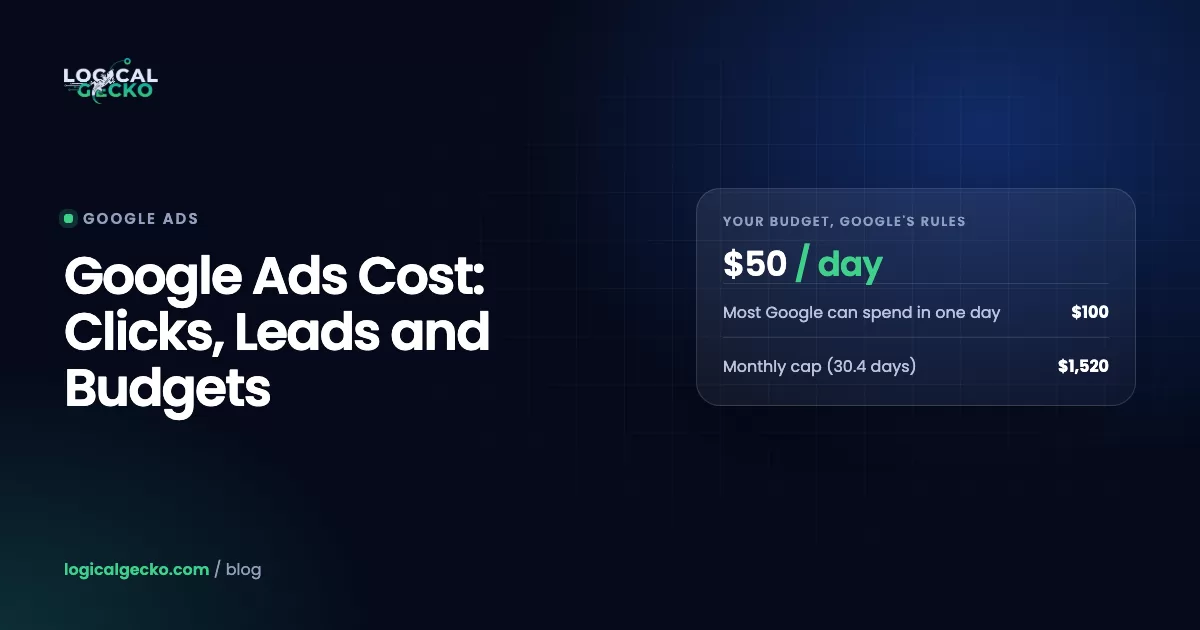
Yes. Google can spend up to 2 times your average daily budget on a single day, but it will not charge more than 30.4 times that budget in a month. Google calls the daily excess overdelivery, and it uses it to catch high-traffic days (Manage your spend in Google Ads).
Average daily budget × 30.4Google's own example: a campaign that stays at $10 a day for the whole month can be charged at most $304, and never more than $20 on any single day. If the ads run so much that costs pass the monthly limit, Google applies an overdelivery credit to the account.
Three practical consequences follow:
- Divide by 30.4, not 30. To spend $3,000 a month, set about $98.68 a day ($3,000 ÷ 30.4).
- Daily spend swings both ways. Google says your daily cost can be more or less than the average daily budget, so a quiet Tuesday and a busy Monday even out across the month.
- A big charge is not always a big day. On postpay billing, Google charges your card when accrued costs reach your payment threshold, and on a monthly cycle, and the threshold can rise automatically as you spend. A single charge of a few hundred dollars usually covers several days of normal spend.
What is the average cost per click and cost per lead by industry?
The US median across all industries is $5.42 per click and $66.69 per lead, according to the 2026 LocaliQ and WordStream search advertising benchmarks. The report covers 13,474 US search campaigns on Google Ads and Microsoft Ads that ran from April 1, 2025 to March 31, 2026, across 23 industries. Its "averages" are medians, which keeps a few huge accounts from skewing them.
| Business category | Average CPC | Average cost per lead |
|---|---|---|
| All industries | $5.42 | $66.69 |
| Attorneys & Legal Services | $9.87 | $131.63 |
| Home & Home Improvement | $8.33 | $90.92 |
| Dentists & Dental Services | $8.00 | $72.97 |
| Personal Services | $7.17 | $54.60 |
| Business Services | $5.87 | $93.69 |
| Beauty & Personal Care | $4.62 | $39.25 |
| Apparel / Fashion & Jewelry | $4.44 | $97.51 |
| Automotive: Repair, Service & Parts | $4.35 | $29.96 |
| Shopping, Collectibles & Gifts | $4.14 | $49.40 |
| Animals & Pets | $4.06 | $31.50 |
| Furniture | $3.97 | $106.70 |
| Real Estate | $3.22 | $102.51 |
| Restaurants & Food | $2.05 | $30.57 |
| Arts & Entertainment | $1.63 | $26.84 |
Source: LocaliQ and WordStream, Google Ads Benchmarks 2026, updated May 19, 2026. Selected categories shown.
A cheap click does not mean a cheap lead. Furniture clicks cost less than half of home improvement clicks, yet furniture leads cost more, because the category converts at 2.99% against 8.05% for home improvement. Automotive repair pays $4.35 a click and gets the cheapest leads in the set after arts, because 15.51% of its clicks convert. Urgent, local needs convert well; slow, considered purchases do not.
Two limits on this data. First, it measures Search campaigns only, so it says nothing reliable about Shopping or Performance Max. Second, clicks keep getting more expensive: the same series put the median CPC at $4.66 in 2024 and $5.26 in 2025, before $5.42 in 2026. The better news is that median cost per lead fell from $70.11 to $66.69, the first drop in five years, so the typical lead got cheaper even as clicks got pricier.
How much should you spend on Google Ads?
Spend what your profit per sale can carry, multiplied by the volume you want. Start from what a lead or an order is worth to you, work back to the most you can pay for it, then multiply by the number you need. Industry averages tell you whether your target is realistic. They do not set it.
For lead-gen and home-service businesses: start from cost per lead
Gross profit per job × Close rate (leads that book)- Find your profit per job. An HVAC company with a $900 average repair ticket and a 50% gross margin makes $450 per job before marketing.
- Find your close rate. If 35% of leads book a job, each lead is worth $450 × 0.35 = $157.50. That is your break-even cost per lead.
- Set a target below break-even. To keep half that profit, target $157.50 ÷ 2 = about $79 per lead.
- Work out the leads you need. Ten booked jobs a month at a 35% close rate needs 10 ÷ 0.35 = about 29 leads.
- Multiply. 29 leads × $79 = $2,291 a month, or $2,291 ÷ 30.4 = about $75 a day.
Now check it against the market. The 2026 median for Home and Home Improvement is $90.92 per lead, above this $79 target. That does not kill the plan. It tells you the campaign has to beat the median, with tight keywords and a fast landing page, or that you should raise the value per lead with maintenance plans and replacements. If you run a heating and cooling business, our Google Ads for HVAC companies page shows how we structure campaigns around booked jobs instead of raw leads.
For online stores: start from break-even ROAS
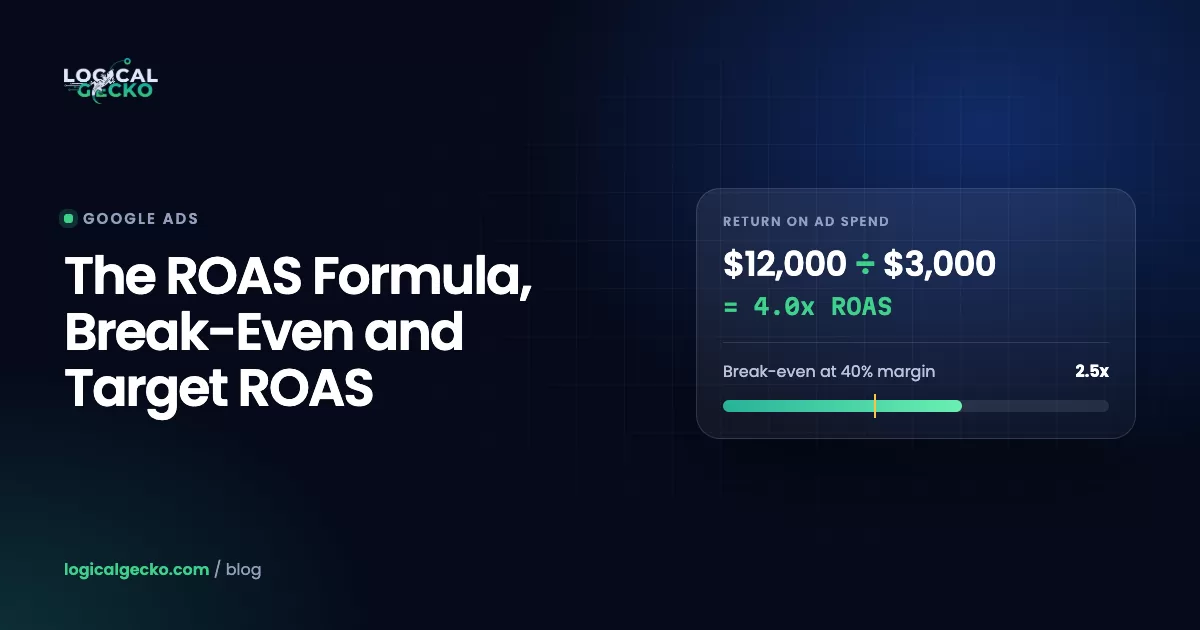
Stores should budget from return on ad spend. Break-even ROAS is 1 ÷ your contribution margin, and a target that leaves profit is 1 ÷ (margin minus your profit goal). The ROAS formula guide shows how to calculate margin after shipping, fees and returns.
- A store with a $120 average order and a 40% contribution margin breaks even at 1 ÷ 0.40 = 2.5x.
- To keep 10% of revenue as profit, the target is 1 ÷ (0.40 minus 0.10) = 3.33x.
- At 3.33x, the most you can pay per order is $120 ÷ 3.33 = $36.
- For $20,000 a month in ad-driven revenue, the budget is $20,000 ÷ 3.33 = about $6,000.
- If 2% of product clicks buy (an illustrative rate), $36 per order allows a maximum average CPC of $36 × 0.02 = $0.72.
That last line is the reality check. If your Shopping clicks cost more than your math allows, you need a higher conversion rate, a higher order value or a lower profit target before you add budget.
How do Shopping and Performance Max costs compare with Search?
Shopping and Performance Max are priced differently from Search, so compare them on cost per order or ROAS, not on CPC. Shopping ads use your Merchant Center product data instead of keywords, and you are charged per click, only when someone clicks through to your product page.
Performance Max runs one budget across YouTube, Display, Search, Discover, Gmail and Maps. Smart Bidding sets the bid in every auction based on the chance of a conversion, and Google moves budget toward the placements that perform. Google shows Low, Medium and High budget recommendations at setup. You cannot set a CPC for a Performance Max campaign, so its average CPC is a result, not a control.
Search campaigns
- You choose keywords and match types
- Charged per click
- Benchmarks exist by industry
- Judge on cost per lead or ROAS
Shopping and Performance Max
- Driven by your product feed and assets
- Shopping charged per click; PMax spread across channels
- Search benchmarks do not apply
- Judge on cost per order or ROAS
For stores, feed quality moves Shopping costs more than bids do. Titles that match how people search win more relevant clicks from the same budget. Our eCommerce Google Ads management starts with margin-based targets and the feed for that reason.
Home-service businesses have a pay-per-lead option that skips clicks entirely. Local Services Ads charge only when someone contacts you from the ad, and Google is moving them into Google Ads as Performance Max campaigns with pay-per-lead goals. The guide to Google Local Services Ads covers how those leads are priced and credited.
What does Google Ads cost beyond the clicks?
Ad spend is the largest cost, but it is not the only one. Google itself charges no setup fee and bills only for ad performance such as clicks or impressions. The work around the ads costs time or money, and underfunding it raises your cost per lead.
- Landing pages. One focused page per service or product group converts better than a homepage. Budget for building or rewriting them.
- Conversion tracking. Tags, call tracking, enhanced conversions and, for lead gen, a way to send booked jobs back to Google.
- Software. A CRM to record which leads booked, call tracking numbers and, for stores, a feed tool for Merchant Center.
- Creative. Performance Max and YouTube need images and video. Poor assets limit where your ads can show.
- Your time. Weekly search term reviews, answering calls fast and following up on forms. A lead nobody calls back costs the same as a good one.
- Management. If you hire an agency or freelancer, that fee is a separate line from ad spend. Ask how it is calculated before you sign.
How do you know if you are overpaying for Google Ads?
You are overpaying when you buy clicks that could never become paying work. The auction rarely overcharges. The account settings do. These are the leaks we find most often:
- Low Quality Score components. Add the Qual. Score, Exp. CTR, Ad relevance and Landing page exp. columns to your keywords view. "Below average" on any of them points to an ad or page that does not match the search, which makes every click harder to win.
- Broad match without guardrails. Broad match can show your ad for loosely related searches. Open the Search terms report (Insights and reports, then Search terms) and read what you paid for. Jobs, DIY, free, cheap and "how to" searches rarely convert.
- Missing negative keywords. Every irrelevant term you find belongs on a negative list. Review weekly for the first months, then monthly.
- Loose location and network settings. Location targeting set to Presence or interest can serve ads to people outside your service area. Search campaigns with the Display Network box ticked spend part of the budget on lower-intent placements.
- Bad tracking. If page views, duplicate tags or unqualified form fills count as conversions, Smart Bidding pays more for the wrong traffic. The guide to Google Ads conversion tracking shows how to check what each conversion action really counts.
Fixing intent first pays off. Fire Pit Surplus reached 8.6x ROAS, $220K in sales on $25.6K of spend, after budget moved to purchase-ready searches and research and inspiration traffic was excluded. If you are unsure where your money leaks, a free Google Ads audit checks these five points against your own account data.
How long does Google Ads take to show results?
Ads can start getting clicks as soon as they pass Google's review, but reliable results take longer. Google says Smart Bidding strategies need a 7 to 14 day learning phase, and recommends waiting 1 to 2 conversion cycles after major bid or budget changes before judging them.
Plan on 60 to 90 days before you judge a new account. The first month mostly buys data: which searches convert, what a lead costs and how many leads book. The second and third months are where negatives, bid targets and landing page changes pull cost per lead down. A budget that produces only a few conversions a month stretches every one of those stages, because each decision waits on more data.
Pro tip: Account for conversion delay. A lead that books a job two weeks after the click gets credited to the click date, so the last two weeks of any report always look weaker than they will once the late conversions arrive.
Is Google Ads worth it for a small business?
Google Ads is worth it when your cost per lead or cost per order stays below what that lead or order earns you, and you can measure both. It reaches people at the moment they search for what you sell, which suits urgent local services and products people compare before buying.
It stops being worth it in three situations. The first is a budget too small to buy enough clicks to learn from. The second is a business that cannot track which leads book or which orders came from ads. The third is a market where the median cost per lead sits above your break-even and nothing about your offer or conversion rate can close the gap. Rising click prices make all three harder each year.
For most home-service trades and profitable online stores, the math works when the account is built around profit rather than traffic. Our Google Ads management starts with that break-even number, then builds keywords, tracking and budgets around it.
Frequently asked questions
Is $10 a day enough for Google Ads?
It is enough to run ads, but rarely enough to learn quickly. A $10 average daily budget caps the month at $304. At the 2026 all-industry median of $5.42 per click, that buys about 56 clicks and 4 to 5 leads. A home-service trade paying $8 or more per click should expect 3 or 4 leads a month, which is too little data to judge keywords or train Smart Bidding.
Is $20 a day good for Google Ads?
$20 a day is a workable test budget for one tightly targeted Search campaign. It caps at $608 a month, which buys roughly 110 clicks at the $5.42 median and 6 to 9 leads at 2026 median lead costs. Keep it to exact and phrase match keywords in one service area or one product line, so the money goes to high-intent searches instead of being spread thin.
Why did Google Ads charge me $500?
Most likely your account reached its payment threshold. On postpay billing, Google charges your payment method when accrued ad costs reach the threshold, and on a monthly cycle, and Google can raise the threshold automatically as your spend grows. A $500 charge is usually ad costs you already ran up, not a fee. Open Billing, then Transactions, and match the charge to campaign spend for the same dates.
Is there a minimum budget required to run Google Ads?
No. Google Ads has no minimum spend, and you can set any average daily budget. The practical minimum comes from your cost per click: the budget has to buy enough clicks to produce leads or sales you can learn from. As a working rule, we start a core Search campaign at a daily budget that buys at least 10 clicks at your expected CPC.
Does Google Ads charge per click or per impression?
It depends on the campaign type and bid strategy. Search and Shopping ads charge per click, so an ad that shows without a click costs nothing. Display and YouTube campaigns can use impression-based bidding such as target CPM, where you pay per 1,000 impressions. Performance Max spends one budget across every channel, so judge it on cost per conversion or ROAS, not CPC or CPM.
Can you get free Google Ads credit?
Google regularly offers new advertisers a promotional ad credit, but you only receive it after spending a set amount within a set window. It is a matching credit, not free advertising. Amounts, deadlines and terms change by country and date, and the offers apply to new accounts only, so check the current terms on Google's own Google Ads page before you sign up.
Sources12 references
- Google Ads Help: Actual cost-per-click (CPC): Definition
- Google Ads Help: Ad Rank: Definition
- Google Ads Help: About Quality Score for Search campaigns
- Google Ads Help: Manage your spend in Google Ads
- Google Ads Help: About the postpay payment setting
- Google Ads Help: About Shopping ads
- Google Ads Help: About Performance Max campaigns
- Google Ads Help: Bidding FAQ (Smart Bidding learning phase)
- Local Services Help: How leads work
- LocaliQ and WordStream: Google Ads Benchmarks 2026 (13,474 US search campaigns, April 2025 to March 2026; updated May 19, 2026)
- LocaliQ: Search Advertising Benchmarks for Every Industry, 2026 data (updated June 1, 2026)
- WordStream: PPC benchmarks by year, 2020 to 2026