Quick answer
Google Ads works for small businesses when you target people already searching for what you sell, only in the area you serve, track every call and lead, and start with a budget you can sustain for 60 to 90 days. For most, that means one Search campaign with tight keywords, negative keywords and a dedicated landing page.
Key takeaways
- Google Ads pays off for a small business when people already search for what you sell and each booked job or order earns more than the ads cost to win it.
- Start with one Search campaign in Expert Mode, phrase and exact match keywords, a negative keyword list and the Presence location setting; Smart campaigns trade that control for simplicity.
- Google stopped new call-only ads in February 2026 and existing ones stop serving in February 2027, so phone-first businesses need call assets on responsive search ads.
- Judge results on cost per booked job (ad spend ÷ booked jobs) against your gross profit per job, not on clicks or cost per lead alone.
- Plan on 60 to 90 days before deciding, because the first weeks mostly buy data on which searches turn into paid work.
On this page
- Does Google Ads work for small businesses?
- How much should a small business spend on Google Ads?
- Which Google Ads campaign type should a small business start with?
- How do you set up Google Ads as a beginner?
- How do you use Google Ads for a local business?
- Which mistakes burn a small Google Ads budget?
- How do you know if your Google Ads are working?
- What should your first 90 days on Google Ads look like?
- Should you run Google Ads yourself or hire help?
- FAQ
Does Google Ads work for small businesses?
Yes, when four conditions hold. People already search for what you sell. You serve the area they search from. You can answer and track the calls and forms that come in. And one job or order earns more than the ads cost to win it. Miss one of these and a small budget disappears without a clear reason.
Google Ads is pull advertising. Your ad shows when someone types "water heater repair" or "cedar planter box", so you pay to reach people who already have the need. Check your fit before you spend a dollar:
| Question | Good fit | Poor fit |
|---|---|---|
| Do people search for it? | Steady searches such as "emergency plumber" | A category nobody searches for yet, or referral-only work |
| Is a job or order worth enough? | Gross profit per job covers a lead near your category median ($90.92 for home improvement in 2026) | Small tickets where one lead costs more than the job earns |
| Can you answer fast? | Someone picks up during ad hours | Calls roll to voicemail |
| Can you track it? | Calls and forms count as conversions | No way to tell which jobs came from ads |
| Can you fund 60 to 90 days? | A steady daily budget for three months | Enough money for two weeks |
The downsides are real. Clicks get pricier each year: the LocaliQ and WordStream benchmarks put the median US search click at $4.66 in 2024, $5.26 in 2025 and $5.42 in 2026. Results stop the day you stop paying. And Google's defaults favor reach over precision, so an account built on them pays for searches a small business would never pick.
How much should a small business spend on Google Ads?
Spend enough to buy about 10 clicks a day at your expected cost per click, and keep it running for 60 to 90 days. Below that, a campaign produces so few leads that you cannot tell a good keyword from a bad one. Our guide to how much Google Ads costs covers the auction, overdelivery and lead costs by industry.
Expected cost per click × 10 clicks| Market | Median CPC (2026) | Daily budget for 10 clicks | Monthly ceiling (× 30.4) | 90-day test |
|---|---|---|---|---|
| All industries | $5.42 | About $54 | About $1,650 | About $4,950 |
| Home and home improvement | $8.33 | About $83 | About $2,530 | About $7,600 |
| Your market | Top-of-page bid range in Keyword Planner | That CPC × 10 | Daily × 30.4 | Monthly × 3 |
Benchmarks: LocaliQ and WordStream 2026 medians. Keyword Planner, free inside Google Ads, shows top-of-page bid ranges for your own keywords and area.
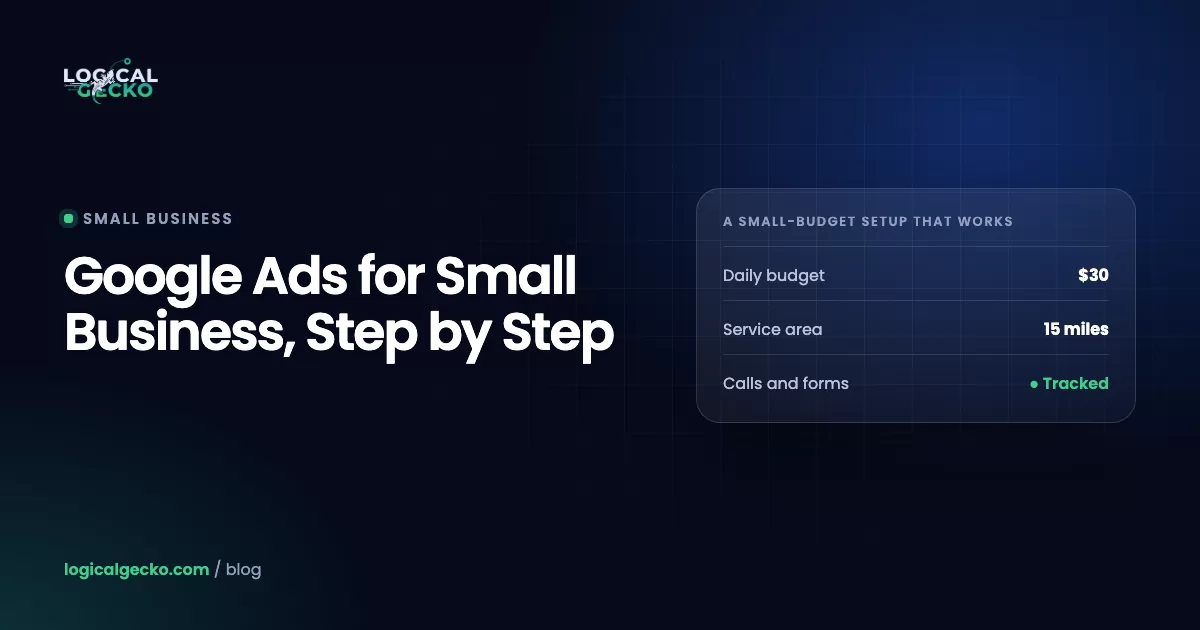
If that number is more than you can carry, shrink the scope, not the daily budget. Advertise one service instead of five. Cover a 15-mile radius instead of the metro. Run ads only during the hours someone answers. A $50 budget spread across five services buys each one a couple of clicks a day; the same $50 on one service buys enough data to learn from.
Which Google Ads campaign type should a small business start with?
Most local service businesses should start with a Search campaign and add Local Services Ads if their trade is eligible. Small online stores should start with Shopping or Performance Max fed by Merchant Center. Smart campaigns are the fastest to launch but give you the least control over where the money goes.
| Campaign type | You pay for | Where ads show | What you control | Best first use | Catch on a small budget |
|---|---|---|---|---|---|
| Search | Clicks | Google Search, plus search partners unless unchecked | Keywords, match types, negatives, ads, pages, schedule | Local services and needs people search for | Needs a weekly search terms review |
| Local Services Ads (moving to Performance Max, pay per lead) | Leads (calls, messages) | Top of Search and Maps | Service categories, area, budget, hours | Eligible home-service trades | Screening first; no keywords or landing page |
| Performance Max | One budget across all channels | Search, Maps, YouTube, Display, Gmail, Discover | Goals, assets, audience signals, negatives | Stores with a feed and steady conversions | Spreads a thin budget before it learns |
| Smart | Clicks | Search, Maps, YouTube, partner sites | Keyword themes, ad text, one landing page | Owners who will not log in weekly | Display and partner opt-out only through support |
| Shopping (stores) | Clicks | Search, Shopping tab, Images | Product feed, bids, product groups | Small online stores | Feed quality decides results |
The guide to Google Local Services Ads explains pay-per-lead pricing, and the guide to Performance Max campaigns covers when that type is ready for a small account.
Smart campaigns vs Search campaigns
Smart campaigns trade control for simplicity, and on a small budget that trade costs money. Google's own comparison of Smart and Search campaigns lists the differences:
- Keywords. Smart campaigns take keyword themes and negative keyword themes. Search campaigns take the keywords, match types and negatives you choose.
- Placements. Smart ads run across Search, Maps, YouTube and partner sites automatically. Search campaigns have network checkboxes.
- Landing pages. One per Smart campaign; as many as you need in Search.
- Reports and mode. Smart campaigns show a simplified dashboard and exist only in Smart Mode. Search campaigns report down to the search term and need Expert Mode.
Pick a Smart campaign only if you will not open the account each week. Otherwise build a Search campaign, because you can see and block every search you pay for.
What happened to call-only ads?
Google removed the option to create call-only ads in February 2026, and existing call-only ads stop receiving impressions in February 2027, according to Google's call ads transition notice. The replacement is a responsive search ad with a call asset. If your business runs on phone calls, add a call asset scheduled to the hours someone answers, and turn on call reporting so each call is tracked.
How do you set up Google Ads as a beginner?
Set up tracking first, then build one Search campaign around your most profitable service, in the area you serve, with tight keywords and a page made for that service. We use this order on new local accounts; each step closes a common leak.
- Choose Expert Mode and one service. Create the account in Expert Mode so you can build a Search campaign. Start with the service that earns the most per job and gets urgent searches, such as drain cleaning or AC repair.
- Set up conversion tracking before launch. Track form submissions, calls from your ads and calls to the number on your website. Stores track purchases with order values. The guide to Google Ads conversion tracking walks through each method.
- Target only where you work. Add your service area as cities, ZIP codes or a radius, and exclude areas you skip. Then open Location options and choose Presence ("people in or regularly in your targeted locations").
- Turn off the extra networks. Search partners are included by default. Under Networks, uncheck Include Google search partners and the Display Network for your first months.
- Build keywords by service in phrase and exact match. One ad group per service, 10 to 20 keywords each, written as "ac repair" (phrase) or [ac repair near me] (exact). Broad match is the default, so a keyword without quotes or brackets runs as broad.
- Add negative keywords on day one. For a service business, start with jobs, careers, salary, training, course, free, DIY, how to, manual and parts. Negatives do not match close variants, so add plurals and synonyms yourself.
- Write one responsive search ad per ad group. Use up to 15 headlines of 30 characters and 4 descriptions of 90 characters. Put the service and city in headlines, add proof such as your license or review rating, and end with a clear next step.
- Add assets. A call asset scheduled to your answering hours, a location asset from your linked Business Profile, four sitelinks and a few callouts.
- Send each ad group to a matching page. The headline repeats the search, the phone number is tappable at the top, the form asks for three or four fields, and the page shows your service area, reviews and license.
- Start with simple bidding, and check auto-apply. Use Maximize clicks with a maximum CPC bid limit until you have a few weeks of tracked leads, then test Maximize conversions. In Recommendations, leave auto-apply off for Add broad match keywords, Expand your reach with Google search partners and Use Display expansion.
Run this check the day before launch:
- Each conversion action records a test lead
- Location set to Presence, out-of-area places excluded
- Search partners and Display unchecked
- Every keyword in quotes or brackets, negatives applied
- Ad schedule and call hours match when you answer
How do you use Google Ads for a local business?
A local business uses Google Ads by limiting ads to its service area and answering hours, bidding on service-plus-place searches, and making it easy to call. The biggest change in 2026 is that Local Services Ads are moving inside Google Ads.
Local searches follow three patterns: the service plus "near me" ("plumber near me"), the service plus a place ("water heater repair Mesa"), and urgent modifiers ("24 hour", "emergency"). Build ad groups around those, and schedule ads for the hours someone picks up. A missed call from an ad is a paid click with no chance of a job.
Local Services Ads now run as Performance Max campaigns with pay-per-lead goals. Google began migrating select US home-service advertisers in August 2026, including plumbing, HVAC, roofing and pest control, with broader groups in late 2026 and the rest in 2027, per Google's migration notice. You still pay per lead, targeting stays keywordless, and ads still show only on Google Search and Maps.
Many home-service companies run both: pay-per-lead ads for the Google Verified badge and steady calls, and Search for the high-value jobs they want more of. Keyword patterns and job values differ by trade, so see how we approach Google Ads for plumbers and Google Ads for HVAC companies, or browse all our guides on Google Ads for local business.
Which mistakes burn a small Google Ads budget?
Five mistakes burn small budgets fastest, and each one is a setting or a habit you can fix this week.
1. Broad match without negative keywords
Broad match is the default match type, and Google says it can show your ad on related searches that lack the direct meaning of your keyword (About keyword matching options). Google pairs it with Smart Bidding, which learns from conversions. A new account has none, so broad match spends on loose searches with nothing to learn from. Use phrase and exact match with a negative list, and leave AI Max for Search campaigns off for now, since it widens matching further.
2. Leaving location on Presence or interest
Presence or interest is Google's default and recommended option. It reaches people in, regularly in, or showing interest in your area, so someone in another state researching your city can see your ad. A business that drives to its jobs should switch to Presence. Google's page on advanced location options explains both settings.
Presence or interest (default)
- People in your targeted area
- People regularly in your area
- People elsewhere who show interest in your area
- Google cites gains for travel, real estate and education
Presence (for local services)
- People in your targeted area
- People regularly in your area
- No ads for out-of-area research
- Matches a service area you drive to
3. Sending ads to the homepage
A homepage speaks to everyone, so it does a poor job for the person who searched "garage door spring repair". Send each ad group to a page about that one service, with the same words as the search, a tappable phone number and a short form.
4. No call tracking
For many local services the phone is the main lead source. Without call reporting and a call conversion, Google Ads records those jobs as zero, so you cut keywords that work and bidding chases form fills. Google's phone call conversion guide lists five tracking methods; most small businesses need calls from ads and calls to the number on the website.
5. Judging the account after two weeks
Two weeks at 10 clicks a day is about 140 clicks. At the 2026 median search conversion rate of 8.18%, that is roughly 11 leads, too few to tell which keyword, ad or page works. Decide at 60 to 90 days, using the plan below.
How do you know if your Google Ads are working?
Your Google Ads work when the cost of each booked job stays below the gross profit that job brings in. Clicks, impressions and cost per lead are steps toward that number, not the answer.
Ad spend ÷ Booked jobs (or Cost per lead ÷ Close rate)Here is an illustrative month for a local plumber, built from Google Ads data and the plumber's own job records:
| Metric | Where it comes from | Example |
|---|---|---|
| Ad spend | Google Ads Cost column | $1,800 |
| Tracked conversions | Google Ads Conversions column | 30 |
| Real leads | Call log minus spam, wrong numbers, existing clients | 24 |
| Cost per lead | Ad spend ÷ real leads | $75 |
| Booked jobs | Scheduling software or CRM | 9 |
| Close rate | Booked jobs ÷ real leads | 37.5% |
| Cost per booked job | Ad spend ÷ booked jobs | $200 |
| Gross profit per job | $650 average ticket × 50% margin | $325 |
| Profit after ads | ($325 minus $200) × 9 jobs | $1,125 |
The same numbers give the most this plumber can pay per lead: gross profit per job × close rate, or $325 × 0.375 = about $122. At $75 a lead there is room to add budget. Above $122, every extra job from ads loses money, even with a phone that keeps ringing.
Count real leads by hand each month, because tracked conversions include spam and existing clients. Once you can, send booked jobs back to Google Ads as offline conversions so bidding learns which searches become paid work. Online stores run the same check per order against break-even ROAS (1 ÷ contribution margin), as the ROAS formula guide shows.
What should your first 90 days on Google Ads look like?
Treat the first 90 days as three phases: launch and clean up, refine, then judge and scale. A small budget needs the full window, because each phase waits on data.
At day 90, compare cost per booked job with gross profit per job. Well below it: raise the budget in steps of about 20% a week and watch cost per lead hold. Close to it: fix negatives, ads and the landing page before adding spend. Above it after 90 days of clean tracking: stop or change the offer, because more budget does not fix a market where leads cost more than jobs earn.
Pro tip: Change history logs edits inside Google Ads, not outside it. Keep a dated note of new prices, staff changes or a rebuilt page, so a jump in cost per lead has an explanation.
Should you run Google Ads yourself or hire help?
Run it yourself if you have one service, one area and an hour a week for search terms and lead tracking. Hire help when the account outgrows that: several services or locations, offline conversion imports, costs rising without a clear cause, or no time for the weekly review.
If you hire anyone, keep the Google Ads account in your business's name with admin access, ask for reports in leads and booked jobs rather than clicks, and avoid long lock-in contracts.
For a second opinion first, a free Google Ads audit checks your tracking, location settings, match types and search terms against your own account data. If you would rather hand it off, see how Logical Gecko manages Google Ads for home-service businesses and online stores, built around cost per booked job.
Frequently asked questions
How do you advertise your business on Google?
You advertise your business on Google in three ways. A Google Business Profile is free and puts you on Google Maps and local results with reviews, hours and a call button. Google Ads is paid and covers Search ads, Local Services Ads, Performance Max and Shopping ads. Online stores can also list products for free through Merchant Center. Most small businesses start with the free profile, then add one Search campaign for their most profitable service.
Can a small business advertise on Google for free?
Partly. Creating a Google Business Profile is free, and it shows your business on Google Search and Maps. Online stores can show products at no cost through Merchant Center free listings on Search, the Shopping tab, Images and YouTube. Google Ads itself is paid. Promotional credit for new advertisers only arrives after you spend a set amount, so treat it as a discount on paid ads, not free advertising.
What is Expert Mode in Google Ads?
Expert Mode is the full Google Ads interface. Smart Mode is a simplified view, and Smart campaigns can only be created there. Expert Mode gives you Search, Performance Max, Shopping and the other campaign types, plus keywords, match types, negative keywords, network settings and search term reports. If you want to choose your own keywords and see the exact searches you pay for, build the account in Expert Mode.
Do you need a Google Business Profile to run Google Ads?
No. A Search campaign needs a Google Ads account, a payment method and a landing page, not a Business Profile. A local business should still link one, because it powers location assets that add your address, distance and map pin to ads. Local Services Ads and the new pay-per-lead Performance Max campaigns also pull your business name, address and hours from the profile.
Can you run Google Ads without a website?
Yes, with limits. Smart campaigns can send clicks to your Google Business Profile instead of a website, and Local Services Ads run from your profile and service settings. A standard Search campaign needs a landing page URL. Without a page you lose the place where people compare you, fill out a form and get tracked, so build at least one page with your services, service area, reviews and a tappable phone number before you scale spend.
Is there a difference between Google Ads and Google Local Services Ads?
Yes. Google Ads Search campaigns charge per click and let you choose keywords, ads and landing pages. Local Services Ads charge per lead, such as a call or message, use service categories instead of keywords, and show the Google Verified badge at the top of results. Google is now moving Local Services Ads into Google Ads as Performance Max campaigns with pay-per-lead goals, starting with US home-service trades in August 2026.
Sources21 references
- Google Ads Help: About advanced location options
- Google Ads Help: Compare Smart campaigns with other Google Ads campaign types
- Google Ads Help: How Smart campaigns work
- Google Ads Help: About negative keyword themes in Smart campaigns
- Google Ads Help: Action Required: Transition from call ads to call assets (October 3, 2025)
- Google Ads Help: About call assets
- Google Ads Help: About phone call conversion tracking
- Google Ads Help: About keyword matching options
- Google Ads Help: About negative keywords
- Google Ads Help: About the Google Search Network
- Google Ads Help: About applying recommendations automatically
- Google Ads Help: About AI Max for Search campaigns
- Google Ads Help: Negative keywords in Performance Max campaigns
- Google Ads Help: About responsive search ads
- Google Ads Help: About Maximize clicks bidding
- Google Ads Help: About location assets
- Google Ads Help: Local Services Ads transition to Performance Max campaigns with pay-per-lead goals
- Google Merchant Center Help: Free listings for products
- Google Business Profile: Get listed on Google (FAQ: Is a Business Profile on Google free?)
- LocaliQ and WordStream: Google Ads Benchmarks 2026 (13,474 US search campaigns, April 2025 to March 2026; updated May 19, 2026)
- WordStream: PPC benchmarks by year, 2020 to 2026

Safeer leads strategy at Logical Gecko, a Google Partner and Shopify Partner agency that runs Google Ads for eCommerce and home-service brands and recovers suspended Merchant Center accounts. Everything in these guides comes from work on live client accounts. More about the team.