
Quick answer
Performance Max (PMax) is one Google Ads campaign that uses your conversion goals, assets, product feed and audience signals to serve ads across Search, Shopping, YouTube, Display, Discover, Gmail and Maps from a single budget. Google's AI sets every bid. It turns a profit when tracking is clean, brand searches are excluded and you judge it on incremental return.
Key takeaways
- PMax serves Search, Shopping, YouTube, Display, Discover, Gmail and Maps ads from one budget, but an exact match keyword identical to the query still wins that search for your Search campaign.
- Your 2026 levers are asset groups, listing groups, audience signals, up to 50 search themes per asset group, brand exclusions, negative keywords and Final URL expansion; you set goals and targets, never individual bids or placements.
- The channel performance report and the PMax search terms view now show where spend goes, so read both before you move budget.
- PMax fails on thin conversion data, broken tracking and unfiltered lead forms, because it buys more of whatever you count as a conversion.
- Judge PMax on incremental ROAS from an uplift or Shopping vs PMax experiment, measured against your break-even ROAS, not on the ROAS the campaign reports.
On this page
- What is Performance Max in Google Ads?
- How do Performance Max campaigns work?
- What controls do you have in Performance Max in 2026?
- What reporting does Performance Max give you?
- Performance Max vs Standard Shopping vs Search: which should you use?
- Is Performance Max worth it? When it works and when it does not
- How should online stores structure Performance Max?
- Does Performance Max work for lead generation?
- How do you set up a Performance Max campaign? (checklist)
- How do you know if Performance Max is profitable?
- Why is my Performance Max campaign not spending?
- FAQ
What is Performance Max in Google Ads?
Performance Max is a goal-based Google Ads campaign type that reaches all of Google's ad inventory from one campaign: Search (including Shopping ads), YouTube, Display, Discover, Gmail and Maps. Most advertisers call it PMax. You supply the goal, the creative assets and, if you sell products, a Merchant Center feed. Google's AI picks the channel, placement and bid for each impression.
- No keywords. PMax finds searches from your feed, landing pages, assets and optional search themes.
- One budget across channels. Spend moves to whichever channel Google predicts will return the most value.
- Assets instead of ads. You upload headlines, images, logos and videos, and Google assembles the ads for each format.
For online stores, PMax runs your Shopping ads plus every other format from the same feed. For lead-gen businesses, Google positions it as a complement to keyword-based Search campaigns, not a replacement (About Performance Max campaigns).
How do Performance Max campaigns work?
A Performance Max campaign feeds your goals, assets, feed and signals into Smart Bidding, which bids in every auction on the predicted value of a conversion. Better inputs buy better traffic.
How PMax competes with your other campaigns
PMax does not automatically outrank the rest of your account. On Search inventory, Google applies these rules in order (ad group and asset group prioritization):
- An exact match keyword identical to the search, including spell-corrected versions, wins over PMax.
- Search themes rank with phrase and broad match keywords, and an identical theme beats a keyword that is not identical.
- Otherwise only the most relevant ad groups and asset groups qualify, and Ad Rank decides between them.
Two details catch advertisers out. A budget-limited Search campaign can let PMax serve on its exact match terms. And against Standard Shopping, Display and Demand Gen, the campaign with the higher Ad Rank serves, so PMax and Standard Shopping compete for the same products.
What controls do you have in Performance Max in 2026?
You control the inputs and the guardrails, never individual bids or placements. Google lists the core levers as keywordless targeting, Final URL expansion, search themes, negative keywords and brand exclusions (Search targeting and controls for Performance Max). With asset groups, listing groups, signals and bidding, the full set is:
| Control | What it does | Where you set it | Watch out for |
|---|---|---|---|
| Asset groups | Text, images, video and a final URL built around one theme | Campaign › Asset groups | Group by category or service, not by channel |
| Listing groups | Which Merchant Center products each asset group shows, by category, brand, item ID, product type or custom label | Asset groups › Listing groups | Up to 1,000 per asset group; custom labels keep it simple |
| Audience signals | Your visitor and email lists plus custom segments, as a starting hint | Asset group › Signals | Not targeting: PMax reaches beyond them |
| Search themes | Phrases that tell PMax which searches matter to you | Asset group › Signals › Search themes | Up to 50 per asset group; they rank like phrase and broad match |
| Brand exclusions | Block searches for a brand, its misspellings and sub-brands | Settings › Additional settings › Brand exclusions | Covers Search and Shopping ads; Shopping can be let back in |
| Negative keywords | Block queries in one campaign or account-wide | Keywords › Negative keywords, or Admin › Account settings | Search and Shopping inventory only; the account list caps at 1,000 |
| Final URL expansion | Sends traffic to other pages on your domain, with matching headlines | Campaign settings › Asset optimization | On by default; exclude pages or switch it off |
| Value-based bidding | Maximize conversion value, with an optional target ROAS | Campaign settings › Bidding | Only as good as the values you send |
| Acquisition goal | Bids higher for first-time purchasers, or bids only for them | Campaign settings, lifecycle goals | Needs a list or tag of past purchasers |
Brand exclusions or negative keywords?
Use brand exclusions for your own brand. Google recommends them over negatives because a brand list also catches misspellings and variants, and it warns that long negative lists restrict how PMax finds valuable traffic. Keep negatives for brand safety and for searches that never convert, such as "jobs" or "free". Search themes work the other way round: they add demand your site does not spell out, such as a new product line, and never narrow the campaign.
What reporting does Performance Max give you?
PMax now shows spend by channel, the searches behind your ads and how each asset performs. Three reports matter most:
- Channel performance report. Campaigns › Insights and reports › Channel performance splits cost, conversions and value across Google Search, Display, YouTube, Discover, Maps, Gmail and search partners, with data from June 6, 2025. The "Ads using product data" segment isolates Shopping-style ads, and a status column flags channels limited by missing assets, feed problems or budget (About the channel performance report).
- Search terms report. Under Insights and reports › Search terms, choose "Search terms and landing pages for Performance Max". It shows the query, landing page and ad format behind each result, with data back to March 2023, and lets you add negatives directly. The separate search terms insights view groups queries into categories, a quick source of new search themes.
- Asset and placement reports. Asset-level metrics show which headlines, images and videos earn conversions. The placement report lists the sites, apps and YouTube channels where your ads ran, so you can add account-level placement exclusions.
Pro tip: In the channel report, set the conversions filter to "Conversions", not "Results". "Results" includes goals the campaign does not optimize for, which makes weak channels look better than they are.
Performance Max vs Standard Shopping vs Search: which should you use?
Use PMax for reach across every Google channel once you have the conversion data to steer it. Use Standard Shopping for product-level control and complete search term data. Use Search when the query itself is the signal, as with urgent local services and your own brand name.
| Performance Max | Standard Shopping | Search | |
|---|---|---|---|
| Where ads show | Search, Shopping, YouTube, Display, Discover, Gmail, Maps | Mainly Shopping ads on Google Search and the Shopping tab | Text ads on Google Search, plus search partners if you opt in |
| Control | Assets, listing groups, signals, search themes, brand exclusions, negatives | Product groups, bids, campaign priority, negatives, schedule | Keywords, match types, ad copy, bids, negatives, audiences |
| Bidding | Smart Bidding only | Manual CPC or Smart Bidding | Manual CPC or Smart Bidding |
| Reporting | Channel report, PMax search terms view, asset reports | Full search terms report and product data | Full search terms and keyword data |
| Best use case | Stores with a clean feed and steady sales; lead gen with offline conversion data | New launches, thin margins, catalogs that need product-level bids | Services, high-intent keywords, brand protection |
| Main risks | Brand cannibalization, low-intent Display and video spend, junk leads | More manual work, Shopping-only reach | Narrower reach, more manual upkeep |
Are Shopping ads better than PMax? Not as a rule. Standard Shopping wins when you need search term data, or when a new product needs impressions without competing against bestsellers; our guide to Google Shopping ads covers that setup. PMax wins when the feed is clean and you want Shopping, YouTube and Display remarketing on one budget. Settle it with Google's Standard Shopping vs Performance Max experiment, which splits traffic between the two. If you apply the result, PMax becomes primary and Google pauses the Shopping campaign (About Performance Max experiments).
Is Performance Max worth it? When it works and when it does not
Performance Max is worth it when it learns from enough accurate conversions and your brand traffic is fenced off. These four failure modes show up most often in our audits.
PMax works well when
- Conversions are accurate and carry real values
- The campaign gets steady conversions every week
- Brand searches run in their own Search campaign
- Leads are scored in a CRM and uploaded back
PMax struggles when
- Page views or duplicate tags count as conversions
- A few conversions a month are split across campaigns
- Brand searches flow into PMax and inflate ROAS
- Every form fill counts, spam included
Brand cannibalization
PMax can serve on your own brand searches and claim sales from people already looking for you, so ROAS climbs while total revenue stays flat. Run brand in its own exact match Search campaign, add a brand exclusion to PMax, then confirm brand queries disappear from the PMax search terms view.
Low conversion volume
A campaign with a handful of conversions a month is guessing. Google asks for at least 15 conversions in 30 days before you bid to a value target, and 6 weeks of runtime before you judge a new campaign. Below that, start with Search or Standard Shopping, or keep a single PMax campaign so the data is not split.
Bad conversion tracking
PMax buys more of whatever counts as a primary conversion, including page views, duplicate purchase tags and newsletter sign-ups. It will not even enter ad review without a primary conversion goal. Audit your setup with the Google Ads conversion tracking guide first. On Spacey Digital's Search and Performance Max account, cleaning conversion actions so only qualified actions fed bidding was the biggest lever behind a 9.09x ROAS: $653,000 in tracked conversion value on $71.9K of spend.
Spam leads in lead generation
On lead forms, PMax hunts for the cheapest conversions, and in the lead-gen accounts we audit, the cheapest are often junk submissions. The fix is to optimize to qualified leads reported from your CRM instead of raw form fills.
How should online stores structure Performance Max?
Build PMax around margin and product category, and let the feed do the targeting. Google's retail guidance is to start with the simplest structure and add campaigns only for a different budget, ROAS target, country or season.
- Fix the feed first. Titles, product types, GTINs and images decide which searches your products match.
- Label products by margin. Add custom labels such as high, mid and low margin, then use them in listing groups or as separate campaigns with their own ROAS targets.
- Build asset groups by category. One per main category, with matching images, headlines and collection page.
- Send real order values. Pass transaction revenue and bid with Maximize conversion value and a margin-based target ROAS.
- Weight first orders. Use the acquisition goal's bid-higher mode so first-time purchasers count for more than repeat orders.
This is the structure behind Oil-Stores, a Greek auto parts and lubricants retailer. We built PMax asset groups around catalog category lines, cleaned feed attributes, moved brand into its own Search campaign and raised budget only when ROAS held. From January 1 to July 31, 2026, its Performance Max, Shopping and Brand Search campaigns produced €322,276 in tracked conversion value on €15,908 of spend, a 20.26x ROAS, and ROAS rose from 9.05x in January to a 25.3x peak in May. Our eCommerce Google Ads management applies the same margin-first setup to US stores.
Does Performance Max work for lead generation?
Yes, when it optimizes toward leads that become revenue instead of raw form fills. Google's advice is to pick the conversion goal closest to a closed deal (Performance Max best practices for lead generation).
- Import offline outcomes. Store the click ID with each lead, mark qualified or won leads in your CRM, and upload them daily through offline conversion import or enhanced conversions for leads. The guide to GCLID, GBRAID and WBRAID shows how to capture each ID.
- Make the qualified lead primary. Set Qualified Lead or Converted Lead as the goal and demote raw form submits to secondary. Google says these goals also add protection against invalid leads.
- Set Target CPA near your real limit. Google advises a target close to your maximum acceptable cost per lead; set it far lower and delivery stalls.
- Harden the form. Add reCAPTCHA, a qualifying question and server-side validation.
- Tighten location. Use Presence targeting, so a Dallas roofer does not pay for leads from three states away.
How do you set up a Performance Max campaign? (checklist)
Set up PMax in this order: measurement, data, structure, assets, guardrails, then budget.
- One primary conversion action per goal, firing once, with real order or lead values.
- Enhanced conversions on; for lead gen, qualified leads uploaded daily.
- Merchant Center feed approved, with custom labels for margin tier.
- Maximize conversion value for stores, Maximize conversions or value for lead gen; add a target after about 15 conversions in 30 days.
- One asset group per category or service: 15 headlines, 5 descriptions, 7 or more images and your own video.
- Audience signals from past purchasers, site visitors and email subscribers.
- Brand exclusion applied, with brand running in an exact match Search campaign.
- Account-level negatives for jobs, free, DIY and other dead-end searches.
- Final URL expansion on with exclusions, or off when one page is the only path to conversion.
- Budget at or above Google's Low recommendation, held steady for 6 weeks.
How do you know if Performance Max is profitable?
Judge PMax on incremental ROAS, the revenue it caused divided by its spend, and compare it with your break-even ROAS. The ROAS in the campaign table is reported ROAS: every conversion Google credits to PMax, including sales from people who would have bought anyway, such as recent site visitors reached by remarketing and people searching for your brand.
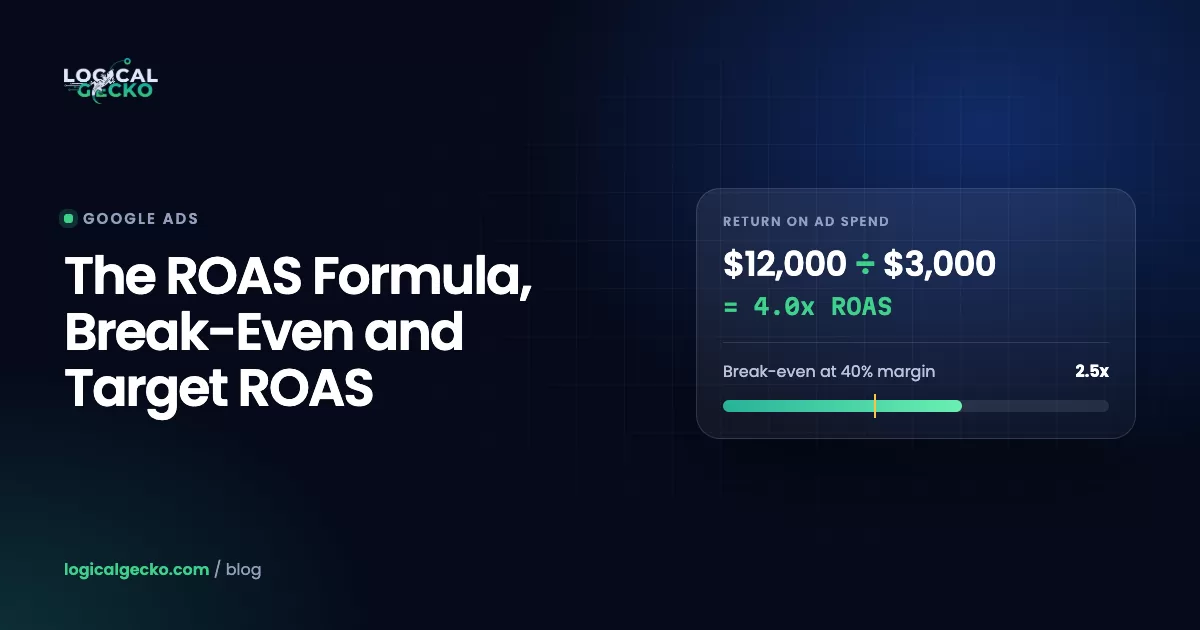
Revenue PMax caused ÷ PMax spendAn illustrative example: in a 50/50 uplift test, PMax spends $5,000 and reports $25,000 in conversion value, a 5.0x ROAS. The half of traffic with PMax brings in $60,000 in total account value; the half without it brings in $46,000. PMax caused $14,000, so its incremental ROAS is $14,000 ÷ $5,000 = 2.8x. At a 40% margin, break-even is 2.5x, so the campaign clears the bar by a thin margin, not the wide one 5.0x suggests.
- Know your floor. Break-even ROAS is 1 ÷ your contribution margin. The ROAS formula guide shows the margin math.
- Run Google's Uplift experiment. Go to Campaigns › Experiments › Performance Max campaign experiments and choose Test uplift from Performance Max. It splits traffic 50/50 by default and suits campaigns without a product feed.
- Stores: test against Standard Shopping. Google's Shopping vs PMax experiment compares both on the same products with the same ROAS target.
- Check total revenue. Compare store revenue and MER (total revenue ÷ total marketing spend) for the 4 weeks before and after a launch.
- Separate first orders. Add the new-acquisition parameter to your purchase tag to see how much PMax revenue came from first-time purchasers.
Watch the date range: Google credits conversions to the click date, so the last 1 to 2 weeks always look weaker until delayed conversions arrive.
Why is my Performance Max campaign not spending?
A PMax campaign that will not spend usually has a blocked input, not a broken algorithm. Give a new campaign 3 business days, then check the common causes Google lists:
- No primary conversion goal. PMax does not enter ad review without one.
- Assets disapproved or stuck in review. Review takes 24 to 48 hours, and campaign diagnostics shows the blocker.
- A target that is too strict. A ROAS target far above recent results, or a CPA target far below, prices you out of auctions.
- Feed problems. Disapproved, out-of-stock or excluded products, or a suspended Merchant Center account.
- Guardrails that are too tight. Long negative lists, narrow locations, or Final URL expansion off on a small site.
- Overlap. An identical exact match keyword in Search, or a Standard Shopping campaign with higher Ad Rank, wins first.
If PMax spends but you cannot tell whether it earns, a free Google Ads audit checks your tracking, brand overlap and channel split against your break-even ROAS.
Frequently asked questions
How long does it take for Performance Max to work?
Plan on about 6 weeks. Google recommends running a new Performance Max campaign for at least 6 weeks before you judge it, because Smart Bidding needs that long to gather conversion data. Ad review takes 24 to 48 hours, and Google describes a 7 to 14 day learning period for automated bidding. After any big change to budget, target or goal, allow another 1 to 2 weeks before reading results.
How much does Google Performance Max cost?
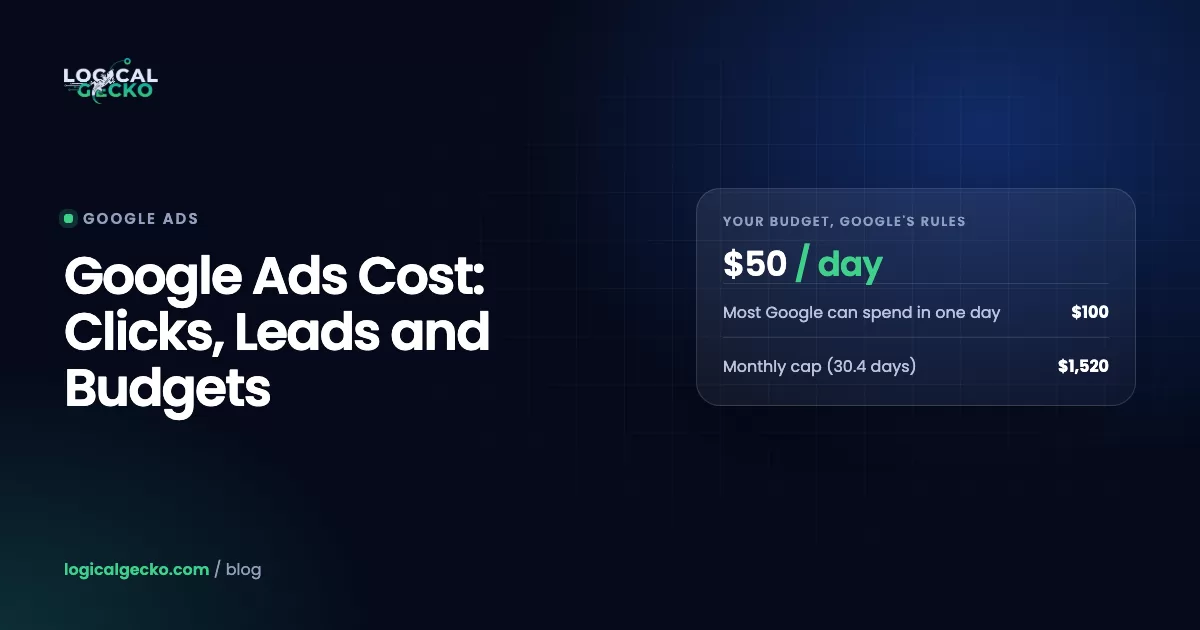
Performance Max has no fixed price and no minimum spend. You set an average daily budget, and Google can spend up to 2 times that on a busy day but never more than 30.4 times it in a month. At setup, Google suggests Low, Medium and High budget levels, and the Low level is its minimum recommendation. In practice, the budget has to buy enough conversions each month for Smart Bidding to learn.
What is the difference between Google Ads and Performance Max?
Google Ads is the advertising platform, and Performance Max is one campaign type inside it. The same account also runs Search, Shopping, Demand Gen, Video and App campaigns, each with its own targeting. Performance Max is the only type that serves on every Google channel from one budget, using assets, a product feed and signals instead of keywords and hand-picked placements.
How many PMax campaigns should I have?
Start with one, and split only when part of the account needs a different budget, ROAS target or country. Google advises keeping a new Performance Max structure as simple as possible, because every split divides the conversion data Smart Bidding learns from. Use asset groups for product categories or services inside one campaign, and give a high-margin line or a seasonal push its own campaign only when it needs its own target.
What assets are needed for a PMax campaign?
An asset group without a product feed needs at least 3 headlines of up to 30 characters, 1 long headline and 2 descriptions of up to 90 characters, a business name, a square logo, and landscape and square images. Google recommends far more: 15 headlines, 5 descriptions, at least 7 images and at least 1 video of 10 seconds or longer. Without your own video, Google may generate one from your images.
Does Google Performance Max include YouTube?
Yes. YouTube is one of the channels every Performance Max campaign can serve on, alongside Search, Display, Discover, Gmail and Maps. If you upload no video, Google may build one automatically from your images and text, so we recommend supplying at least one video of 10 seconds or more in each orientation. The channel performance report shows how much of your spend and conversions YouTube received.
What is the difference between Demand Gen and Performance Max?
Demand Gen runs on YouTube (including Shorts), Discover, Gmail, Maps and the Google Display Network, but not on Search. It is built to create demand with visual ads and lets you target audiences such as lookalike segments. Performance Max adds Search and Shopping and optimizes toward conversions across every channel. Use PMax to capture sales and leads, and Demand Gen to reach people before they search.
Sources23 references
- Google Ads Help: About Performance Max campaigns
- Google Ads Help: Search targeting and controls for Performance Max
- Google Ads Help: About ad group and asset group prioritization within a Google Ads account
- Google Ads Help: How Performance Max interacts with other campaigns in your account
- Google Ads Help: Use search themes with your Performance Max campaign
- Google Ads Help: About brand exclusions
- Google Ads Help: Negative keywords in Performance Max campaigns
- Google Ads Help: About account-level negative keywords
- Google Ads Help: About Final URL expansion in Performance Max
- Google Ads Help: Manage a Performance Max campaign with listing groups
- Google Ads Help: About audience signals for Performance Max campaigns
- Google Ads Help: About the channel performance report for Performance Max
- Google Ads Help: About the search terms report in Performance Max
- Google Ads Help: About lifecycle goals
- Google Ads Help: Performance Max campaigns specs and format requirements
- Google Ads Help: Optimization tips for Performance Max for all business types
- Google Ads Help: Optimization tips for Performance Max with a Merchant Center feed
- Google Ads Help: Performance Max best practices for lead generation
- Google Ads Help: Best practices for generating high-quality leads
- Google Ads Help: About Performance Max experiments
- Google Ads Help: How to fix a Performance Max campaign not running or low traffic
- Google Ads Help: About Demand Gen campaigns
- Google Ads Help: Manage your spend in Google Ads

Safeer leads strategy at Logical Gecko, a Google Partner and Shopify Partner agency that runs Google Ads for eCommerce and home-service brands and recovers suspended Merchant Center accounts. Everything in these guides comes from work on live client accounts. More about the team.