Quick answer
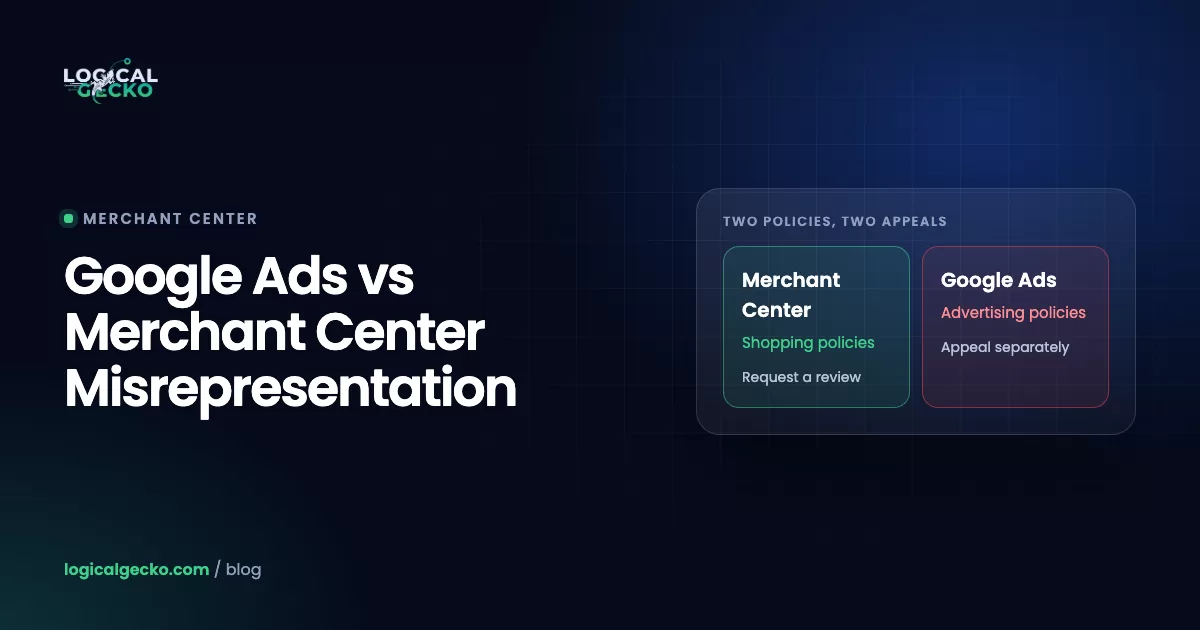
Google Ads and Google Merchant Center have separate misrepresentation policies, separate enforcement and separate appeals. As of October 2026, Google Ads lists 10 categories and Merchant Center lists 6. A Merchant Center suspension disables your products, so Shopping ads, Performance Max product ads and free listings stop. The Google Ads account can be suspended by its own decision, and it needs its own appeal.
Key takeaways
- Google Ads and Google Merchant Center enforce two separate misrepresentation policies, so a review won in one account does not change the decision in the other.
- As of October 2026, the Google Ads misrepresentation policy has 10 categories and the Merchant Center policy has 6; both suspend on detection for Unacceptable business practices and Coordinated deceptive practices, but only Merchant Center does so for dishonest pricing.
- A Merchant Center suspension disables your products across Google, which stops Shopping ads, Performance Max product ads and free listings, while a Google Ads suspension is a separate decision that stops every ad in that account.
- If Merchant Center shows a Linked account suspension, Google says the Google Ads suspension must be fixed first, and unlinking the two accounts does not resolve it.
- Google Ads allows 3 appeals per disapproved ad with 24 hours between appeals, gives at least 6 months to appeal an account suspension, and can pause appeal processing for 7 days when it sees misuse.
On this page
- Is Google Ads misrepresentation the same as Merchant Center misrepresentation?
- How do the Google Ads and Merchant Center misrepresentation policies compare?
- Which misrepresentation categories does each policy list?
- Does a Merchant Center suspension suspend Google Ads?
- Why can a Google Ads account be suspended for misrepresentation too?
- Why is Google Ads still suspended after Merchant Center was reinstated?
- Should you fix Google Ads or Merchant Center first?
- How do Google Ads misrepresentation appeals work?
- How do advertiser verification and identity checks affect both accounts?
- What happened in the FragranceGems recovery?
- When should you get help with a Google Ads and Merchant Center suspension?
- FAQ
Is Google Ads misrepresentation the same as Merchant Center misrepresentation?
No. Google Ads and Google Merchant Center each have their own misrepresentation policy, published in different help centers, with different categories, different enforcement and different appeal paths. A decision in one account does not change the decision in the other.
The Google Ads policy sits in Advertising Policies Help and covers your ads, assets and the pages they send people to. The Merchant Center policy sits in Merchant Center Help, with the Shopping ads and listings policies, and covers your product listings and your store. As of October 2026, the Google Ads version lists 10 categories and the Merchant Center version lists 6.
What they share is the evidence. Both pages say Google may review information from multiple sources, including your ad or listing, your website, your accounts and third-party sources. So one weak store, with no clear address or a fee that appears only at checkout, can trigger both notices. That is why people expect one fix to clear both accounts. It doesn't, because each account keeps its own record and needs its own review or appeal.
How do the Google Ads and Merchant Center misrepresentation policies compare?
They differ on almost every practical point: what Google checks, when you get a warning, what stops, and how you ask for a second look. This table puts Google's own rules side by side, as of October 2026.
| Google Ads | Google Merchant Center | |
|---|---|---|
| Policy page | Advertising Policies Help: Misrepresentation | Merchant Center Help: Misrepresentation |
| What it covers | Ads, assets and their destinations | Product listings and your online store |
| Number of categories | 10 | 6 |
| Suspended on detection, no warning | Unacceptable business practices; Coordinated deceptive practices | Unacceptable business practices; Coordinated deceptive practices; Dishonest pricing and transaction conditions |
| Warning first | The other 8 categories: a warning at least 7 days before any account suspension | The other 3 categories: a warning at least 7 days before any suspension; most violations get 7 or 28 calendar days to fix |
| What stops | A disapproved ad stops; a suspended account stops every ad and turns read-only | Products are disabled across Google: Shopping ads, Performance Max product ads and free listings |
| How to ask for a second look | Disapproved ad: Appeal in Policy manager. Suspended account: Contact Us link in the suspension notice | Under Needs attention: "I fixed the issue" or "I disagree with the issue", then Request review |
| Google's stated timing | Most ads reviewed within one business day; no published time for account appeals, the outcome comes by email | Account reviews typically take 7 business days, longer for complex reviews |
| Limits | 3 appeals per ad, 24 hours apart; at least 6 months to appeal a suspension; misuse pauses appeals for 7 days | One chance to disagree; a one-week cool-down may start after the second attempt and can grow |
| Egregious cases | Reinstated only in compelling circumstances | Reinstated only in compelling circumstances |
The row worth reading twice is dishonest pricing. Merchant Center lists Dishonest pricing and transaction conditions as a category that suspends on detection. In Google Ads, the Dishonest pricing practices page says violations "won't lead to immediate account suspension without prior warning". The same hidden fee can get Merchant Center suspended on detection, while Google Ads must warn you at least 7 days before any account suspension.
Which misrepresentation categories does each policy list?
As of October 2026, Google Ads lists 10 misrepresentation categories and Merchant Center lists 6. Five names appear in both policies, one pricing category appears in both under different names, and four categories exist only in Google Ads, because they are about the ad itself.
| Category (Google's name) | Google Ads | Merchant Center | What it targets |
|---|---|---|---|
| Unacceptable business practices | Egregious: suspended on detection | Egregious: suspended on detection | Hiding or misstating who you are, implying support you don't have, offering what you can't deliver |
| Coordinated deceptive practices | Egregious: suspended on detection | Egregious: suspended on detection | Concealing your identity or country of origin on content about politics, social issues or matters of public concern |
| Dishonest pricing practices (Ads) / Dishonest pricing and transaction conditions (Merchant Center) | Warning at least 7 days first | Egregious: suspended on detection | Hidden taxes, fees or shipping costs, unclear payment models, bait-and-switch |
| Unavailable offers | Warning first | Warning first | Promising products or offers the page doesn't have |
| Manipulated media | Warning first | Warning first | Media altered to deceive or mislead |
| Unreliable claims | Warning first | Warning first | Inaccurate claims, or an improbable result shown as the likely outcome |
| Misleading representation | Warning first | Not a category | Misleading statements about identity, affiliations or qualifications; an inaccurate business name |
| Clickbait ads | Warning first | Not a category | Sensational text or images, or negative life events used to pressure people |
| Misleading ad design | Warning first | Not a category | Fake buttons, ads that look like system notifications, ads that don't match the landing page |
| Unclear relevance | Warning first | Not a category | Promotions that aren't relevant to the destination |
Each of the eight warning-first Google Ads pages, such as Unreliable claims, says a warning comes at least 7 days before any account suspension.
For example, take an illustrative store selling skincare. It adds a $6.95 "handling fee" only at the last checkout step of a $38 order, and one Search ad headline says "Wrinkles gone in 3 days". In Merchant Center, the fee falls under Dishonest pricing and transaction conditions, which can suspend the account on detection. In Google Ads, the same checkout falls under Dishonest pricing practices, which brings a warning at least 7 days before any account suspension. The headline is a Google Ads problem under Unreliable claims, and no Merchant Center review will ever look at it. Removing the fee helps both accounts; only a new headline fixes the ad. The numbers are illustrative.
Does a Merchant Center suspension suspend Google Ads?
Not by itself. A Merchant Center suspension disables your products, so everything built on them stops, but none of the Google Ads or Merchant Center help pages we checked in October 2026 says it suspends the Google Ads account. Google Ads can still suspend that account through its own review.
Google's Issues in Merchant Center page says that when an account is suspended, "your products will be disabled from appearing across Google", and that account-level issues affect every product in the account. On the Google Ads side, the Shopping campaign troubleshooting page says you need to resolve Merchant Center account issues before the Shopping campaign can serve.
Stops with a Merchant Center suspension
- Shopping ads in Shopping campaigns
- Product ads in Performance Max campaigns that use the feed
- Free listings on Google
- Every product in the account, flagged or not
Not stopped by it alone
- The Google Ads account status
- Search campaigns with text ads, which use no product data
- Ads that Google Ads has not disapproved
- Your conversion tracking and account history
Performance Max needs a closer look. Its product ads come from the same Merchant Center products, so they stop. The Google pages we checked don't say what the campaign does with its other assets meanwhile, so read the campaign status in Google Ads. Our guide to Performance Max campaigns explains how the campaign uses a Merchant Center feed.
The reverse does happen: Linked account suspension
A suspended Google Ads account can pull Merchant Center down with it. Merchant Center shows a Linked account suspension issue when a suspended Google Ads account is linked to it, as Google's policy update dated August 2024 describes. Google's fix page says "The Google Ads suspension must be fixed first before your Merchant Center suspension can be reviewed", and that removing or unlinking the suspended Google Ads account won't unsuspend or resolve the Merchant Center issue.
Why can a Google Ads account be suspended for misrepresentation too?
Because Google Ads runs its own misrepresentation review on the same website, and it also looks at connected accounts. Your ads send people to the store Merchant Center already judged, so a store that fails one review often fails the other for the same reasons.
- The same website, checked twice. The Google Ads policy says Google "may review information from multiple sources including your ad, website, accounts, and third-party sources." Missing contact details, a hidden fee or a borrowed brand name on your store breaks both policies.
- Egregious categories. If Google Ads finds Unacceptable business practices or Coordinated deceptive practices, the account is suspended "upon detection and without prior warning", and the policy says you will not be allowed to advertise with Google Ads again unless an appeal succeeds.
- Warnings that ran out. For the other eight categories, Google warns at least 7 days before suspending. Fixing the ad but not the page, or missing the email, ends in suspension.
- Related accounts. Google's enforcement page says related accounts, "for example, accounts using the same payment method", are also suspended, and new accounts you create are suspended automatically. An old suspended account or an agency account on the same card can drag a clean account down.
- Terms and Conditions. Google can also suspend an account for breaking the Google Ads Terms and Conditions, so the notice may not say misrepresentation at all.
Our guide to the Circumventing systems policy explains how accounts get linked through payment methods, logins and past agencies.
Why is Google Ads still suspended after Merchant Center was reinstated?
Because a Merchant Center approval doesn't reach the Google Ads decision. Google's suspensions overview says a suspended Google Ads account is "considered permanent unless the appeal is submitted and the account is successfully reinstated", so it needs its own appeal, judged on Google Ads' own findings.
When the Google Ads appeal fails after Merchant Center is approved, the cause is usually one of these:
| Reason | What to check |
|---|---|
| No Google Ads appeal was filed | A Merchant Center approval does not update Google Ads. File through the Contact Us link in the suspension notice. |
| A related account is still suspended | Old Google Ads accounts, manager accounts, a shared payment method, an old Merchant Center account. Google asks for a separate appeal for each suspended account. |
| The ads still break a Google Ads-only category | Headlines, images and assets under Clickbait ads, Misleading ad design, Unclear relevance or Misleading representation. |
| Advertiser verification is pending or failed | Some advertisers must pass advertiser verification to appeal; after 3 failed attempts they can't appeal. |
| The decision is egregious | For Unacceptable business practices, accounts are reinstated only in compelling circumstances, such as a mistake. The appeal needs evidence, not promises. |
| Too many appeals | Google may not process repeated appeals for the same suspension, and it pauses certain appeals for 7 days if it sees misuse. |
A public example shows the related-account route. In a Shopify Community thread titled Misrepresentation solved for Merchant Center but not Google Ads, a store owner got Merchant Center reinstated while Google Ads kept rejecting the appeal. The reply the owner posted from Google said the issue was "connected to another related account/accounts" and that all "linked (or previously linked)" accounts had to comply first. The thread was still unresolved when we read it in October 2026.
Should you fix Google Ads or Merchant Center first?
Fix the website first, because both reviews read it. Then let the Merchant Center issue list decide the order: if it shows Linked account suspension, Google says the Google Ads suspension comes first. If each account carries its own misrepresentation decision, we request the Merchant Center review first and appeal Google Ads once it is approved.
| What the notices say | Order | Basis |
|---|---|---|
| Merchant Center: Misrepresentation. Google Ads: active | Merchant Center review only | Approved products can show again within 24 hours (Google) |
| Merchant Center: Linked account suspension | Google Ads appeal, then Merchant Center review | Google: the Google Ads suspension must be fixed first |
| Both suspended, each for its own misrepresentation finding | Website fix, Merchant Center review, then Google Ads appeal | Our approach: the Merchant Center result gives the appeal a dated fact |
| Google Ads: ads disapproved, account active | Fix the ads and pages, appeal in Policy manager | Google: 3 appeals per ad, 24 hours apart |
| Google Ads suspended, Merchant Center clean | Google Ads appeal; watch Merchant Center for Linked account suspension | Google: a suspended linked Google Ads account blocks Merchant Center review |
Why Merchant Center first when both accounts have their own finding? In Logical Gecko's recoveries, the Merchant Center review is the check with a published timeline (typically 7 business days), and it judges the store directly. An approval gives the Google Ads appeal something concrete to cite. Google gives at least 6 months to appeal a Google Ads suspension, so waiting for the Merchant Center result costs you no appeal rights.
- Read both notices and note the exact policy names. In Merchant Center, open Products, then Needs attention. In Google Ads, read the banner at the top of the account, then open Policy manager (under Troubleshooting in the Tools menu) for ad-level issues. Write down each category, such as Unacceptable business practices or Dishonest pricing and transaction conditions.
- Don't open new accounts and don't unlink. A new account after a suspension is a Circumventing systems violation, and Google says unlinking a suspended Google Ads account does not resolve a Merchant Center issue.
- Map every connected account. List each Google Ads account, manager account, Merchant Center account and payment method tied to the business, including any a past agency opened. Mark which are suspended.
- Fix the website once, for both policies. Legal business name, address, phone and email; shipping, returns and refund pages; the full price before payment; and only claims you can prove. Our Merchant Center misrepresentation fix guide has the full checklist.
- Fix the Google Ads-only issues. Rewrite headlines, descriptions, images and sitelinks that fall under Clickbait ads, Misleading ad design, Unclear relevance or Misleading representation, and send every ad to a page that matches its offer.
- Complete verification. Submit the government-issued ID that Merchant Center asks for under Needs attention, and finish Google Ads advertiser verification if the account requests it. Use the same legal name and address in both.
- If Merchant Center shows Linked account suspension, appeal Google Ads first. Google says its support team will reach out in 5 business days. Request the Merchant Center review only after the Google Ads account is reinstated.
- Otherwise, request one Merchant Center review. Choose "I fixed the issue", then Request review, and wait for the email. Don't resubmit while the issue shows as under review.
- Appeal Google Ads once, with evidence. Use the Contact Us link in the suspension notice. List what you changed, the date Merchant Center approved the account, and every related account. File one appeal per suspended account, one at a time.
- Restart slowly. Once both accounts are clear, turn Shopping and Performance Max back on without bulk product uploads or new countries in the first weeks.
How do Google Ads misrepresentation appeals work?
Google Ads has two appeal routes: Policy manager for disapproved ads, and the Contact Us link in the suspension notice for a suspended account. Each has its own limits, confirmed on Google's ad appeal page and suspensions overview in October 2026.
| Situation | How to appeal | Limits and timing |
|---|---|---|
| Disapproved ad or asset | Policy manager, Policy issues tab, Appeal; choose "Dispute decision" or "Made changes to comply with policy" | 3 appeals per ad; wait at least 24 hours between appeals on the same ads; check back in 24 hours |
| Old ad decisions | Contact Google Ads support | Since July 21, 2026, decisions made more than 6 months earlier can't be appealed from the account |
| New or edited ad | Edit and save; the ad is reviewed again automatically | Most ads reviewed within one business day; contact support after a week |
| Suspended account | Contact Us link in the notification at the top of the account | At least 6 months from the suspension date; "Appeal pending" while it runs; outcome by email |
| Several suspended accounts | A separate appeal for each suspended account | Too many appeals may not be processed; misuse pauses certain appeals for 7 days |
| Verification required | Complete advertiser verification first | After 3 failed attempts, no appeal |
For an ad, pick "Made changes to comply with policy" after a fix and "Dispute decision" only when Google got it wrong. For an account, send one complete appeal: Google says one appeal at a time gets a timely review, and a suspended account stays read-only until an appeal succeeds.
Count your attempts in both accounts. Google Ads allows 3 appeals per ad, and Merchant Center may start a one-week cool-down after the second failed review. Fix everything before the first request in either account, because each failed attempt narrows your options.
How do advertiser verification and identity checks affect both accounts?
Both accounts test the same thing: that a real, identifiable business stands behind the ads. Google Ads does it through advertiser verification, and Merchant Center does it through identity verification during a misrepresentation case. The Google pages we checked don't say that passing one counts for the other, so complete each one where it is requested, with the same details.
- Google Ads advertiser verification. Advertising Policies Help says it can ask you to verify your identity or your business operations and answer questions about your organization. If you don't complete it by your deadline, some ads may be restricted, and in some cases Google pauses the account until you do. Some of your details then appear in ad disclosures and the Ads Transparency Center.
- Verification before a Google Ads appeal. Certain advertisers must pass advertiser verification before they can appeal a suspension. If Google can't verify their identity after 3 attempts, they can't appeal.
- Merchant Center identity verification. Google's review request page tells you to check Needs attention for a request to submit a government-issued ID, and says this must be done before you request a review.
Treat verification as one trust signal shown in two places. Before you submit, check that these match:
- The legal business name, spelled the same in Google Ads, Merchant Center, your website footer and your documents
- The business address on your website, your Contact page and both accounts
- The phone number and support email shown on the site and entered in Merchant Center
- Documents that are real, current and unedited
What happened in the FragranceGems recovery?
FragranceGems, a Dutch perfume store on Shopify, was suspended in Google Merchant Center for Misrepresentation, and the case also hit its Google Ads account. After the recovery, Merchant Center was approved, 148 products were active and the Google Ads account was reinstated.
The FragranceGems case study lists what stood behind the flag: risky wording such as "dupe" and "inspired by", shipping and return policy mismatches, overly aggressive discounts, zero-priced and out-of-stock products in the feed, and a Shopify sync overwriting Merchant Center settings. We removed the risky wording, aligned shipping, returns and business details, and cleaned the feed.
On the Google Ads side, the case study describes the work as "identifying affected accounts, contacting Google Ads support, confirming the GMC fix, restoring Ads access, and selecting the safest account to use going forward."
When should you get help with a Google Ads and Merchant Center suspension?
Get help when both accounts are suspended, when a Google Ads appeal failed after Merchant Center was approved, or when you can't tell which account is blocking the other. Attempts are limited in both, so get a second opinion before the next one.
Logical Gecko is an independent agency, not affiliated with Google, and Google makes every reinstatement decision. Our Merchant Center suspension recovery starts with a free diagnosis: we review your store, feed and both accounts and tell you whether we found what is causing the suspension. The full fix comes with the recovery work. If the notice names misrepresentation, see our Merchant Center misrepresentation fix, and read past recoveries in our Merchant Center case studies. Shopify stores can also read our guide to Shopify Merchant Center misrepresentation.
Frequently asked questions
Does a Google Merchant Center suspension affect Google Ads?
Yes, for every ad that uses your products. A suspended Merchant Center account has its products disabled across Google, so Shopping ads, Performance Max product ads and free listings stop. The Google Ads account itself stays active unless Google Ads makes its own decision, and Search campaigns with text ads use no product data. Check the banner at the top of Google Ads and Policy manager to confirm the account has no separate issue.
Will fixing my website fix both suspensions?
It fixes the shared cause, but each account still needs its own review. Both policies check your website, so contact details, policies, prices and claims fixed once count for both. Google Ads also checks the ads themselves, related accounts and, for some advertisers, verification. After the site is fixed, request the Merchant Center review and file a separate Google Ads appeal, because neither decision updates the other.
Can I unlink Merchant Center from Google Ads to fix a suspension?
No. Google says removing or unlinking a suspended Google Ads account from Merchant Center won't unsuspend or resolve the Merchant Center issue. Unlinking also makes your products ineligible for your Shopping campaigns, so it costs sales without fixing anything. Fix the cause, appeal the Google Ads suspension if there is one, then request the Merchant Center review.
How long does a Google Ads misrepresentation appeal take?
Google does not publish a standard time for Google Ads account appeals; you get an email with the outcome. For a disapproved ad, Google says to check back in 24 hours, and most new or edited ads are reviewed within one business day. When Merchant Center shows a Linked account suspension, Google says its support team will reach out in 5 business days about the account status.
Can I open a new Google Ads account after a misrepresentation suspension?
No. Google's Circumventing systems policy lists creating new accounts to re-enter the system after a suspension as a violation, and Google's enforcement page says new accounts a suspended advertiser creates are automatically suspended. Appeal the existing account instead. You have at least 6 months from the suspension date, so fix the website first and write one complete appeal.
What does Unacceptable business practices mean in Google Ads?
It is one of the two egregious categories among the 10 in the Google Ads misrepresentation policy. It covers scamming people by hiding or misrepresenting information about your business, products or services, such as implying support from a brand or government body you don't have, offering products you can't deliver, or impersonating another business. Google treats it as egregious: the account is suspended on detection, without warning, and reinstated only in compelling circumstances.
Is Google Shopping misrepresentation the same as Merchant Center misrepresentation?
Yes. Shopping ads and free listings both draw on your Merchant Center products, so the Merchant Center misrepresentation policy is the one that applies to them. It sits with Google's Shopping ads and listings policies in Merchant Center Help. A Google Ads misrepresentation notice refers to the Advertising Policies Help version instead, which covers your ads, assets and the pages they link to.
Sources26 references
- Google Advertising Policies Help: Misrepresentation
- Google Advertising Policies Help: Unacceptable business practices
- Google Advertising Policies Help: Dishonest pricing practices
- Google Advertising Policies Help: Misleading representation
- Google Advertising Policies Help: Clickbait ads
- Google Advertising Policies Help: Misleading ad design
- Google Advertising Policies Help: Manipulated media
- Google Advertising Policies Help: Unreliable claims
- Google Advertising Policies Help: Unclear relevance
- Google Advertising Policies Help: Unavailable offers
- Google Advertising Policies Help: What happens if you violate our policies
- Google Advertising Policies Help: Circumventing systems
- Google Advertising Policies Help: Advertiser verification
- Google Advertising Policies Help: Google Ads account suspensions overview
- Google Ads Help: Google Ads account suspensions overview
- Google Ads Help: Fix a disapproved ad or appeal a policy decision
- Google Ads Help: About the ad review process
- Google Ads Help: Shopping campaign not running, Merchant Center account issues
- Google Ads Help: How to fix a Shopping campaign not running or low traffic
- Google Merchant Center Help: Misrepresentation
- Google Merchant Center Help: Request a review of your issues
- Google Merchant Center Help: Issues in Merchant Center
- Google Merchant Center Help: How to fix: Linked account suspension
- Google Merchant Center Help: Policy update: Linked account suspension (August 2024)
- Google Merchant Center Help: Google's Shopping ads and listings policies
- Shopify Community: Misrepresentation solved for Merchant Center but not Google Ads

Safeer leads strategy at Logical Gecko, a Google Partner and Shopify Partner agency that runs Google Ads for eCommerce and home-service brands and recovers suspended Merchant Center accounts. Everything in these guides comes from work on live client accounts. More about the team.