Quick answer
A Shopify store gets a Google Merchant Center misrepresentation suspension when its settings tell Google a different story than its storefront or Merchant Center does. The usual causes are Store contact details that don't match Merchant Center, template policies, delivery times that hide processing time, a hidden ship-from location, compare-at prices nobody paid, and theme apps that show false badges, timers or reviews.
Key takeaways
- On Shopify, a Merchant Center misrepresentation suspension usually means the Shopify admin, the storefront and Merchant Center describe the business differently, so the fix starts in the Shopify admin, not in the appeal form.
- Google suspends on detection, with no warning, for three misrepresentation categories: Unacceptable business practices, Coordinated deceptive practices, and Dishonest pricing and transaction conditions.
- The Google & YouTube app syncs only the shipping rates in Shopify's General shipping profile, and without transit times on flat rates, Google estimates delivery from typical regional times plus Shopify's average handling time.
- Dropshipping from a Shopify store is allowed in Merchant Center, but hiding where products ship from, or showing a virtual address as headquarters, is an Unacceptable business practice that Google suspends on detection.
- Request a review only after every fix is live and synced, because Google says a one-week cool-down may begin if issues aren't resolved by the second review attempt, and it can grow after each failed review.
On this page
- Which Shopify settings cause a Merchant Center misrepresentation suspension?
- What should you check in each Shopify setting?
- Which Google misrepresentation category matches your Shopify issue?
- Does the Google and YouTube app cause misrepresentation?
- Which Shopify theme apps can trigger a misrepresentation flag?
- Can you dropship on Shopify without a Merchant Center suspension?
- How do you request a Merchant Center review for a Shopify store?
- What is the Logical Gecko Shopify misrepresentation checklist?
- When should a Shopify store get help with a misrepresentation suspension?
- FAQ
Which Shopify settings cause a Merchant Center misrepresentation suspension?
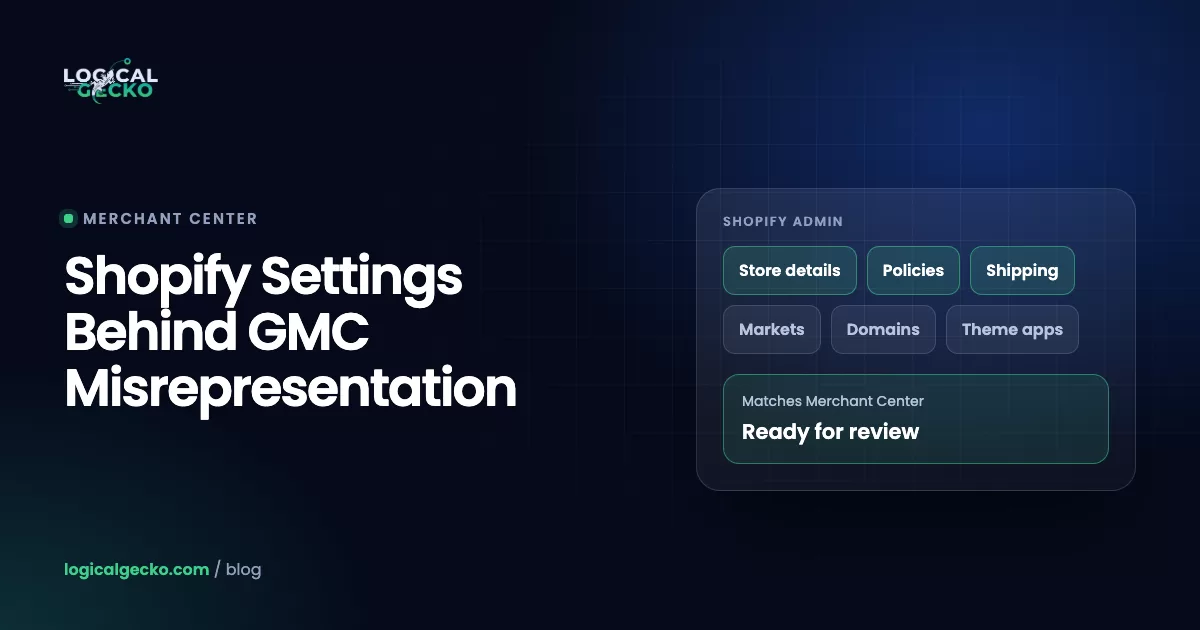
The Shopify settings we find behind most misrepresentation suspensions sit in seven places: Store contact details, Policies, Shipping and delivery, Locations, Markets, product pricing and inventory, and theme app embeds. Each one shapes what Google sees on your storefront or in your synced product data. Google suspends when those details disagree with Merchant Center, with each other, or with what other websites say about you.
Google's misrepresentation policy says it may review "your listing, website, accounts, and third-party sources" before it decides. On a Shopify store, most of that information starts in the Shopify admin. The Google & YouTube app then copies products, shipping and your domain into Merchant Center, so one wrong setting shows up in two places at once.
As of October 2026: the admin paths in this guide match the Shopify Help Center pages we checked on October 18, 2026. Shopify renames settings often. Store contact details now sit under Settings › General, Markets has its own item in the main admin menu, and Shopify now calls password protection "private mode".
What should you check in each Shopify setting?
Check every setting against two things: what a visitor sees on your storefront, and what Merchant Center holds for the same detail. The table lists each Shopify admin path, what Google compares it with, and the fix.
| Shopify admin path | What Google checks | What to fix |
|---|---|---|
| Settings › General › Store contact details (store name, Store address with company name, phone) and Store email | Legal business name, physical address, phone and email are consistent across your website and Merchant Center | Enter your legal company name in Store address. If it's blank, Shopify's automated contact policy shows your store name instead. Copy the same details into Merchant Center business info. |
| Settings › Policies (Return, Privacy, Terms of service, Shipping, Contact information) | Clear shipping, return and privacy policies that match what really happens | Publish all five. Read every automated policy line by line, because Shopify says not to assume it covers every detail. |
| Content › Menus (footer menu) | Policies and contact details easy to reach before checkout | Add each policy and a Contact page to the footer. The Google & YouTube channel requires the refund policy and terms of service there. |
| Settings › Shipping and delivery (rates, Transit time, Estimated delivery dates › Fulfillment time) | Shipping costs and delivery times on your site match Merchant Center; no fast headline time that hides processing time | Keep rates in the General profile, set real transit times, and set your real Fulfillment time. |
| Settings › Locations | Where products really ship from | Dropshipping and fulfillment apps appear here as locations. Your shipping policy must name where those orders ship from. |
| Settings › Payments | A working payment provider; business details consistent with your payment profile | Keep one active provider. If you use Shopify Payments, make its business name match your legal name (Shopify Support changes it). |
| Markets (currency, domain, duties, shipping per market) | Prices in the currency of the country; the full cost, including taxes, duties and fees, shown before payment | Give each market the right currency. Collect duties at checkout or state them clearly. Only sell to countries with real shipping rates. |
| Settings › Domains | The domain in Merchant Center matches the claimed domain and your brand name | Set one primary domain and claim that one in Merchant Center. Old domains become redirect domains. |
| Online Store access menu and Online Store › Preferences › Store access | The Google & YouTube channel requires a store that isn't in private mode | Switch the store to Public before you connect Merchant Center or request a review. |
| Online Store › Edit theme › App embeds | Badges, endorsements, reviews and claims are true | Turn off fake trust badges, "as seen on" logos, resetting timers, invented sales popups and imported reviews. |
| Products › Compare-at price | Prices don't give a false picture of the cost; feed price matches the page | Use a compare-at price only if you really charged it. Otherwise clear the field. |
| Products › Inventory › Continue selling when out of stock | Items shown as available are items you can fulfill | Turn it off for items you can't restock or ship within your stated times. |
| Discounts › Sales channel access | Promotions shown on Google work at checkout | Give the Google & YouTube app access only to discounts that apply at checkout. |
| Sales channels › Google & YouTube › Settings | The shipping, countries and products the app sends to Merchant Center | Check shipping import, synced countries and product statuses (next sections). |
Two fields are easy to miss. The company name sits inside Store address, not next to the store name, so it often stays blank. And the delivery time in a shipping policy template says nothing about how long your orders really take until you set your own fulfillment and transit times.
Which Google misrepresentation category matches your Shopify issue?
Google's misrepresentation policy has six categories, and three of them suspend an account on detection, with no warning: Unacceptable business practices, Coordinated deceptive practices, and Dishonest pricing and transaction conditions. The other three, Unavailable offers, Manipulated media and Unreliable claims, come with a warning at least 7 days before any suspension.
| Google category | Enforcement | Shopify settings that usually trigger it |
|---|---|---|
| Unacceptable business practices | Suspended on detection, no warning | Store contact details that differ from Merchant Center; a virtual address shown as headquarters; a hidden ship-from country; "as seen on" logos or badges that imply an endorsement you don't have; refusing returns your own policy allows |
| Coordinated deceptive practices | Suspended on detection, no warning | Rare for product stores: content about politics or social issues while hiding who you are or your country |
| Dishonest pricing and transaction conditions | Suspended on detection, no warning | Fees added by checkout apps; shipping or duties not shown before payment; a delivery banner that hides processing time; restocking fees only in the policy; international return windows that start on the purchase date |
| Unavailable offers | Warning at least 7 days before suspension | Continue selling when out of stock on items you can't source; ship-from location misstated to suggest local stock or fast delivery; Shopify discounts synced as Google promotions that don't apply at checkout |
| Manipulated media | Warning at least 7 days before suspension | Rare for product stores: the policy's example is doctored media about politics, social issues or public concerns |
| Unreliable claims | Warning at least 7 days before suspension | Product descriptions or app badges that promise miracle results, such as extreme weight loss or a cure for several diseases |
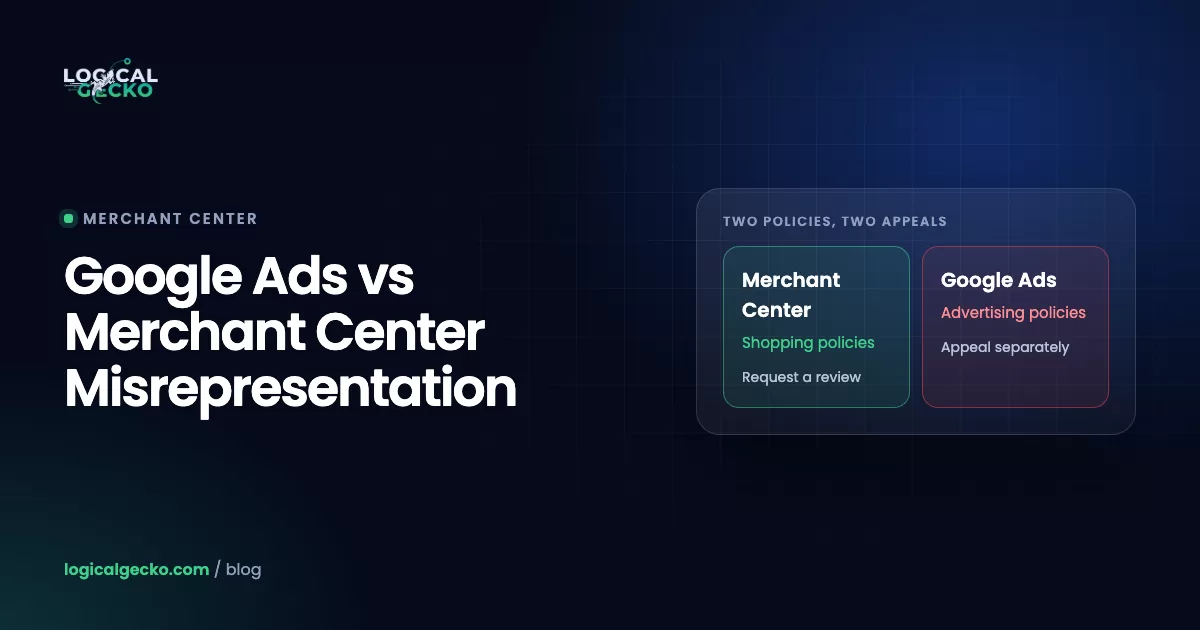
The notice rarely names the exact detail, so use the category to decide where to start. A suspension with no earlier warning email points to the first three rows. If Google Ads also shows a misrepresentation flag, read our comparison of Google Ads vs Merchant Center misrepresentation, because the two policies and the two review processes differ.
Does the Google and YouTube app cause misrepresentation?
The Google & YouTube app doesn't cause misrepresentation by itself, but it copies your Shopify settings into Merchant Center, so a wrong setting in Shopify becomes a wrong claim on Google. Shopify says Google manages the app, and it sends Merchant Center questions to Google support. Our Google Ads for Shopify playbook covers the full setup; these are the sync details that matter for misrepresentation.
- Only the General shipping profile syncs. Google's Shopify shipping guide says rates from custom profiles sync incorrectly and cause errors. If your real rates live in a custom profile, Merchant Center shows something else.
- Handling time has a default. When the app imports shipping, Google uses your transit times only if you set them on custom flat rates. Otherwise it uses typical shipping times in your region, and handling time defaults to the average for Shopify merchants, per Shopify's channel requirements. A slow-processing store ends up with a delivery estimate it can't meet.
- Shopify overwrites Merchant Center. Google says updates from Shopify may overwrite manual edits you make to shipping in Merchant Center. Fix the setting in Shopify, or switch the app's shipping settings to Manually set up shipping settings in Google Merchant Center and keep them current yourself.
- New countries can sync automatically. The app's Automatically Sync future countries option sends products to any country you add in Shipping and Markets. Check the currency, rates and return terms for each country first.
- Discounts can become Google promotions. Some Shopify discounts sync to Google. Control which ones under Discounts › Sales channel access.
Automatically import shipping (default)
- Rates come from the General shipping profile
- Transit time from flat rates, or typical regional times
- Handling time defaults to the Shopify average
- Updates flow to Merchant Center on every change
Manually set up in Merchant Center
- You enter costs, handling and transit times
- Fits custom profiles and slow processing
- Costs must match what Shopify charges
- You update Merchant Center after every Shopify change
Warnings and suspensions also show on the app's Overview page, and each product carries one of four statuses: Not approved, Limited, Under review or Approved. Google's own guidance adds a useful rule: the shipping costs in Merchant Center must match what your Shopify store charges, and if you can't match them exactly, overestimate.
Which Shopify theme apps can trigger a misrepresentation flag?
Apps that add badges, logos, timers, popups or reviews to your theme can trigger a flag when what they show isn't true. Google's policy names "falsely implying affiliation with, or endorsement by, another individual, organization, product, or service" as an Unacceptable business practice, and it bans presenting your products in a way that isn't "accurate, realistic, and truthful".
Shopify loads most of these as app embeds. Open Online Store › Edit theme, click the App embeds icon in the sidebar, and switch off anything you can't back up. Then check app blocks on the product page template. Look for:
- Trust and security badges you don't hold. Google's Building trust guide asks you to mention badges or seals from official third-party sources. Keep real ones and delete decorative "verified" or "guaranteed" seals.
- "As seen on" press logos with no article behind them. That is an implied endorsement.
- Countdown timers that reset on reload and stock counters that never move. The policy doesn't name them, but a reviewer who catches one false claim stops trusting the rest of the page. Remove them before a review.
- Sales popups showing invented names and towns.
- Reviews imported from a supplier's marketplace listing. They describe another seller's service, not yours. Google suggests opting into its own review program or another third-party review service.
- "Ships from our US warehouse" text when orders ship from abroad. Google lists hiding the ship-from location to suggest local delivery as an example of Unacceptable business practices.
- Health promises in product descriptions, such as "cures" or "lose 20 pounds", which fall under Unreliable claims.
Can you dropship on Shopify without a Merchant Center suspension?
Yes. Google's policy doesn't ban dropshipping, but it lists "intentionally hiding the actual location from which your products are shipped to create a false impression of localized delivery" and "displaying a false or virtual physical address as your headquarters" as Unacceptable business practices, which Google suspends on detection. Honest dropshipping states the ship-from country, the real processing and transit times, and how returns work from abroad.
For example, a store selling pet beds ships from a supplier in China. The supplier takes 3 business days to process an order, and transit to the US takes 7 to 12 business days. The numbers below are illustrative, not from a client.
| Setting | Risky setup | Honest setup |
|---|---|---|
| Store address (Settings › General) | A virtual mailbox presented as headquarters | The real registered business address |
| Ship-from statement (theme and Shipping policy) | "Fast shipping from our US warehouse" | "Orders ship from our partner warehouse in China" |
| Fulfillment time (Estimated delivery dates) | Next business day | Custom: 3 business days |
| Transit time (flat rate) | Standard (3 to 4 business days) | Custom: 7 to 12 business days |
| Delivery promise on the page | "Arrives in 4 to 5 days" | "Arrives in 10 to 15 business days" |
| Returns (Return policy) | "Free returns" with an overseas return address in the fine print | Return window starts on delivery; who pays return shipping to China is stated up front |
On Shopify, dropshipping and fulfillment apps appear under Settings › Locations as app locations, and Shopify notes that fulfillment apps added to a shipping profile can switch off transit times on existing rates. Check your rates after installing one. If the app's import can't carry your real times, set shipping manually in Merchant Center. Our general misrepresentation fix guide covers the About page and policy wording that explain the model.
How do you request a Merchant Center review for a Shopify store?
You can request it two ways. In Shopify, go to Sales channels › Google & YouTube, open the Settings tab and select Request re-review under your Google account. In Merchant Center, go to Products › Needs attention › View setup and policy issues, choose I fixed the issue, then Request review.
| Where | Steps | What you get |
|---|---|---|
| Google & YouTube app in Shopify | Settings tab › Request re-review › complete the Google Merchant Help form, say you are requesting a re-review › Submit | A support form; status updates by email |
| Google Merchant Center | Products › Needs attention › View setup and policy issues › I fixed the issue (or I disagree with the issue) › Request review | The issue details, identity verification prompts, review status and any cool-down end date |
Use Merchant Center when you can, because it shows the identity verification request and any cool-down end date in the same place. Before you request a review either way:
- Fix everything in Shopify first. Shopify's help center says fixing issues doesn't trigger a re-review on its own, and Google checks the live site.
- Let the app sync. Check the Products tab in the Google & YouTube app until edited items no longer show Under review.
- Complete identity verification. Google says this is often required before the review button appears for account-level suspensions.
- Keep products in the data source. Google requires at least one product in your product data source before you can request a review.
- Test the store as a stranger. Open it in a private window on a phone, add an item to the cart and read every cost before payment.
- Request once, then wait. Google says account reviews typically take 7 business days and may take longer for complex reviews.
Failed reviews cost time. Google's review documentation says a one-week cool-down may begin if your issues aren't resolved by the second review attempt. The cool-down can grow after each failed review, and Google support can't shorten it. Opening a new account instead breaks the circumventing systems policy.
The Google Merchant Center misrepresentation fix guide explains warnings, the "I disagree" appeal, cool-downs and what to do after a failed review in full.
What is the Logical Gecko Shopify misrepresentation checklist?
The Logical Gecko Shopify misrepresentation checklist is the list of Shopify admin checks we run before any Merchant Center review request. Copy it and tick each line before you click Request review.
- Settings › General: the company name in Store address is your legal business name, and it matches Merchant Center business info exactly.
- Store address, phone and Store email match Merchant Center, the footer and the Contact information policy.
- Settings › Policies: Return, Privacy, Terms of service, Shipping and Contact information policies are published and read line by line.
- Content › Menus: every policy and a Contact page are in the footer menu.
- Shipping policy names the ship-from country, fulfillment time, transit time and costs.
- Settings › Shipping and delivery: rates sit in the General profile, with real transit and fulfillment times.
- Settings › Locations: every app location is one you disclose on the shipping policy.
- Return policy says when the window starts, who pays return shipping and any restocking fee.
- Settings › Payments: one active provider, and the Shopify Payments business name matches your legal name.
- Markets: each country has its own currency, shipping rates and clear duties.
- Settings › Domains: the primary domain is the domain claimed in Merchant Center.
- Online Store: the store is Public, not in private mode.
- App embeds: no fake badges, "as seen on" logos, resetting timers, invented popups or imported reviews.
- Products: compare-at prices are real past prices, and Continue selling when out of stock is off for items you can't supply.
- Google & YouTube app: shipping import checked, synced countries checked, no products stuck at Not approved.
- Checkout test: the total on the last step matches the price and shipping shown on the product page.
When should a Shopify store get help with a misrepresentation suspension?
Get help when a review has already failed, when you're in a cool-down, when the notice names a category Google suspends without warning, or when Shopping ads bring in a large share of your sales. At that point each review attempt matters, and a second pair of eyes on what Google sees usually saves time.
Logical Gecko is an independent agency, a Google Partner and a Shopify Partner, and is not affiliated with Google or Shopify. Google makes every review decision. We start with a free diagnosis: send your store URL and the suspension notice, and we tell you whether we found what is causing the suspension. The Merchant Center suspension recovery service and our misrepresentation fix service cover the full repair. For budgeting, see what a Merchant Center suspension recovery costs.
In Logical Gecko's recoveries, Shopify stores rarely have one single cause. Mirai Skin, a Shopify skincare brand with about 10,000 products, had weak trust signals in the footer, shipping and return details that didn't match Merchant Center, feed differences between Shopify and Merchant Center, variants missing proper images and policy wording that changed from page to page. We fixed all of it, submitted one controlled review, and Google completed it with the misrepresentation issue removed.
Frequently asked questions
Why did Google suspend my Shopify store for misrepresentation?
Google suspended the store because your site, your Merchant Center data or third-party sources did not add up to a business it could trust. On Shopify the usual causes are a company name or address that differs between Settings › General and Merchant Center, template policies, delivery promises that leave out processing time, a hidden ship-from country, invented compare-at prices and apps that add fake badges or reviews. The suspension email rarely names the exact detail.
Does Shopify's Google & YouTube app cause misrepresentation?
Not on its own. The app copies your Shopify products, shipping rates and domain into Merchant Center, so it carries over whatever is wrong in Shopify. Two sync details matter most: only rates in the General shipping profile sync correctly, and Google falls back to Shopify's average handling time unless you give it real times. Fix the setting in Shopify, then let the app sync before you ask Google for a review.
Can I dropship on Shopify without a Merchant Center suspension?
Yes. Google allows dropshipping. What it bans is hiding where products ship from to suggest local delivery, showing a virtual address as your headquarters, and promising delivery times you can't meet. State the ship-from country on your shipping policy, set real fulfillment and transit times in Shopify, use your real business address, and explain how returns work from abroad, including who pays return shipping.
How do I request a review for my Shopify store in Merchant Center?
In Merchant Center, go to Products › Needs attention › View setup and policy issues, choose I fixed the issue, then Request review. From Shopify, open Sales channels › Google & YouTube, select the Settings tab, then Request re-review under your Google account, and complete the Google form that opens. Complete identity verification first if Merchant Center asks for it, and request only after your fixes have synced.
Are Shopify's automated store policies enough for Google?
Only after you check them. Shopify can generate and update the return, shipping, terms of service and contact information policies from your settings, but Shopify itself warns not to assume an automated policy includes every detail your business needs. Read each one against how you really ship, refund and charge. A template that promises 30-day returns while your checkout says final sale is the kind of mismatch Google flags.
Should I open a new Merchant Center account or Shopify store after a suspension?
No. Creating a new account or relaunching on a new domain to get around a suspension breaks Google's circumventing systems policy, which Google treats as egregious and can end with a permanent ban. Fix the original Shopify store and Merchant Center account, then request a review there, even if it takes more than one attempt.
How long does a Merchant Center review take for a Shopify store?
Google says account reviews typically take 7 business days and may take longer for complex reviews. Shopify's help center says the account status changes to Under review after you request it, and you get an email when the review is complete. Approved products are eligible to show across Google within 24 hours.
Sources21 references
- Google Merchant Center Help: Misrepresentation
- Google Merchant Center Help: Fixing Merchant Center warnings and account suspensions for policy violations (Google & YouTube app on Shopify)
- Google Merchant Center Help: Request a review of your issues
- Google Merchant Center Help: Building trust (answer 13693865)
- Google Merchant Center Help: Set up Shipping (for Shopify users)
- Google Merchant Center Help: Syncing your products (Google & YouTube app on Shopify)
- Shopify Help Center: Google product disapprovals and warnings
- Shopify Help Center: Google & YouTube channel requirements
- Shopify Help Center: Syncing your products (Google & YouTube)
- Shopify Help Center: Adding business settings for your store
- Shopify Help Center: Adding store policies
- Shopify Help Center: Setting up manual delivery dates
- Shopify Help Center: Setting up transit time for your flat shipping rates
- Shopify Help Center: Setting up and managing locations
- Shopify Help Center: Activating additional payment methods (Settings › Payments)
- Shopify Help Center: Managing and editing markets
- Shopify Help Center: Change your primary domain
- Shopify Help Center: Restrict access to your online store (private mode)
- Shopify Help Center: Extend your theme with apps (app embeds)
- Shopify Help Center: Setting sale prices for products
- Shopify Help Center: Selling out of stock products

Safeer leads strategy at Logical Gecko, a Google Partner and Shopify Partner agency that runs Google Ads for eCommerce and home-service brands and recovers suspended Merchant Center accounts. Everything in these guides comes from work on live client accounts. More about the team.