Quick answer
Negative keywords are words or phrases you add in Google Ads to stop your ads from showing on searches that contain them, so you stop paying for clicks that will never become a sale or a lead. You can add them to an ad group, a campaign, a shared list or the whole account, and the search terms report shows which ones you need.
Key takeaways
- Negative keywords stop your ads from showing on searches that contain the excluded terms, which keeps budget away from job seekers, DIY researchers and people who want something you do not sell.
- Negative match types work differently from regular ones: they never expand to plurals, synonyms or other close variants, although Google says they now cover casing and misspellings automatically.
- Use ad group negatives to route searches, campaign negatives and shared lists for recurring themes, and the 1,000-term account-level list for searches no campaign should ever buy.
- In Performance Max, negative keywords block only Search and Shopping inventory, and Google recommends brand exclusions instead of negatives for keeping your own brand name out.
- Review the search terms report every week, flag searches that spent more than your target cost per conversion without converting, and check monthly that no negative blocks a keyword that sells.
On this page
- What are negative keywords?
- How much money can negative keywords save?
- What are the negative keyword match types?
- How are negative keywords different from regular keywords?
- Where should you add negative keywords: ad group, campaign, account or list?
- How do you add negative keywords in Google Ads?
- How do you find negative keywords in the search terms report?
- What should a starter negative keyword list include?
- How do negative keywords work with broad match, AI Max and Performance Max in 2026?
- Which negative keyword mistakes block good traffic?
- How often should you review negative keywords?
- FAQ
What are negative keywords?
Negative keywords are words or phrases that stop your Google Ads from showing when a search contains them. Add "jobs" as a negative and your ad no longer appears for "electrician jobs near me". You pay for clicks, so every search you block is budget kept for searches that can turn into a sale or a lead.
Regular keywords tell Google where to show your ads. Negative keywords tell it where not to. Google's own example is an optometrist who sells eyeglasses and adds "wine glasses" and "drinking glasses" as negatives, because those searches share a word but want a different product (About negative keywords).
Negatives matter more each year because Google's matching keeps getting wider. Broad match is the default match type, and AI Max for Search campaigns and Performance Max reach further still. Negatives are how you tell all three "never this".
How much money can negative keywords save?
Negative keywords save whatever you now spend on searches that never convert and never could. Your search terms report shows the exact figure, so measure it before you guess.
Cost of irrelevant search terms with 0 conversions ÷ Total costFor example, a store selling leather work boots spends $3,000 a month on Search and gets 60 orders, a cost per order of $50. In the last 30 days of search terms it finds $420 spent on searches such as "boot repair near me", "work boot jobs", "how to clean leather boots" and "free safety boots", none of which produced an order.
| Metric (illustrative) | Before negatives | After blocking the $420 |
|---|---|---|
| Monthly ad spend | $3,000 | $2,580 |
| Spend on dead-end searches | $420 (14% of spend) | $0 |
| Orders | 60 | 60 |
| Cost per order | $50 | $43 |
If the store keeps the full $3,000 budget and the freed $420 converts at its $50 average, that is about 8 more orders a month. Treat that as a best case, since the freed budget still has to find searches that convert. Our guide to how much Google Ads costs covers the other drivers of cost per click and cost per lead.
What are the negative keyword match types?
Negative keywords come in three match types: broad, phrase and exact. You set them with the same symbols as regular keywords: nothing for broad, quotes for phrase and square brackets for exact. Broad is the default, so a negative typed without symbols is a negative broad match keyword.
Google's help page uses the negative keyword running shoes to show the difference:
| Search | Negative broad: running shoes | Negative phrase: "running shoes" | Negative exact: [running shoes] |
|---|---|---|---|
| blue tennis shoes | Ad can show | Ad can show | Ad can show |
| running shoe | Ad can show | Ad can show | Ad can show |
| blue running shoes | Blocked | Blocked | Ad can show |
| shoes running | Blocked | Ad can show | Ad can show |
| running shoes | Blocked | Blocked | Blocked |
- Negative broad match blocks a search that contains every word of the negative, in any order, with or without extra words. A search with only some of the words still shows your ad.
- Negative phrase match blocks a search that contains the words in the same order. Extra words before or after do not matter.
- Negative exact match blocks only that exact search: the same words, in the same order, with nothing added.
For a one-word negative, broad and phrase behave the same: both block any search that contains the word. The choice matters once a negative has two or more words. We use phrase match for most multi-word negatives and exact match when a search is bad only on its own. A bike light store might add [bike] as an exact negative: the bare search "bike" is too vague to sell lights, but "bike lights for night riding" should still show the ad.
How are negative keywords different from regular keywords?
Regular keywords stretch to cover similar searches; negative keywords do not. Google says negatives "won't match to close variants or other expansions", so you add plurals, synonyms and related word forms yourself. Google's current help also says negatives automatically account for casing and misspellings, so typo versions no longer need their own entries.
Regular keyword: plumber
- Matches plumbers and plumbing
- Matches misspellings and same-meaning searches
- As broad match, reaches related searches
Negative keyword: plumber
- Blocks searches that contain plumber
- Does not block plumbers or plumbing
- Covers casing and misspellings, per Google
Three details from Google's documentation change how you write negatives:
- Plurals and synonyms need their own entries. In Google's example, the negative flowers blocks "red flowers" but not "red flower", and "cheap" never blocks "budget".
- Long searches can slip through. If a search runs longer than 16 words and your negative comes after the 16th word, the ad can still show.
- Only three symbols count. Negatives accept ampersands, accent marks and asterisks. "Socks & shoes" and "socks and shoes" are different negatives, and so are "cafe" and "café". Periods are ignored, the "site:" and OR operators are dropped, and a minus sign in front of a word makes Google ignore that word.
Changed rule: many older guides say negatives miss misspellings. As of October 2026, Google Ads Help says they account for casing and misspellings automatically (Fix issues with negative keywords).
Where should you add negative keywords: ad group, campaign, account or list?
Add each negative at the narrowest level that solves the problem. Ad group negatives route searches between ad groups, campaign negatives and shared lists block themes for a set of campaigns, and the account-level list blocks searches no campaign should ever buy.
| Level | What it blocks | Limit (as of October 2026) | Use it for |
|---|---|---|---|
| Ad group | Searches in that ad group only | Part of the 20,000 targeting items an ad group can hold | Routing: block "repair" in a "replacement" ad group so repair searches reach the repair ad |
| Campaign | All ad groups in one campaign | 10,000 negatives per campaign | Searches wrong for one campaign but fine for another, such as "commercial" in a residential campaign |
| Shared negative keyword list | Every campaign the list is applied to | 20 lists per account, 5,000 terms each; apply to up to 1,000 campaigns at once | Themes that repeat across campaigns: jobs, free, DIY, brands you do not sell |
| Account level | Search and Shopping inventory in Search, Performance Max, Shopping, Smart, App and Local campaigns | 1,000 terms | Searches no campaign should buy, and brand safety terms |
Sources: Google's account limits, negative keyword lists and account-level negatives pages.
Shared lists save the most time. Add "jobs" once to a list called "Jobs and hiring", apply it to every campaign, and a new campaign only needs the list attached. A list blocks nothing until it is applied to a campaign, which is the first thing to check when a negative seems not to work.
How do you add negative keywords in Google Ads?
Add campaign and ad group negatives from the Search keywords page, shared lists from the Shared library, and account-level negatives in Account settings. These menu paths match Google Ads as of October 2026.
Add negatives to a campaign or ad group
- Open Search keywords. Click the Campaigns icon, open Audiences, keywords, and content and choose Search keywords.
- Open the negatives tab. Go to the Negative search keywords tab and click the plus button.
- Pick where they go. Choose the campaign, or an ad group inside it.
- Enter one negative per line. Leave it plain for broad, wrap it in quotes for phrase, or in brackets for exact.
- Save repeat themes to a list. Tick Save to new or existing list and name it by theme, such as "DIY and how to".
- Save, then check for conflicts. Google warns that a negative which overlaps one of your keywords stops that ad from showing.
Apply a shared list to more campaigns
- Open the list library. Click the Tools icon, open Shared library, choose Exclusion lists and go to the Negative keyword lists tab.
- Select the list. Tick it and click Apply to campaigns.
- Pick the campaigns. Tick each campaign that needs it and click Done.
Add account-level negative keywords
- Open Account settings. Click the Admin icon, then Account settings.
- Add the terms. Expand Negative keywords, click the plus button and enter one word or phrase per line.
- Set the match type. Save, then pick broad, phrase or exact in the Match type column for each term.
How do you find negative keywords in the search terms report?
The search terms report lists the real searches that triggered your ads, so it is where you find most negatives. Open it weekly, sort by cost and block the searches that spent money with no realistic chance to convert.
- Open the report. Go to Campaigns › Insights and reports › Search terms. For Performance Max, choose "Search terms and landing pages for Performance Max" from the dropdown.
- Set the date range. Use the last 7 days for a weekly check and 30 to 90 days for a deeper review.
- Add the columns you need. Cost, Conversions, Cost per conversion and the Keyword column, which shows which of your keywords matched each search. Google hides the Keyword column by default.
- Sort by cost, highest first. The rows that spent the most are where a negative saves the most.
- Judge intent, then numbers. Ask one question per row: could this person buy what this ad group sells?
- Block the misses. Tick the rows and click Add as negative keyword. Google adds them as negative exact match by default, then lets you send them to the ad group, the campaign or a negative keyword list.
- Log what you blocked. Note the term, date and reason.
What to look for in each review:
- Job and career searches: jobs, hiring, salary, resume, training
- Free, cheap, used or DIY intent you cannot serve
- Products, services, brands or models you do not sell
- Place names outside your service area
- Research searches: what is, meaning, examples, pdf
- People trying to reach another company: competitor logins, marketplaces
We flag a search term once it has spent more than the target cost per conversion without converting, then read it for intent. A relevant search that misses that bar often needs a better ad or page, not a negative. On larger accounts, count which single words recur across costly searches: "salary" spread over 40 searches becomes one negative. Google also leaves low-volume searches out of the report for privacy, so start with a list of obvious negatives instead of waiting for each one to appear.
What should a starter negative keyword list include?
A starter list covers the searches that rarely fit your type of business: jobs, free and DIY intent, research, and products you do not sell. Treat the tables below as starting points to review against your own offer and search terms, not as lists to paste in unread.
Review every term first: "free" blocks "free estimate" for a roofer, "used" blocks a refurbished store's best searches, and "training" blocks a company that sells training.
eCommerce starter negatives
| Theme | Starter negatives | Review before adding |
|---|---|---|
| Jobs | jobs, careers, hiring, salary, internship | Safe for nearly every store |
| Free stuff | "for free", freebie, giveaway, "free download" | Skip plain free if you offer free shipping or free returns, because people search those words |
| Used and secondhand | used, secondhand, "pre owned", craigslist | Skip if you sell refurbished or open-box stock |
| DIY and how to | "how to make", diy, pattern, template, tutorial | Keep research such as "how to choose" if your pages answer it |
| Wholesale and bulk | wholesale, bulk, distributor, manufacturer | Skip if you sell to businesses or take bulk orders |
| Repair and manuals | manual, repair, "replacement parts", recall | Skip if you sell parts or accessories |
| Brands you do not stock | Brand and model names you never carry | Keep every brand you sell, with model numbers |
Shopping campaigns have no positive keywords, so negatives carry more of the load; see the guide to Google Shopping ads.
Home services starter negatives
| Theme | Starter negatives | Review before adding |
|---|---|---|
| Jobs and training | jobs, hiring, salary, apprentice, school, certification, course | Keep "licensed" and "certified": "licensed electrician near me" is someone hiring a pro |
| DIY | diy, "how to", yourself, tutorial, video | Keep "how much": price research often books jobs |
| Parts and supplies | parts, supplies, "home depot", lowes, wholesale | "Water heater" is a job; "water heater parts" is not |
| Free | "free diy", "free plans", "free course" | Never add plain free if you offer free estimates or free quotes |
| Work you turn down | commercial, industrial, rental, "new construction" | Add only the work you truly decline |
| Places you do not serve | City and county names outside your area | Fix location settings first; negatives catch place names typed into the search |
Our guide to Google Ads for contractors shows how these lists fit campaigns split by trade and job type.
B2B lead generation starter negatives
| Theme | Starter negatives | Review before adding |
|---|---|---|
| Jobs and careers | jobs, careers, salary, interview, resume, internship | Safe for nearly every B2B account |
| Students and research | definition, meaning, pdf, ppt, thesis, wikipedia | Keep "examples" if case studies are part of your landing page |
| Free and pirated | "open source", crack, cracked, torrent | Keep "free trial" and "free demo" if you offer them, so skip plain free |
| Existing users | login, "sign in", "support number", "help desk" | Login searches for your own brand belong in a brand campaign, not prospecting campaigns |
| Personal use | personal, "for home", "for students", "for kids" | Skip if you have a personal or student plan |
| Courses and certification | course, certification, training, "how to become" | Skip if you sell training |
How do negative keywords work with broad match, AI Max and Performance Max in 2026?
Negative keywords still apply in Google's AI-driven campaigns, but where they apply differs by campaign type. Broad match and AI Max honor your negatives. Performance Max applies them only to Search and Shopping inventory, and Google asks you to keep that list short.
| Campaign type | Do negatives apply? | Where to add them | What to know (October 2026) |
|---|---|---|---|
| Search with broad match | Yes | Ad group, campaign, list, account | Reaches searches without your words, so it needs the most negatives |
| Search with AI Max | Yes, Google confirms it | Same as Search | Adds keywordless matches; brand exclusions handle competitor names |
| Performance Max | Search and Shopping inventory only | Campaign, shared list, account | Up to 10,000 per campaign; preview impact first; brand exclusions for your own brand |
| Standard Shopping | Yes | Ad group, campaign, list, account | No positive keywords, so negatives are the main query control |
| Smart campaigns | Yes, as negative keyword themes | Keyword themes card | Account-level list also applies |
| Display and Video | Partly | Ad group, campaign or account | All act as broad match, up to 1,000 considered; content exclusions work better |
Broad match and AI Max for Search
Google says broad match can show ads on searches related to your keyword, including ones without its direct meaning (About keyword matching options). AI Max for Search campaigns goes further. Its search term matching uses broad match and keywordless technology, so ads can show on searches none of your keywords contain. Google's AI Max FAQ confirms that negative keywords are still respected with AI Max on.
Two habits keep AI Max in check. Filter the search terms report to the "AI Max" match type, whose source column shows whether a match came from broad match expansion or keywordless matching. And block competitor names with brand exclusions rather than long negative lists. On a new account with little conversion data we leave AI Max off at first, as our guide to Google Ads for small business explains.
Performance Max
Performance Max takes campaign-level negatives, shared negative keyword lists and the account-level list (Negative keywords in Performance Max campaigns). Three rules shape how you use them:
- They cover Search and Shopping inventory only. To keep Performance Max ads away from unsuitable YouTube and Display content, use excluded content keywords in your content suitability settings, which take up to 1,000 terms.
- Brand exclusions handle brand traffic. Google recommends brand exclusions over negatives for your own brand, because they also block misspellings, variants and sub-brands (About brand exclusions).
- Negatives are for the clearly irrelevant. Google calls them "a highly restrictive control" in Performance Max and recommends them only for brand safety or completely irrelevant terms (Search controls for Performance Max).
Before you add a negative to Performance Max, use Preview impact on the Search keywords page: add up to 10 terms and Google predicts the change in conversions or conversion value. In Google's example, a 10% predicted loss turns 100 conversions a day into about 90. The guide to Performance Max campaigns covers the campaign's other controls.
Which negative keyword mistakes block good traffic?
The expensive mistakes are the ones that block searches that sell. Check these five first; each is quick to fix.
1. Blocking search terms that convert
A search with an odd word can still sell. Before you block a term, check its conversions over 90 days, not 7, and confirm that conversion tracking worked during that period. With broken tracking every search looks like waste. Our Google Ads audit checklist shows how to confirm tracking before you cut anything.
2. Negatives that conflict with your own keywords
A conflict happens when a negative blocks a keyword you bid on. Google warns that a negative overlapping a regular keyword stops that ad from showing. A typical case: a pest control company adds "free" as a negative and also bids on "free termite inspection". The keyword status then reads "A negative keyword is preventing your ad from showing", and the blocking term may sit in a shared list or a manager account list.
3. Single-word negatives that are too broad
A one-word negative blocks every search that contains the word. Added to a whole campaign, "repair" blocks "repair or replace water heater", which often ends in a replacement job. "Kids" blocks "kids bike helmet" for a store that sells them. When one word is too blunt, use a phrase of two or three words, such as "repair manual" or "free diy".
4. Forgetting plurals and synonyms
"Job" does not block "jobs", and "cheap" does not block "budget". Add every form. Misspellings are the exception: Google now covers those.
5. Lists that are not applied, and old date ranges
A list blocks nothing until it is attached to a campaign, so check each new campaign's Negative keywords tab. And a search terms report whose date range starts before you added a negative still shows the searches it now blocks, which looks like a leak but is not. Change history shows the date each negative went in (Fix issues with negative keywords).
How often should you review negative keywords?
Review search terms weekly and your negative lists monthly. New accounts, and accounts running broad match, AI Max or Performance Max, need the weekly check most because they match the widest range of searches.
Every week:
- Block clear misses from the last 7 days at the right level
- Move any word you have blocked three times into a shared list
- For Performance Max, preview impact before adding
Every month:
- Look for keywords blocked by a negative
- Remove negatives that block things you now sell
- Confirm every shared list is applied where it belongs
- Compare cost per conversion before and after
If your search terms report shows more waste than you can clear in an hour a week, a free Google Ads audit tells you whether we found what is pushing your cost per conversion up. If you would rather hand the weekly work off, see how Logical Gecko manages Google Ads for online stores and home-service businesses.
Frequently asked questions
What is a negative keyword example?
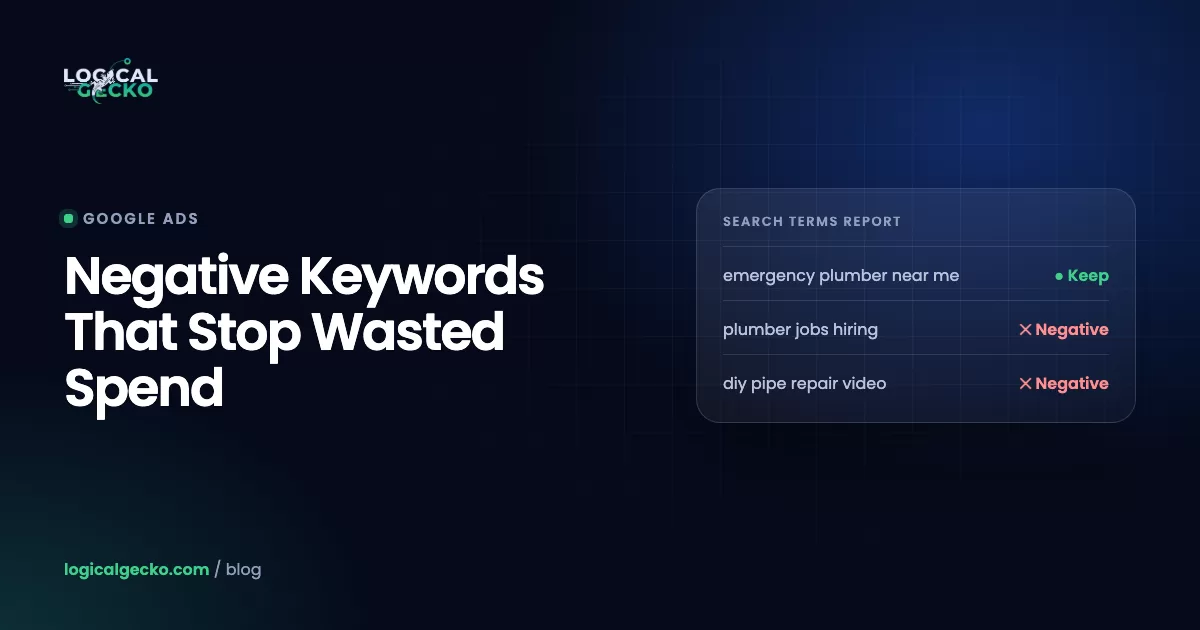
A common negative keyword example is jobs for a plumbing company. Searches such as plumber jobs near me come from people looking for work, not for a plumber, so adding jobs as a negative stops those clicks. An online furniture store might add used and craigslist. A software company might add salary and internship. Each one removes searches from people who want something the business does not offer.
Where do I find negative keywords in Google Ads?
Campaign and ad group negatives sit under Campaigns › Audiences, keywords, and content › Search keywords, on the Negative search keywords tab. Shared lists live under Tools › Shared library › Exclusion lists. The account-level list is under Admin › Account settings › Negative keywords. If an ad still shows on a blocked search, check that the list is applied to that campaign and that your report's date range starts after you added the negative.
Can you add negative keywords to Performance Max campaigns?
Yes. As of October 2026 you can add negatives to one Performance Max campaign, apply a shared negative keyword list to it, or use the account-level list, and Google's account limits allow 10,000 negatives per campaign. They block only Search and Shopping inventory. For YouTube and Display content you use excluded content keywords instead. Google recommends brand exclusions, not negatives, for keeping your own brand name out of Performance Max.
How many negative keywords can you add in Google Ads?
Google allows up to 10,000 negative keywords per campaign, 20 shared negative keyword lists per account with up to 5,000 terms each, and 1,000 terms in the account-level list. Display and Video campaigns consider only up to 1,000 negatives. If you get close to a limit, remove duplicates and replace long lists of exact match negatives with a smaller set of phrase match negatives.
Do negative keywords block plurals and misspellings?
They block misspellings but not plurals. Google Ads Help says negative keywords automatically account for casing and misspellings, but they do not match close variants such as singular and plural forms, synonyms or stemmed words. In Google's example, the negative flowers blocks red flowers but not red flower. Add every form you want blocked, such as both job and jobs, and add synonyms like budget next to cheap.
Why do brands use negative keywords in Google Ads campaigns?
Brands use negative keywords to stop paying for clicks that cannot turn into revenue and to keep ads away from searches that do not fit the brand. Typical targets are job seekers, people who want free or used versions, DIY researchers, and products or services the business does not sell. Negatives also steer each search to the right ad group, so the matching ad and landing page show.
Which negative keyword match type should you use?
Use phrase match for most negatives of two or more words, because it blocks the words in that order anywhere in a search. For a single word that never fits, such as salary, broad and phrase behave the same and block any search containing it. Use exact match when a search is bad only on its own, such as a one-word query that is too vague to convert.
Sources18 references
- Google Ads Help: About negative keywords
- Google Ads Help: Fix issues with negative keywords
- Google Ads Help: Add negative keywords to campaigns
- Google Ads Help: Set up and apply negative keyword lists to campaigns
- Google Ads Help: About negative keyword lists
- Google Ads Help: About account-level negative keywords
- Google Ads Help: About your Google Ads account limits
- Google Ads Help: About the search terms report
- Google Ads Help: Get negative keyword ideas using the search terms report
- Google Ads Help: About keyword matching options
- Google Ads Help: How AI Max for Search campaigns works
- Google Ads Help: Frequently asked questions about AI Max for Search campaigns
- Google Ads Help: Negative keywords in Performance Max campaigns
- Google Ads Help: About negative keywords (Search targeting and controls for Performance Max)
- Google Ads Help: Estimate the impact of adding negative keywords to your Performance Max campaign
- Google Ads Help: About the search terms report in Performance Max
- Google Ads Help: About brand exclusions
- Google Ads Help: About negative keyword themes in Smart campaigns

Safeer leads strategy at Logical Gecko, a Google Partner and Shopify Partner agency that runs Google Ads for eCommerce and home-service brands and recovers suspended Merchant Center accounts. Everything in these guides comes from work on live client accounts. More about the team.