Quick answer
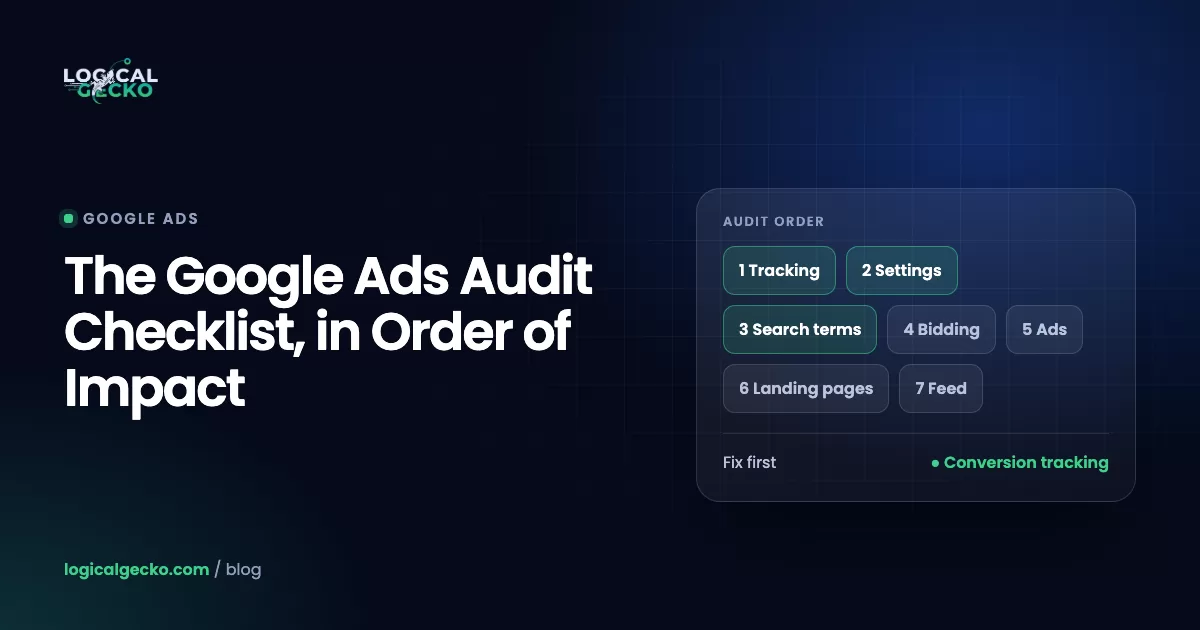
A Google Ads audit is a structured review of your account that finds wasted spend and broken data. Check it in order of impact: conversion tracking, settings, structure, keywords and search terms, bidding and budgets, ads, landing pages, Shopping and Performance Max, then policy. With the checklist below it takes about two hours, and the fixes are ranked by money recovered.
Key takeaways
- A Google Ads audit checks the parts of an account that decide where the money goes, and it works best in order of impact, starting with conversion tracking.
- Only real business results such as purchases, qualified leads and booked calls should be Primary conversion actions, because Smart Bidding bids on primary actions and not on secondary ones.
- Several Google Ads defaults favor reach over precision, including search partners, the Presence or interest location option, broad match and Final URL expansion in Performance Max, so each one needs a deliberate check.
- Optimization score is Google's 0 to 100% estimate built from its own recommendations, and an account can reach 100% by applying or dismissing every one, so it is not a profit metric.
- Fix data problems first, money leaks second and growth changes third, and leave two to four weeks between rounds so Smart Bidding can relearn.
On this page
- What is a Google Ads audit?
- How do you audit a Google Ads account in two hours?
- Step 1: Is your conversion tracking counting the right things?
- Step 2: Which Google Ads settings waste budget by default?
- Step 3: Does the account structure follow how you make money?
- Step 4: How do you audit keywords, match types and search terms?
- Step 5: Are bidding and budgets set to your real targets?
- Step 6: How do you check ads and assets?
- Step 7: Do your landing pages convert the clicks you pay for?
- Step 8: How do you audit Shopping and Performance Max?
- Step 9: Is the account healthy on policy, access and billing?
- What is Google Ads optimization score, and should you chase 100%?
- Google Ads audit template: the full checklist in one table
- How do you prioritize fixes after a Google Ads audit?
- When does a professional Google Ads audit make sense?
- FAQ
What is a Google Ads audit?
A Google Ads audit is a structured check of the parts of an account that decide where your money goes: what counts as a conversion, who sees your ads, which searches you pay for, how you bid, and where each click lands. The result is a short list of fixes, ranked by how much money each one saves or earns.
An audit is different from weekly optimization. Optimization is the routine of adding negative keywords, testing ads and adjusting targets. An audit checks the foundation under that routine. If tracking counts the wrong action, a year of careful optimization pushes the account toward the wrong result.
Run a full audit when you take over an account or change who manages it, when cost per lead or ROAS has been worse for two weeks with no clear cause, before you raise the budget, after a website or checkout rebuild, and once a quarter as routine.
How do you audit a Google Ads account in two hours?
Work through the account in order of impact and give each area a fixed amount of time. Spend the most time on conversion tracking and search terms, because errors there distort every other number. This is the order we follow on a first audit.
- Access to Google Ads, plus Google Analytics and Merchant Center if you use them
- The last 30 and 90 days, each compared with the period before
- Your gross margin, average order or job value, and lead close rate
- The audit template further down this page, to log each finding
Log each finding with what you saw, its monthly cost and the fix. Do not fix as you go unless something is broken outright, such as a purchase tag, because a change in one area moves the numbers in the next.
Step 1: Is your conversion tracking counting the right things?
Check tracking first. If Google Ads counts the wrong action, counts one sale twice or records no value, Smart Bidding learns from bad data and every cost per conversion and ROAS figure you look at later is wrong. Open Goals › Conversions › Summary.
- Status. Every action shows Active. Google flags problems as Needs attention, Misconfigured (recording stopped) or Awaiting conversions (nothing in the last 7 days), per its conversion status guide.
- Primary vs secondary. Only purchases, qualified leads and booked calls are Primary. Add to cart, page views and phone link clicks are Secondary. Google bids only on primary actions in the goals a campaign uses; secondary actions appear in All conv. and do not steer bidding (About conversion goals).
- Campaign goals. In Campaigns › Settings › Conversion goals, each campaign uses the goal that holds its primary action.
- No double counting. One primary action per event. Typical duplicates: a Google Ads tag plus a GA4 import of the same purchase, or a store app plus a hand-installed tag. Purchases send a unique transaction ID.
- Counting and values. Every for purchases with the real order value; One for leads, with a value that reflects what a lead is worth.
- Reality check. Last month's Google Ads conversions roughly match the orders or leads your store or CRM credits to Google Ads. We treat a gap above about 15% as a finding.
- Signal quality. Auto-tagging is on (Admin › Account settings), enhanced conversions are on, and sales that close by phone or in a CRM come back as offline conversions.
2026 change for offline imports: Google's API documentation says that since June 15, 2026, offline conversion uploads through the Google Ads API fail for developer tokens that had not uploaded offline conversions or enhanced conversions for leads before. Those integrations must use the Data Manager API. If a CRM connector set up this year stopped importing, check this first.
What good looks like: two to four primary actions that match how the business earns money, all Active, all with values, and totals close to your own records. Our Google Ads conversion tracking guide covers setup and testing, and the guide to GCLID, GBRAID and WBRAID shows how to keep the click ID with each lead for offline imports.
Step 2: Which Google Ads settings waste budget by default?
Seven settings explain most of the spend that leaks out without looking like a problem. Each has a Google default that favors reach, so it stays that way unless someone changed it on purpose.
| Setting | Google default | What good looks like | Where to find it |
|---|---|---|---|
| Networks (Search) | Search partners included | Partners and Display on only if they convert in a segmented report | Campaigns › Settings › Networks |
| Location options | Presence or interest | Presence for a business that serves a fixed area | Campaigns › Settings › Locations |
| Ad schedule | All day | Hours when someone answers, for call-driven accounts | Campaign settings |
| Match type | Broad match | Broad only with Smart Bidding, steady conversions and strong negatives | Keywords |
| Auto-applied recommendations | Opt-in, account level | Only types you chose on purpose | Recommendations |
| Final URL expansion (Performance Max) | On | Off, or with URL exclusions | Campaign settings |
| Auto-tagging | On for new accounts | On | Admin › Account settings |
Defaults as described in Google Ads Help, as of October 2026.
To test networks, open a Search campaign and use Segment to split results by network, with search partners shown on their own row. If partners convert at a much higher cost than Google Search, uncheck Include Google search partners. On location, Google's location options page confirms the default also reaches people elsewhere who show interest in your area; a plumber who drives to every job wants Presence.
Then check auto-apply. Google can apply some recommendations automatically, including Add broad match keywords, Expand your reach with Google search partners, Use Display expansion and Adjust your CPA targets. Review the History tab and keep only the types you would approve by hand. Last, check whether AI Max for Search campaigns is on. It widens search term matching, customizes ad text and can send clicks to other pages, which adds spend you cannot judge while tracking is messy.
Step 3: Does the account structure follow how you make money?
A good structure gives each budget decision its own campaign and each theme its own ad group. Split campaigns only where you need a different budget, target, location or schedule, because Smart Bidding has more to learn from when conversions are not spread thin.
- Brand searches run in their own campaign, so they do not hide how non-brand searches perform
- Two campaigns with the same settings and similar keywords are merged
- Each ad group is tight enough that one ad and one landing page fit every keyword
- Products or services with very different margins sit in separate campaigns with their own targets
- No Smart Bidding campaign is starved: five campaigns with three conversions a month each give bidding far less to work with than one with fifteen
If Performance Max runs next to Search or Shopping, know which campaign serves which searches. Our guide to Performance Max campaigns explains the overlap and how to structure asset groups.
Step 4: How do you audit keywords, match types and search terms?
Start with the search terms report, not the keyword list. It shows the real searches you paid for, and the share of spend on irrelevant searches is the most direct measure of waste in a Search account. Open Campaigns › Insights and reports › Search terms, set 90 days and sort by cost.
- Irrelevant spend. Mark every term you would never want (jobs, free, DIY, wrong product, wrong city), add the root word as a negative, and total what those terms cost.
- Missed winners. Converting search terms that are not keywords yet become phrase or exact match keywords.
- Negative gaps. Negatives do not match close variants, so add plurals and synonyms yourself. An account-level list holds up to 1,000 negatives (Admin › Account settings › Negative keywords) and covers Search, Shopping and Performance Max.
- Match types. Broad match is the default. Without Smart Bidding, steady conversions and solid negatives, phrase and exact match keep spend on target.
- Zero-conversion keywords. A keyword that spent more than twice your target CPA in 90 days with no conversion gets paused or rebuilt.
- Quality Score hints. Check expected click-through rate, ad relevance and landing page experience. Google says Quality Score is a diagnostic tool, not an input in the auction, so use it to find weak ads and pages.
For starter lists and how negative match types behave, see our negative keywords guide.
Step 5: Are bidding and budgets set to your real targets?
A bid strategy is only as good as its target. Check that each Target CPA or Target ROAS comes from your own margins, and that budget sits with the campaigns that return the most profit.
Gross profit per job × Close rate1 ÷ Contribution margin- Strategy fits the data. Lead accounts use Maximize conversions or Target CPA, stores with order values use Maximize conversion value or Target ROAS, and Maximize clicks fits only campaigns with no conversion history.
- Targets match reality. Since August 17, 2026, budget-limited campaigns on Target CPA or Target ROAS deliver closer to the target you set, per Google's note on target-based bid strategies. A $60 Target CPA on a campaign running at $40 drifts toward $60 unless you update it.
- Budget follows profit. Campaigns marked "Limited by budget" with strong returns and a high Search lost IS (budget) get money from weaker campaigns with budget to spare.
- Daily swings are expected. Google can spend up to 2 times the average daily budget on one day, but it does not charge more than 30.4 times that budget in a month.
- Learning time respected. Google says Smart Bidding needs a 7 to 14 day learning phase, and changing budgets, targets or goals restarts it.
The ROAS formula guide shows how to set break-even and target ROAS from your margin. Since June 2026, Google labels these strategies simply "Target CPA" and "Target ROAS", with no change in how they bid.
Step 6: How do you check ads and assets?
Every ad group needs ads that repeat what people searched, give a reason to choose you, and carry enough assets for Google to build a full ad. Open the ads view and add the Ad strength column.
- At least two responsive search ads per ad group rated Good or Excellent, as Google recommends
- Most of the 15 headlines (30 characters) and 4 descriptions (90 characters) used, with the product or service and the place in several headlines
- Light pinning, because pinning every position cuts the combinations Google can test
- Offers and prices that match the site today
- Sitelinks, callouts and image assets in place, plus call and location assets for local businesses
- No call-only ads left: Google stopped new ones in February 2026, and existing ones stop serving in February 2027
- No ads or assets marked Disapproved
Ad strength is feedback on asset variety. Google says it is not used for Ad Rank or Quality Score, so do not pause an ad that converts well because its rating is Average.
Step 7: Do your landing pages convert the clicks you pay for?
Compare conversion rates by landing page. At the same cost per click, a page that converts at half the account average makes each result cost twice as much, and no bid change fixes that. Use the landing pages report in Google Ads or GA4 for 90 days.
- Each ad group sends people to the most specific page, not the homepage
- The page headline repeats the search, and the offer matches the ad
- Key pages load fast on a phone in Google's PageSpeed Insights
- The phone number is tappable, the form is short, and the conversion tag fires on submit
- No final URL errors out or redirects in a way that drops the gclid
- Pages behind keywords with a "Below average" landing page experience get fixed first
Step 8: How do you audit Shopping and Performance Max?
For online stores, product data and Performance Max controls shape results more than bids do. Check product status in Merchant Center first, then which searches, channels and pages Performance Max is paying for.
- Merchant Center. Google Ads is linked and few products are disapproved or out of stock. Google lists those, plus suspensions and unlinked accounts, as reasons Shopping ads stop serving.
- Feed. Titles lead with the words people search, GTINs are filled in, and custom labels mark margin. Our Google Shopping ads guide covers feed fixes.
- Brand exclusions. Your brand is excluded in Performance Max (Campaigns › Settings › Additional settings › Brand exclusions), so it does not take credit for people who already searched your name. Google lets Shopping ads keep serving on those terms if you choose.
- Asset groups. They follow product categories or margin bands, listing groups hold only the right products, and each has search themes (up to 50).
- Final URL expansion. On by default. Turn it off or exclude blog, careers and account pages.
- Reports. Insights and reports › Channel performance shows spend and conversions by channel, and the Performance Max search terms report shows searches to block with negative keywords.
Step 9: Is the account healthy on policy, access and billing?
Finish with a five-minute health check, because policy and access problems can stop an account overnight.
- Policy manager (Tools › Troubleshooting › Policy manager) shows no disapproved ads and no open appeals.
- Advertiser verification is done or its deadline is on the calendar. Google says all advertisers will eventually need to verify, and selected accounts can have ads restricted until they do.
- Warnings. Google suspends at once for egregious violations and warns at least 7 days ahead for repeat violations, so a warning email is a deadline.
- Access and billing. The business owns the account, two trusted people have admin access, former staff and agencies are removed, and a backup payment method is on file.
- Change history. Campaigns › Change history explains every big shift. Google keeps 2 years of changes.
What is Google Ads optimization score, and should you chase 100%?
Optimization score is Google's estimate, from 0 to 100%, of how well your account is set to perform. It is built from the recommendations Google has for you, and Google says an account reaches 100% by applying or dismissing all of them. Treat it as Google's to-do list, not as a measure of profit.
What optimization score is
- A 0 to 100% estimate, recalculated in real time
- Built from your settings, statistics and open recommendations
- Shown for active Search, Display, Video Action, App, Performance Max, Demand Gen and Shopping campaigns
What it is not
- A measure of profit, ROAS or cost per lead
- Part of Quality Score (Google says it is not used there)
- Proof that a recommendation fits your business
There is no official "good" score. We read each recommendation on the Recommendations page, apply the ones that fit and dismiss the rest. Be careful with the ones that widen reach: broad match, search partners and Display expansion all raise the score, and on an account with weak tracking they add spend that converts poorly.
Google Ads audit template: the full checklist in one table
Copy this table into a spreadsheet, add Status and Notes columns, and fill it in as you go. The Impact column is our default ranking; your findings can move a row.
| Area | Check | Where in Google Ads | What good looks like | Impact |
|---|---|---|---|---|
| Tracking | Status, primary vs secondary | Goals › Conversions › Summary | All Active; only sales, qualified leads and booked calls Primary | High |
| Tracking | Duplicates, counting, values | Conversion action settings; Tools › Data manager | One action per event; real values; CRM sales imported | High |
| Settings | Networks and location | Campaigns › Settings | Partners and Display only where they convert; Presence for local areas | High |
| Settings | Auto-apply, AI Max, schedule | Recommendations; campaign settings | Only types you chose; ads run when you can answer | High |
| Structure | Brand and margin splits | Campaigns | Brand separate; one campaign per budget decision | Medium |
| Search terms | Irrelevant spend | Insights and reports › Search terms | Under 10% of spend (our rule of thumb) | High |
| Keywords | Negatives, match types, zero-conversion keywords | Keywords; Admin › Account settings | Lists in place, no conflicts, nothing above 2× target CPA without a sale | High |
| Bidding | Strategy and targets | Campaigns › Settings › Bidding | Targets set from margins and close to actual results | High |
| Budget | Limited by budget | Campaigns: Status, Search lost IS (budget) | Best campaigns not capped | Medium |
| Ads | Ads and assets | Ads; Assets | Two ads rated Good or better; key assets added | Medium |
| Landing pages | Conversion rate by page | Landing pages report; GA4 | Specific page per ad group, fast on mobile | Medium |
| Shopping and PMax | Products, brand exclusions, URLs, reports | Merchant Center; campaign settings; Insights and reports | Few disapproved items, brand excluded, channels reviewed | High for stores |
| Health | Policy, verification, access, history | Tools › Troubleshooting › Policy manager; Admin | No open issues; the business owns admin access | Medium |
Between full audits, a 15-minute weekly pass over search terms, conversion statuses and budget pacing catches most problems while they are small.
How do you prioritize fixes after a Google Ads audit?
Fix in three rounds. First fix anything that corrupts data, because bidding learns from it. Then fix anything that leaks money every day. Then make the changes that grow results. Inside each round, start with the fix that recovers the most money per hour of work.
For example, a store selling kitchen knives spends $8,000 a month on Google Ads and reports a 3.6x ROAS. These numbers are illustrative, not a client result. Its audit turns up six findings:
| Finding | Monthly cost or risk | Time to fix | Round |
|---|---|---|---|
| Add to cart set as Primary, so bidding chases carts | Inflates reported ROAS, steers all spend | 15 minutes | 1: data |
| Search partners at 0.9x ROAS vs 4.2x on Google Search | $720 (9% of spend) | 5 minutes | 2: leaks |
| Irrelevant searches such as "knife sharpening service" and "chef jobs" | $560 (7% of spend) | 45 minutes | 2: leaks |
| No brand exclusions in Performance Max | Brand sales counted as new demand | 10 minutes | 2: leaks |
| Target ROAS of 300% on a budget-limited campaign running at 450% | Results drift toward 300% | 5 minutes | 2: leaks |
| Best campaign losing 30% of searches to budget | Missed sales at a strong ROAS | 10 minutes | 3: growth |
Expect reported ROAS to drop after round 1. Moving add to cart to Secondary removes conversions that were never sales, so the number gets more honest, not worse. Then wait two to four weeks between rounds, because each change to goals, budgets or targets restarts Smart Bidding's learning phase. Note each change and its date.
When does a professional Google Ads audit make sense?
A professional audit makes sense when the account spends more than you can afford to get wrong, when tracking runs through a CRM, a phone system or several platforms, when results dropped and this checklist did not explain why, or when you do not have two quiet hours. It also helps before you hire or replace an agency.
Logical Gecko's free Google Ads audit reviews campaign structure, wasted spend, keywords and product feeds, conversion tracking, and ad quality across Search, Shopping and Performance Max. You fill in a short form, book a 15-minute call and share view-only access, and we never make changes without your permission. Within 48 hours of the call, we tell you whether we found what is holding results back and which quick wins to start with. If you would rather hand the work over, see how we run Google Ads management for online stores and home-service businesses.
Frequently asked questions
How much does a Google Ads audit cost?
A self-audit with a checklist costs about two hours of your time. Google's Recommendations page and optimization score are free, but they only list Google's own suggestions. Many agencies, Logical Gecko included, offer a free first audit. Paid audits from freelancers and agencies vary with account size and depth, so before you pay, ask whether the report gives each finding, its monthly cost and the order to fix them.
How often should you audit a Google Ads account?
Run a full audit once a quarter, and also whenever something big changes: a new manager, a website rebuild, a budget increase, or two weeks of worse results with no clear reason. Between audits, spend about 15 minutes a week on the search terms report, conversion statuses and budget pacing. Expensive problems such as a broken tag or a wave of irrelevant searches usually show up there first.
What is a good optimization score in Google Ads?
There is no official good score. Google defines 100% as an account that can perform at its full potential, and you reach 100% by applying or dismissing every recommendation. A score of 73.5% only means Google still has open recommendations for you. Review each one against your goals. A lower score with clean tracking and sensible settings beats 100% reached by accepting everything.
Does optimization score affect Quality Score or ad rank?
Google states that optimization score is not used by Quality Score. Its help pages describe the score as an estimate of how well the account is set to perform, built from your settings, statistics and open recommendations, and they do not list it as an auction factor. Quality Score itself is a 1 to 10 diagnostic at the keyword level, and Google says it is not an input in the ad auction either.
Should you turn off auto-applied recommendations in Google Ads?
Turn off every type you would not approve by hand. Auto-apply runs at the account level and can add broad match keywords, opt campaigns into search partners or Display expansion, and adjust CPA or ROAS targets without anyone reviewing the change. Keep only the low-risk types you chose on purpose, check the History tab on the Recommendations page, and use change history to see each edit.
Can you audit a Google Ads account yourself?
Yes. Anyone with access can work through the nine areas in this checklist in about two hours. The hard part is judgment: how big a tracking gap is normal, whether a broad match test is worth keeping, or which target ROAS your margin supports. If your sales close by phone or in a CRM, or results fell without a clear cause, a second opinion from someone who audits accounts every week is worth having.
What tools do you need for a Google Ads audit?
Google Ads covers most of it: the conversions summary, the search terms report, the Recommendations page, change history, Policy manager and, for Performance Max, the channel performance report. Add Google Analytics for landing page data, Merchant Center for product status, and a spreadsheet for the audit template. Third-party audit tools speed up large accounts, but they read the same data and still need a person to judge it.
Sources39 references
- Google Ads Help: Troubleshooting conversion tracking status
- Google Ads Help: About conversion goals
- Google Ads Help: About conversion counting options
- Google Ads Help: Use a transaction ID to minimize duplicate conversions
- Google Ads Help: About enhanced conversions
- Google Ads API: Manage offline conversions (June 15, 2026 Data Manager API notice)
- Google Ads Help: About auto-tagging
- Google Ads Help: About the Google Search Network
- Google Ads Help: About advanced location options
- Google Ads Help: About Ad Scheduling
- Google Ads Help: About applying recommendations automatically
- Google Ads Help: About AI Max for Search campaigns
- Google Ads Help: About keyword matching options
- Google Ads Help: About negative keywords
- Google Ads Help: About account-level negative keywords
- Google Ads Help: About the search terms report
- Google Ads Help: About Quality Score for Search campaigns
- Google Ads Help: Changes to target based bid strategies
- Google Ads Help: About Smart Bidding
- Google Ads Help: Manage your spend in Google Ads
- Google Ads Help: Tips for optimizing your average daily budget
- Google Ads Help: About responsive search ads
- Google Ads Help: About Ad Strength for responsive search ads
- Google Ads Help: Action Required: Transition from call ads to call assets
- Google Ads Help: How to fix a Shopping campaign not running or low traffic
- Google Ads Help: About brand exclusions
- Google Ads Help: Manage a Performance Max campaign with listing groups
- Google Ads Help: Use search themes with your Performance Max campaign
- Google Ads Help: About Final URL expansion in Performance Max
- Google Ads Help: About the channel performance report for Performance Max
- Google Ads Help: About the search terms report in Performance Max
- Google Ads Help: Negative keywords in Performance Max campaigns
- Advertising Policies Help: Fix a disapproved ad or appeal a policy decision
- Google Ads Help: Submit a campaign for policy review (Policy manager path)
- Advertising Policies Help: Advertiser verification
- Advertising Policies Help: Google Ads account suspensions overview
- Google Ads Help: About change history
- Google Ads Help: About optimization score
- Google Ads Help: Check your optimization score

Safeer leads strategy at Logical Gecko, a Google Partner and Shopify Partner agency that runs Google Ads for eCommerce and home-service brands and recovers suspended Merchant Center accounts. Everything in these guides comes from work on live client accounts. More about the team.