Quick answer
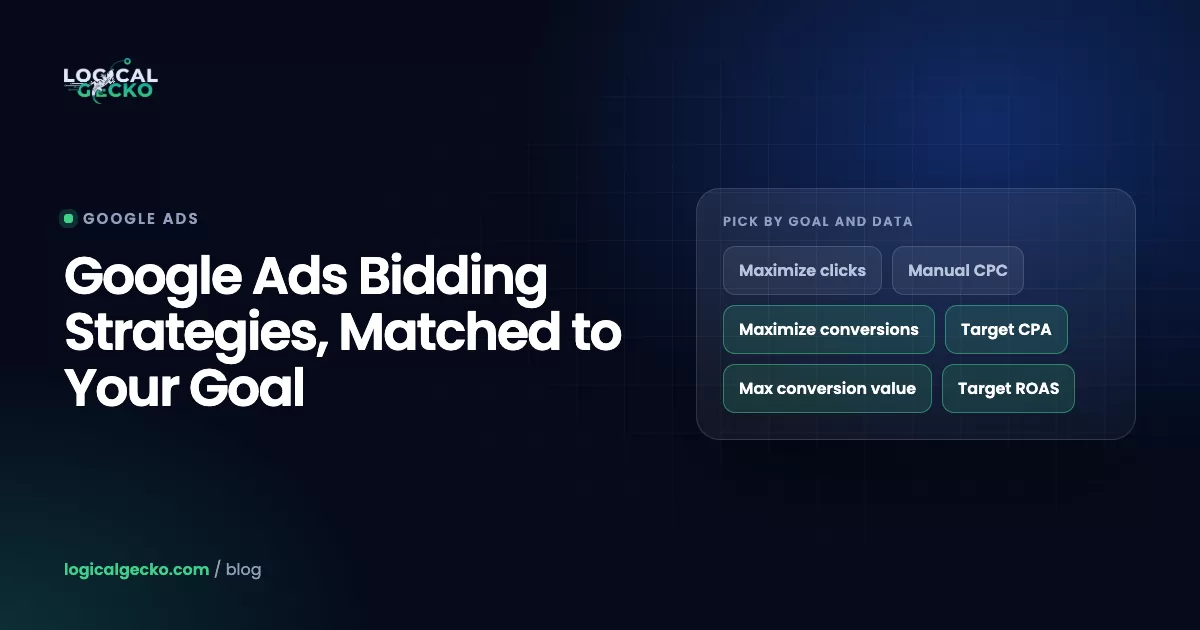
Google Ads bidding strategies are the rules Google uses to set your bid in each auction. Use Maximize conversions or Target CPA for leads, Maximize conversion value or Target ROAS for sales of different values, Maximize clicks while tracking is new, and Target impression share for brand visibility. Manual CPC still exists; Enhanced CPC was retired in 2025.
Key takeaways
- Google Ads has four Smart Bidding strategies in 2026, Maximize conversions, Target CPA, Maximize conversion value and Target ROAS, and all four need working conversion tracking.
- Enhanced CPC stopped working for Search and Display campaigns the week of March 31, 2025, so a campaign that still shows it now bids as plain Manual CPC.
- Since June 2026, Google labels the targeted strategies simply Target CPA and Target ROAS, and the bidding behind those labels did not change.
- Since August 17, 2026, budget-limited campaigns on Target CPA or Target ROAS deliver close to the target you set, so a loose target now costs real money.
- Judge a new bid strategy only after the 7 to 14 day learning phase, over a period with at least 30 conversions (50 for Target ROAS), by comparing actual CPA with the average target CPA.
On this page
- What are Google Ads bidding strategies?
- Smart Bidding vs manual bidding: what is the difference?
- Which bidding strategies does Google Ads offer in 2026?
- Which Google Ads bidding strategy is best for your goal and data?
- Maximize conversions vs Target CPA: which should you use?
- What bidding strategy should a new campaign use?
- How do you move from Manual CPC or Maximize clicks to Smart Bidding?
- What are portfolio bid strategies and shared budgets?
- How long is the Smart Bidding learning period?
- How do you judge whether a bid strategy is working?
- What changed in Google Ads bidding in 2025 and 2026?
- FAQ
What are Google Ads bidding strategies?
A Google Ads bidding strategy is the rule that decides how much you bid each time your ad can show. You either set the bids yourself with Manual CPC, or you give Google a goal (conversions, conversion value, clicks or visibility) and let it set a bid for every auction.
Google sorts its strategies by goal on its page Determine a bid strategy based on your goals. As of October 2026, these are the options for Search campaigns:
- Conversions: Maximize conversions and Target CPA.
- Conversion value: Maximize conversion value and Target ROAS.
- Clicks: Maximize clicks and Manual CPC. Target CPC also exists, but only in Demand Gen campaigns.
- Visibility: Target impression share.
The first four make up Smart Bidding. Display and video campaigns also offer CPM, vCPM and CPV bidding for reach, which this guide skips.
Your bid is only one input to the auction. Ad Rank also weighs ad quality, so the two together decide where you show and what you pay. Our guide to Google Ads Quality Score covers that side of the auction.
Smart Bidding vs manual bidding: what is the difference?
With manual bidding you set one maximum cost per click for each ad group or keyword, and it stays the same until you change it. Smart Bidding uses Google AI to set a new bid for every auction, based on how likely that search is to convert and, for value strategies, what the conversion is likely to be worth. Google calls this auction-time bidding.
The gap is in the signals. A manual bid moves only through bid adjustments for things like device, location and schedule. Smart Bidding reads many more signals in each auction, including location intent, time of day, remarketing lists, browser, operating system and the actual search query (About Smart Bidding).
Manual CPC
- You set a max CPC per ad group or keyword
- Same bid for every search until you change it
- Bid adjustments for device, location, schedule
- No conversion tracking needed
- No learning period
Smart Bidding
- You set a goal, a target and a budget
- New bid for every auction
- Reads many signals, including the search query
- Needs conversion tracking
- Needs a learning phase after changes
Smart Bidding also ignores most bid adjustments. Maximize conversions and Maximize conversion value use only a -100% device adjustment, and Target CPA treats device adjustments as changes to the target and ignores the rest on Search and Display.
Smart Bidding is only as good as the conversions it learns from. It bids toward the primary actions in your goals, so if page views or add-to-cart events count as primary, it will buy more of those. Fix that first with our guide to Google Ads conversion tracking.
We keep manual bidding for three cases: no working conversion tracking, a campaign too small for steady conversions, and a test that needs a hard cap on every click. Everywhere else, we move campaigns to Smart Bidding once tracking is clean.
Which bidding strategies does Google Ads offer in 2026?
Seven strategies matter for Search and Shopping advertisers in 2026: four Smart Bidding strategies, Maximize clicks, Target impression share and Manual CPC. Enhanced CPC is gone from Search and Display campaigns.
| Strategy | Optimizes for | What you set | Data it needs | Use it when | Watch out for |
|---|---|---|---|---|---|
| Maximize conversions | The most conversions for your budget | Daily budget | Conversion tracking | Leads or sales of similar value and you want volume | Spends the full budget; no cost control |
| Target CPA | The most conversions at an average cost per conversion | Target CPA (Google suggests your last 30-day CPA) | Conversion tracking; can start with no history | You know what a lead or sale may cost | A low target cuts volume; a loose target now gets used on budget-limited campaigns |
| Maximize conversion value | The most total conversion value for your budget | Daily budget | Tracking that passes a value for each conversion | Order or lead values differ | Spends the full budget; wrong values steer it wrong |
| Target ROAS | The most conversion value at a target return | Target ROAS as a percentage (500% = $5 per $1) | At least 15 conversions in 30 days (Search, Shopping) | Stores with steady sales and known margins | A high target cuts volume |
| Maximize clicks | The most clicks for your budget | Budget, optional max CPC bid limit | None | New campaigns with no conversion data | Ignores whether clicks convert |
| Target impression share | Showing at the absolute top, top or anywhere for a share of auctions | Location on the page, share (%), max CPC bid limit | None | Brand terms and visibility goals | Search Network only; a low max CPC limit blocks the goal |
| Manual CPC | Clicks at the max CPC you choose | Max CPC per ad group or keyword | None | Tight control, low volume, testing | Weekly bid work; no auction-time signals |
| Enhanced CPC (retired) | Was: manual bids nudged toward conversions | Nothing | Nothing | No longer available for Search and Display | Campaigns still labeled ECPC now run as Manual CPC |
Maximize conversions
Maximize conversions aims to spend the whole budget on the most conversions. Google warns that a campaign spending well under its budget can spend much more after the switch, and that these campaigns show "Limited by budget" by design (About Maximize conversions).
Target CPA
Google says Target CPA can start with no conversion history and recommends your last 30-day CPA as the target. On some days it may spend up to 2 times your average daily budget (About Target CPA bidding). Our guide to how much Google Ads costs explains how that evens out over the month.
Maximize conversion value
Maximize conversion value needs conversion tracking with transaction-specific values. If you just started passing values or changed how they are counted, Google recommends waiting 1 to 2 conversion cycles before you switch (About Maximize conversion value).
Target ROAS
Target ROAS is entered as a percentage and needs at least 15 conversions in the past 30 days in Search and Shopping (About Target ROAS bidding). Our Target ROAS guide shows how to set the number from break-even up, and ROAS vs ROI explains why a high ROAS can still lose money.
Maximize clicks
Maximize clicks can take a maximum CPC bid limit to cap any single click. Because it ignores conversions, it fits campaigns with no conversion data yet (About Maximize clicks).
Target impression share
Target impression share counts the Google Search Network only, without search partners. Google's main example is a brand campaign that should show for 100% of searches for your name (About Target impression share).
Manual CPC, and the end of Enhanced CPC
Manual CPC sets the most you pay per click, per ad group or keyword. The actual CPC is often lower, because you pay only what it takes to beat the next advertiser's Ad Rank. Enhanced CPC stopped working for Search and Display the week of March 31, 2025, and campaigns not moved to another strategy now effectively use Manual CPC (About Enhanced CPC).
Which Google Ads bidding strategy is best for your goal and data?
The best bidding strategy matches what you want more of and how much conversion data the campaign has today. Ask two questions: are you buying leads, sales value, traffic or visibility, and how many conversions does the campaign record in 30 days?
| Your situation | Start with | Move on when |
|---|---|---|
| New account, tracking not working yet | Maximize clicks with a max CPC bid limit, or Manual CPC | Tracking records real leads or sales |
| Tracking works, a handful of conversions a month | Maximize conversions (leads) or Maximize conversion value (stores) | Conversions arrive every week for a month |
| About 30 conversions in 30 days, similar value each | Target CPA at your last 30-day CPA | Lower the target in small steps toward your limit |
| Values differ, at least 15 conversions in 30 days | Target ROAS at your recent ROAS | Raise the target in small steps toward your profit goal |
| Brand searches, protecting your name | Target impression share, absolute top, with a max CPC limit | Stay; review CPCs monthly |
The 15-conversion floor for Target ROAS is Google's; the other thresholds are our working rules, not Google requirements. Lead businesses that assign values to leads can follow the value path too.
Performance Max bids with Smart Bidding toward conversions or conversion value, with an optional Target CPA or Target ROAS, and cannot use portfolio strategies. Our guide to Performance Max campaigns covers when that campaign type fits your account.
Maximize conversions vs Target CPA: which should you use?
Use Maximize conversions when you want every conversion your budget can buy and can accept whatever cost per conversion results. Use Target CPA when a conversion is only worth buying below a certain cost. Both read the same auction signals; the difference is what limits spend, the budget or the target.
- Maximize conversions spends the whole daily budget. If auctions get more expensive, your CPA rises and the strategy still spends the budget.
- Target CPA aims for the average you set. Set it too low and Google warns you may lose clicks that would have converted, so you get fewer conversions in total.
- Since August 17, 2026, a budget-limited Target CPA campaign delivers close to its target, even if it used to beat it. Google's example: a $10 target that achieved $5 now delivers closer to $10 (Changes to target based bid strategies).
Our default is to start on Maximize conversions, watch the CPA it settles at for a few weeks, then switch to Target CPA at that number if you need cost control. Go straight to Target CPA when your lead price has a hard ceiling, for example when a job earns a fixed amount.
Maximize conversions vs Maximize conversion value
Maximize conversions counts every conversion as equal. Maximize conversion value bids more where a $400 order is likely than where a $40 one is, so online stores with mixed order values should bid on value. Google asks for enough conversions with at least two different values before you switch (About automated bidding).
What bidding strategy should a new campaign use?
In an account that already records conversions, start a new campaign on Maximize conversions or Target CPA. In a brand-new account with no conversion history, set up tracking first and run Maximize clicks with a maximum CPC bid limit, or Manual CPC, until conversions come in.
Google says Smart Bidding learns from conversion data across all of your campaigns, so a new campaign can start ahead. In an account with no tracked conversions it has nothing to learn from, and Maximize conversions on a large budget spends that budget while it guesses.
For the click cap, start near the top-of-page bid range Keyword Planner shows for your main keywords. Google warns that a cap set too low stops the strategy from reaching its goal.
Check spend before you switch. If a campaign on Manual CPC spends $40 of a $150 daily budget, Maximize conversions will try to spend the full $150. Set the budget you are willing to spend first.
How do you move from Manual CPC or Maximize clicks to Smart Bidding?
Switch when tracking records real conversions and the campaign has a stable cost per conversion. Then pick Maximize conversions or Target CPA set near your recent CPA, run the change as an experiment, and leave it alone through the learning phase.
- Audit conversion tracking. Only actions that make money, such as purchases, qualified leads and real calls, should be Primary.
- Read the last 30 days. Note cost, conversions and CPA. Google's recommended Target CPA is this average, adjusted for conversion delay.
- Work out your ceiling. Gross profit per sale × close rate is the most a lead can cost before you lose money on it.
- Pick the strategy. Maximize conversions if the budget is the limit you care about; Target CPA at your recent CPA if cost per lead matters more.
- Save as an experiment. Under Campaigns › Settings › Bidding › Change bid strategy, choose Save as experiment so the new strategy runs against the old one (Change how you bid).
- Add a safety net if needed. Google suggests a portfolio strategy with a maximum CPC bid limit to stop CPC spikes while moving to Maximize conversions. Remove it once the campaign is stable.
- Leave it alone. No changes to budget, target or conversion goals for 7 to 14 days, or 1 to 2 conversion cycles if your sales take longer.
- Judge, then adjust in small steps. Compare actual CPA with the average target CPA over at least 30 conversions.
Cost in the last 30 days ÷ Conversions in the last 30 daysGross profit per sale × Close rateFor example, a roofing company spends $4,500 a month on Maximize clicks and gets 45 tracked leads, a $100 CPA. Each roof earns $2,400 in gross profit and the company closes 1 in 8 leads, so a lead can cost up to $2,400 × 0.125 = $300. These numbers are illustrative.
The tempting move is a $300 target, "since we can afford it". Since August 17, 2026, a budget-limited campaign delivers close to its target, so that campaign drifts toward $300 leads. The same $4,500 then buys about 15 leads instead of 45. The better move is a $100 target, then a larger budget once it holds.
What are portfolio bid strategies and shared budgets?
A portfolio bid strategy is one automated strategy, with one target, shared by several campaigns. A shared budget is one average daily budget split across several campaigns. Google calls using them together best practice for campaigns that share a goal (About shared budgets).
Portfolios suit several small campaigns chasing the same CPA or ROAS, such as one Search campaign per city, because pooled campaigns give the strategy more conversions to learn from. Skip them when margins or goals differ.
| Rule | Standard strategy | Portfolio strategy |
|---|---|---|
| Covers | One campaign | Several campaigns, ad groups or keywords |
| Strategies available | All | Maximize conversions, Maximize conversion value, Target CPA, Target ROAS, Maximize clicks, Target impression share |
| Max and min CPC bid limits on Target CPA or Target ROAS | Not available | Available, used in Search Network auctions |
| Performance Max | Yes | Not available |
| Changing the strategy type later | Yes, in campaign settings | No; create a new portfolio of the new type |
Shared budgets work on Search, Shopping, Display and video campaigns, not Performance Max. Watch for one status: if a campaign on Maximize clicks, Maximize conversions or Maximize conversion value shares a budget with campaigns on a different strategy, Google marks it Misconfigured. Fix it by moving every campaign in that shared budget onto one portfolio strategy, or by removing the shared budget (About bid strategy statuses).
How long is the Smart Bidding learning period?
Google describes a standard learning phase of 7 to 14 days for Smart Bidding, and says a strategy typically needs 1 to 2 conversion cycles to calibrate. Performance Max usually needs 1 to 2 weeks and sometimes up to 6. Manual CPC has no learning period.
A Learning status appears after a new strategy, a setting change such as a new target, or a composition change, when campaigns, ad groups or keywords are added or removed, per Google's page on the duration of the learning period. How long it lasts depends on your conversion volume, the length of your conversion cycle and the strategy.
Google also warns that frequent changes to budgets, targets or conversion goals reset the 7 to 14 day window (About conversion goals), so batch your changes.
Pro tip: A conversion cycle is the time between the ad click and the conversion. If you import roof sales that close 3 weeks after the click, your cycle is 3 weeks, and calibration can take 3 to 6 weeks. The conversion delay section of the bid strategy report shows yours.
How do you judge whether a bid strategy is working?
Wait until the learning phase ends, then compare actual CPA or ROAS with the strategy's average target over a period with at least 30 conversions (50 for Target ROAS). Then check the result against your own profit numbers, because hitting a bad target is still a bad result.
| Check | Where in Google Ads | What healthy looks like |
|---|---|---|
| Bid strategy status | Bid strategy column or bid strategy report | Active, not Learning, Limited or Misconfigured |
| Actual CPA vs average target CPA | Bid strategy report scorecard | Actual close to the average target |
| Conversion volume | Campaigns table, date range of a month or longer | At least 30 conversions (50 for Target ROAS) |
| Conversion delay | Bid strategy report | Date range excludes recent days still collecting conversions |
| Real outcomes | Your CRM, booking tool or store data | Booked jobs or profitable orders hold steady |
Compare against the average target, not the number in settings. Google calculates it as the traffic-weighted target the strategy aimed for, including device adjustments, ad group targets and earlier target changes (About Target CPA bidding). The bid strategy report shows it beside your actual CPA.
Two tools protect the data Smart Bidding learns from: a seasonality adjustment for a conversion rate jump during a short event of 1 to 7 days, such as a flash sale, and a data exclusion for days when tracking broke.
The mistakes we see most often in audits:
- Judging a new strategy after 3 or 4 days, inside the learning phase
- Changing budget, target and keywords in the same week
- A target CPA far above actual CPA on a budget-limited campaign after August 17, 2026
- Add to cart or page views counted as Primary, so bidding buys the wrong actions
What changed in Google Ads bidding in 2025 and 2026?
Three changes shape bidding as of October 2026: Enhanced CPC retired for Search and Display (March 2025), new Target CPA and Target ROAS labels (June 2026), and closer-to-target delivery for budget-limited campaigns (August 17, 2026).
The June 2026 label change
Starting in June 2026, "Maximize conversions with a Target CPA" became "Target CPA" and "Maximize conversion value with a Target ROAS" became "Target ROAS". Google says this is purely visual and bidding works exactly as before. The Google Ads API, Google Ads Editor and the mobile app switch later, so you may see both names for a while (Changes to how Smart Bidding strategies are organized).
The August 17, 2026 change for budget-limited campaigns
Before August 17, a "Limited by budget" campaign on Target CPA or Target ROAS could beat its target, then swing when the budget changed. Now it delivers more consistently toward the target. The change covers Search, Shopping, Performance Max and Demand Gen campaigns; Display and Hotel campaigns already worked this way, and App and video reach and view campaigns keep the old behavior. Google does not adjust your targets for you.
- Find budget-limited target campaigns. Filter Target CPA and Target ROAS campaigns with a "Limited by budget" status.
- Compare target and actual. Flag any campaign beating its target by a wide margin over the last 30 days.
- Reset the target. Set it at recent performance, or at a number your margins support. Google's Bid Target Adjustment Tool, available since July 6, 2026, helps.
- Grow with budget, not target. Raise the budget for more volume, then wait 1 to 2 conversion cycles before judging.
Not sure whether your targets and tracking survived these changes? Our free Google Ads audit reviews your bid strategies, targets and conversion setup against your own account data. If you would rather hand bidding off, see how Logical Gecko manages Google Ads for online stores and home-service businesses.
Frequently asked questions
What are the two value-based Smart Bidding strategies?
Maximize conversion value and Target ROAS. Both bid on the value of each conversion, such as order revenue, instead of the number of conversions. Maximize conversion value spends the full budget to get the most total value. Target ROAS aims for a return you enter as a percentage, so 500% means $5 of conversion value for each $1 spent. Both need tracking that passes a value, and Google lists at least 15 conversions in 30 days for Target ROAS in Search and Shopping.
What is the core benefit of automated bidding in Google Ads?
Automated bidding sets a bid for each auction based on how likely that ad is to produce a click or a conversion. A manual bid stays the same for every search. Smart Bidding changes it per auction using signals such as device, location, time of day, the actual search query and remarketing lists. The second benefit is time: you manage a goal, a target and a budget instead of editing keyword bids one by one.
Which bidding strategy should you use when visibility is the goal?
Use Target impression share. It sets bids to show your ad at the absolute top of the page, at the top, or anywhere on Google search results for the share of auctions you choose, such as 90%. It runs on the Google Search Network only, without search partners. It suits brand campaigns. Set a maximum CPC bid limit, but not too low, because Google warns that a low limit stops the strategy from reaching its goal.
How much should your target CPA be?
Start at the CPA your campaign achieved over the last 30 days, which is what Google recommends, then move it in small steps. Also work out your ceiling: gross profit per sale × close rate. A plumber who earns $400 gross profit per job and books 30% of leads can pay up to $120 per lead. Since August 17, 2026, a budget-limited campaign delivers close to its target, so set the target you want to pay, not your ceiling.
Are CPA and cost per conversion the same?
Yes. In Google Ads, cost per conversion (the Cost / conv. column) is total cost divided by conversions, and CPA, short for cost per action or acquisition, is the common name for the same number. Target CPA is the average cost per conversion you ask Smart Bidding to aim for. The number only means something when the Conversions column counts real leads or sales, so check that only primary actions, such as purchases or qualified leads, feed it.
Should you use Manual CPC or Maximize clicks?
Use Maximize clicks with a maximum CPC bid limit if you want the most traffic for a set budget and have no conversion data yet. Use Manual CPC if you want to set bids keyword by keyword, for example to bid more on your most profitable terms, and you will review bids every week. Neither strategy learns from conversions, so treat both as a starting point and move to Smart Bidding once tracking records steady conversions.
Can you use Smart Bidding with no conversion data?
Yes, with limits. Google says you can start Target CPA with no conversion history, and Smart Bidding learns from conversions across your whole account, so a new campaign in an account with history starts ahead. Maximize conversions needs conversion tracking set up. Target ROAS needs at least 15 conversions in 30 days for Search and Shopping. In a brand-new account with no tracked conversions, Smart Bidding has nothing to learn from, so fix tracking first.
Is $10 a day enough for Smart Bidding?
Usually not, when a conversion costs much more than $10. At $10 a day you spend about $304 a month. At a $40 CPA that buys about 8 conversions a month, far below the 30 conversions Google suggests for judging results. Smart Bidding still runs, but it learns slowly and you cannot tell whether it works. Narrow the campaign to one service or product so the budget buys enough conversions, or use Maximize clicks while you gather data.
Sources25 references
- Google Ads Help: Determine a bid strategy based on your goals
- Google Ads Help: About Smart Bidding
- Google Ads Help: About automated bidding
- Google Ads Help: Changes to how Smart Bidding strategies are organized for Search campaigns
- Google Ads Help: Changes to target based bid strategies
- Google Ads Help: About Target CPA bidding
- Google Ads Help: About Maximize conversions bidding
- Google Ads Help: About Maximize conversion value bidding
- Google Ads Help: About Target ROAS bidding
- Google Ads Help: About Maximize clicks bidding
- Google Ads Help: About Target impression share bidding
- Google Ads Help: About Manual CPC bidding
- Google Ads Help: About Enhanced CPC (ECPC)
- Google Ads Help: Change how you bid
- Google Ads Help: Portfolio bid strategy: Definition
- Google Ads Help: Create a portfolio bid strategy
- Google Ads Help: About shared budgets
- Google Ads Help: About bid strategy statuses
- Google Ads Help: Duration of the learning period for campaigns and what affects it
- Google Ads Help: About conversion goals (Smart Bidding learning phase)
- Google Ads Help: Create a Performance Max campaign (learning phase)
- Google Ads Help: Bid strategy report for automated bidding strategies
- Google Ads Help: About seasonality adjustments
- Google Ads Help: About data exclusions
- Google Ads Help: Understand your conversion tracking data (Cost / conv.)

Safeer leads strategy at Logical Gecko, a Google Partner and Shopify Partner agency that runs Google Ads for eCommerce and home-service brands and recovers suspended Merchant Center accounts. Everything in these guides comes from work on live client accounts. More about the team.