Quick answer
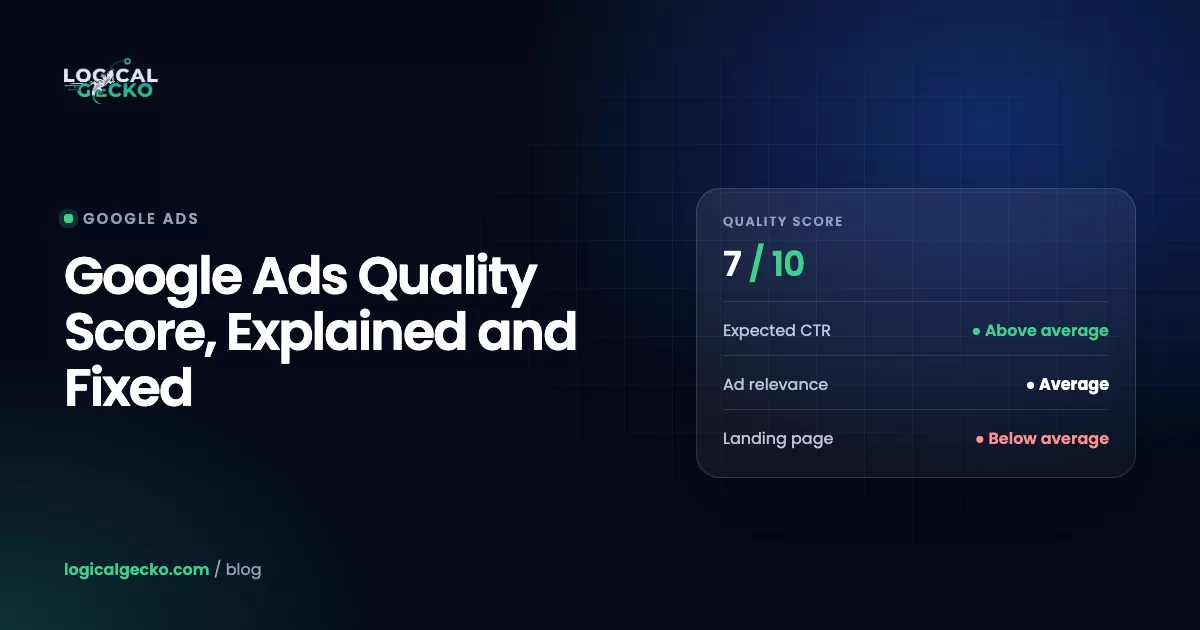
Google Ads Quality Score is a 1 to 10 rating that Google gives each keyword in a Search campaign. It compares your expected clickthrough rate, ad relevance and landing page experience with other advertisers who showed for the same exact search over the last 90 days. Google calls it a diagnostic tool, not an input in the ad auction.
Key takeaways
- Google Ads Quality Score is a 1 to 10 keyword rating that compares your expected clickthrough rate, ad relevance and landing page experience with other advertisers on the same exact search over the last 90 days.
- Google says Quality Score is a diagnostic tool and not an input in the ad auction; the auction uses live versions of the same three quality signals, plus your bid, thresholds, competition, search context and assets, to set Ad Rank.
- Better ad quality lowers the Ad Rank threshold you must clear and raises your Ad Rank at the same bid, which is why more relevant ads and pages usually cut your actual cost per click.
- Fix the component marked Below average: the ad text for expected CTR, the ad group theme for ad relevance, and the page itself for landing page experience.
- Performance Max and Shopping campaigns show no Quality Score because they have no keywords to score, but their ads still compete on Ad Rank in every auction.
On this page
- What is Quality Score in Google Ads?
- What are the three Quality Score components?
- Where do you find Quality Score in Google Ads?
- Is Quality Score used in the Google Ads auction?
- How does Quality Score relate to cost per click?
- Why do Performance Max and Shopping campaigns show no Quality Score?
- How do you improve Quality Score?
- What does fixing a low Quality Score look like?
- Which Quality Score myths can you ignore?
- How often should you check Quality Score?
- FAQ
What is Quality Score in Google Ads?
Quality Score is a 1 to 10 rating that Google Ads gives each keyword in a Search campaign. It tells you how your ads and landing pages compare with those of other advertisers who showed for the same search. A higher score means your ad and page are more relevant and useful to someone searching for that keyword.
As of October 2026, Google's Quality Score help page makes three points that most guides skip:
- It is a diagnostic tool. Google says Quality Score is not a key performance indicator and should not be optimized or averaged with the rest of your data.
- It is not an input in the ad auction. The auction uses live, auction-time quality signals. The 1 to 10 number is a summary of how those signals have looked over time.
- It lives at the keyword level. There is no ad group, campaign or account Quality Score, even though some tools calculate one.
Google compares your keyword with other advertisers on the exact same search over the last 90 days, so the score is relative. A 5 does not mean your ad is half good. It is a comparison with the other advertisers on that search, so the same ad and page can score lower against strong rivals than against weak ones. Google compares the score to a warning light for a car's engine (Using Quality Score to guide optimizations): it tells you where to look.
What are the three Quality Score components?
Quality Score is built from three components: expected clickthrough rate, ad relevance and landing page experience. Each one gets a status of Above average, Average or Below average, and each points to a different part of your account to fix.
| Component | What Google measures | Where the fix lives |
|---|---|---|
| Expected CTR | How likely your ad is to be clicked when shown for that keyword | Ad text and keyword choice |
| Ad relevance | How closely your ad matches the intent behind the search | Ad group themes and ad text |
| Landing page experience | How relevant and useful your page is to people who click the ad | Your website |
Google's reading of the statuses is simple. Average or Above average means there are no major problems with that component compared with other keywords across Google Ads. Below average means a change is worth making. Google does not publish how the three statuses combine into the 1 to 10 number, so treat any "Quality Score formula" with point values as a third-party estimate.
Expected clickthrough rate (Exp. CTR)
Expected CTR predicts whether your ad will get clicked for this keyword. It is not the CTR column in your reports. Google's expected CTR definition says the status compares your keyword with all other advertisers, assumes the search matches your keyword exactly, and removes the effect of ad position and assets. That is why a top position or a new sitelink does not lift it.
Ad relevance
Ad relevance checks whether your ad speaks to what the person searched for. A Below average status usually means one ad is trying to cover too many different keywords. An ad about skillets cannot match a search for Dutch ovens well, however good the copy is.
Landing page experience
Landing page experience estimates how relevant and useful your page will be after the click. Google's definition says pages with higher ratings are usually well organized and have text that relates to the search. Its Ad Rank page adds the expectations people form from the ad they clicked and how easy the page is to navigate.
Where do you find Quality Score in Google Ads?
You find Quality Score in the keywords table of a Search campaign, after you add the Quality Score columns. These steps follow Google's instructions as of October 2026:
- Open Keywords. In the Campaigns menu, go to Keywords. Pick one Search campaign or view all of them.
- Open the column editor. Select the columns icon in the upper right corner of the table.
- Open the Quality score section. Under Modify columns for keywords, open All columns, then the Quality score section.
- Add the current columns. Select Quality Score, Exp. CTR, Ad Relevance and Landing Page Exp.
- Add the historical columns. Select Quality Score (hist.), Exp. CTR (hist.), Ad Relevance (hist.) and Landing Page Exper. (hist.). These show past scores for the date range you are viewing. Segment the table by day to see when a score changed.
- Apply and save. Select Apply, then save the column set so you do not rebuild it next time.
Three things can look odd in these columns:
- A dash instead of a number. There are not enough searches that exactly match the keyword to score it. Google suggests higher-volume keywords from Keyword Planner, or broader match types so the keyword enters more auctions and collects exact-match data.
- A broad keyword with a score but no impressions. If an exact match keyword in the same ad group had impressions for that search in the last 90 days, both keywords can show the same score.
- "Rarely shown due to low Quality Score." This keyword status means the keyword rarely gets impressions because its quality is too low. Google's advice is to improve the three components or replace the keyword with a more relevant one.
Is Quality Score used in the Google Ads auction?
No. Google says plainly that Quality Score is not an input in the ad auction. What the auction uses is Ad Rank, which Google calculates fresh for every search. Ad Rank includes live, auction-time measures of expected CTR, ad relevance and landing page experience, the same three things your Quality Score summarizes.
Ad Rank decides whether your ad can show and, if it can, where it appears. According to About Ad Rank, Google bases it on six factors:
- Your bid, the most you are willing to pay for a click.
- The quality of your ads and landing page, judged at the moment of the search.
- Ad Rank thresholds, the minimum an ad must reach to show at all.
- The competitiveness of the auction, meaning how close rival Ad Ranks are.
- The context of the search: the search terms, location, device, time, and the other ads and results on the page.
- The expected impact of assets such as sitelinks, phone numbers and other ad formats.
Google runs Ad Rank twice in each auction: once to decide whether your ad is eligible, and again to rank it against the other eligible ads. Your position can change from one search to the next.
Quality Score (in your account)
- One 1 to 10 number per keyword
- Based on the last 90 days of exact searches
- Not used in the auction
- Tells you which of three parts to fix
Ad Rank (in every auction)
- Calculated fresh for each search
- Bid, live ad quality, thresholds, competition, context, assets
- Decides if your ad shows, where, and the price
- You see its effect in Impr. (Top) % and Impr. (Abs. Top) %
Many guides still quote an old formula: Ad Rank equals max CPC times Quality Score. Google's current Help pages do not describe Ad Rank that way. They list the six factors above, and a separate definition page says Quality Score is not used at auction time to determine Ad Rank.
How does Quality Score relate to cost per click?
Quality Score itself does not set your price, but the ad quality it reports does. Higher quality raises your Ad Rank at the same bid and lowers the threshold you must clear, so you usually pay less per click for the same position. Google states that higher quality ads typically cost less per click than lower quality ads (About ad quality).
The least needed to clear your Ad Rank threshold and beat the Ad Rank just below yoursGoogle's actual CPC page walks through a simplified auction. Five advertisers compete. The minimum Ad Rank to show above the results is 40, and the minimum to show below them is 8.
Ad quality reaches your cost per click in three ways:
- Your Ad Rank. At the same bid, a more relevant ad and page give a higher Ad Rank. Google says a competitor with a higher bid can still rank below you if your keywords and ads are more relevant.
- Your threshold. Google's Ad Rank thresholds page says lower quality ads have higher thresholds. A higher threshold raises the least you can pay to show.
- The reserve price. If no rival clears its threshold, you pay the reserve price, which is your threshold rounded up to the next cent in the US. Low quality can make even an empty auction expensive. Google notes that with low quality ads, your actual CPC may sit close to your max CPC even when competition is low.
On manual bidding you are never charged more than your max CPC. Google lists automated bidding and bid adjustments as exceptions, so read our guide to Google Ads bidding strategies before you compare CPCs across strategies. For the full picture of what drives click prices, including budgets and overdelivery, see how much Google Ads costs.
Why do Performance Max and Shopping campaigns show no Quality Score?
Performance Max and Shopping campaigns show no Quality Score because Quality Score is a keyword rating, and these campaigns have no keywords to rate. Google's Quality Score documentation covers Search campaigns, where the score is reported per keyword.
- Performance Max finds searches through search themes and keywordless targeting (About Performance Max campaigns).
- Shopping ads use your Merchant Center product data, not keywords, to decide when to show (About Shopping ads).
Ad quality still counts in these campaigns. Google's Ad Rank definition says that when a search is not identical to an eligible Search keyword, the campaign or ad with the highest Ad Rank serves. You simply get no 1 to 10 warning light. Judge these campaigns on conversions, conversion value and the pages people land on. Our Performance Max guide covers the reports that replace Quality Score there.
What about AI Max for Search campaigns?
In a Search campaign with AI Max turned on, Quality Score still describes only the keywords you wrote. AI Max adds matches through broad match expansion and keywordless matching, and its final URL expansion can send the click to a different page on your site. Google labels those extra matches with an "AI Max" match type in the search terms report and shows an AI Max summary row in the keywords report (How AI Max works).
Your keyword scores say little about those added searches and pages. Check the pages AI Max picks in the Landing pages report, which now has a Selected by column, and use URL exclusions to keep traffic away from weak pages.
How do you improve Quality Score?
You improve Quality Score by fixing whichever component is rated Below average on the keywords that spend the most. Each component points to a different fix: ad text for expected CTR, ad group structure for ad relevance, and your website for landing page experience. Google's own improvement guide lists most of the fixes below; we added the ones we use in audits.
| Component rated Below average | What it usually means | Fixes to try |
|---|---|---|
| Expected CTR | People who search this exact term pick other ads over yours | Put the searched product or service in headlines. Name a specific benefit, such as free shipping or same-day service. Use a clear call to action such as "Get a Quote" or "Order Now". Be more specific. Check the keyword fits what you sell. |
| Ad relevance | The ad does not answer the intent behind the search | Split ad groups that mix themes into tighter ones, for example "engagement rings" and "wedding bands". Match the ad's words to the searches. Write ads for each group, not one ad for all. |
| Landing page experience | The page does not deliver what the ad promised, or is hard to use | Send the click to the page for that exact product or service, not the homepage. Repeat the ad's offer on the page. Make it fast and easy to use on a phone. Check robots.txt does not block AdsBot-Google. |
| All three | The keyword attracts searches you cannot serve | Read the search terms. Add negative keywords for searches that do not fit, or pause the keyword. |
Work in this order, so effort goes where the money is. Google advises focusing on high-value areas rather than every low score.
- Sort by cost. Add the Quality Score columns, filter to active keywords with impressions, and sort by Cost over the last 30 or 90 days.
- Find the weak component. For each high-spend keyword with a Below average status, note which component it is. A keyword with three Average components has no major problems, per Google, even if its number looks modest.
- Read the search terms first. If the searches behind the keyword do not fit your business, the problem is targeting, not copy. Our guide to Google Ads match types explains how each type widens or narrows the searches you buy.
- Change one thing per ad group. Rewrite the ad, split the ad group or change the page, then write the date in a change log.
- Re-check after several weeks. The ratings compare the last 90 days, so they move as new impressions come in. Use the historical columns segmented by day, and judge the change on conversions and cost per conversion, not on the score alone.
Check robots.txt: Google Ads checks landing pages with a crawler called AdsBot. Google's crawler documentation says AdsBot ignores the general (*) rules in robots.txt, but rules written for AdsBot-Google or AdsBot-Google-Mobile by name affect Google Ads' ability to check ad quality. Make sure no one has added a disallow rule for them.
Two of Google's notes save wasted effort. The landing page does not need the word-for-word search phrase on it. And conversion rate does not change your landing page status, although it is a good proxy for whether the page works.
What does fixing a low Quality Score look like?
Here is an illustrative example, not a client result. An online store that sells cast iron cookware runs one ad group called "Cast iron skillets". Its ads talk about skillets, and every keyword sends people to the skillets collection page. These are the six keywords over the last 30 days:
| Keyword | Cost | QS | Exp. CTR | Ad relevance | Landing page exp. | Diagnosis |
|---|---|---|---|---|---|---|
| cast iron skillet | $640 | 7 | Average | Above average | Average | Healthy. Keep testing headlines. |
| enameled dutch oven | $420 | 2 | Below average | Below average | Below average | Wrong ad group and wrong page. |
| 12 inch cast iron skillet | $310 | 5 | Average | Above average | Below average | The page opens on small pans; the 12 inch size is hard to find. |
| pre seasoned cast iron pan | $180 | 5 | Below average | Average | Average | No ad mentions pre-seasoned. |
| cast iron care kit | $95 | 3 | Below average | Below average | Average | An accessory search inside a skillet ad group. |
| cast iron skillet recipes | $60 | 2 | Below average | Below average | Below average | Recipe research, not a purchase. |
Sorted by cost, the Dutch oven keyword comes first. It spent $420 with every component Below average. The fixes, in order:
- Dutch ovens get their own ad group. Move the keyword, write an ad with "Enameled Dutch Oven" in the headlines, and point it to the Dutch oven collection. Google notes that moving a keyword into an ad group with new ad text can change its quality estimate, which is the point here.
- The 12 inch searches get a 12 inch page. Create a "12 inch skillets" ad group whose ads link to a page filtered to that size, so the searched product is the first thing people see.
- The ad says what people search. Add a headline such as "Pre-Seasoned and Ready to Cook" to the skillet ads, which addresses the Below average expected CTR on the pre-seasoned keyword.
- Care kits move to an accessories ad group with its own ad and page, or get paused if they rarely sell through ads.
- Recipe searches get blocked. Add "recipes" as a negative keyword. Our negative keywords guide has starter lists for this kind of research traffic.
Notice what the store did not do. It did not raise bids to lift the score, because bids do not change ad quality. It did not chase a 10 on the healthy skillet keyword. And it did not judge success by the score. If the Dutch oven ad group now sells at a cost per sale the store can afford, the fix worked, whatever the number says.
Which Quality Score myths can you ignore?
Most Quality Score myths come from older versions of Google Ads or from guesswork. Google lists several of them itself. As of October 2026, here is what its Help Center says:
| Myth | What Google says |
|---|---|
| Ad Rank = max CPC × Quality Score | Ad Rank uses six factors, and Quality Score is not an input in the auction. |
| Your account has an overall Quality Score | "There is no such thing as ad group-level, campaign-level or account-level Quality Score" (what matters for ads quality). |
| A higher bid or top position raises Quality Score | Bids affect Ad Rank, not ad quality, and expected CTR is adjusted for your position on the page. |
| Sitelinks and other assets raise Quality Score | The effect of assets is removed from expected CTR. Assets count in Ad Rank instead (Connect ad quality to better performance). |
| Switching match types changes the score | Quality Score is based on exact searches, so match type changes do not affect it. |
| A better conversion rate raises landing page experience | Conversion rate does not change the landing page status, and reported conversions do not affect ad quality. |
| Ad Strength feeds Quality Score | Ad Strength is not used to calculate Ad Rank, Quality Score or auction wins (About Ad Strength). |
| Display or search partners drag down your score | Running ads on other networks does not affect your ads' quality on Google.com. |
| Restructuring campaigns resets quality | Moving an ad group with the same ads and keywords to another campaign does not change its quality. New ad text can. |
One factor does matter that many people forget: the device. Google takes the searcher's device into account when it calculates ad quality, so a page that works on a laptop but is slow or cramped on a phone costs you in the auction.
How often should you check Quality Score?
Check Quality Score once a month, as part of a wider account review, and act only on high-spend keywords with a Below average component. Daily checks add noise, because the ratings move slowly and Google tells advertisers not to treat the number as a KPI.
Look at it next to the metrics that pay the bills: conversions, cost per conversion and conversion value. A keyword with a 4 that sells at a profit is worth keeping. A keyword with an 8 that never converts is not. Our Google Ads audit checklist shows where the Quality Score check fits among the tracking, targeting and bidding checks that usually matter more.
Want a second opinion? A free Google Ads audit from our team reviews your keywords, ads and landing pages against your own account data and tells you whether we found what is holding your costs up. If you would rather hand the work off, see how Logical Gecko manages Google Ads for online stores and home-service businesses.
Frequently asked questions
What is a good Quality Score in Google Ads?
A good Quality Score is one where no component is rated Below average. Google does not name a target number. It says a component rated Average or Above average shows no major problems compared with other advertisers, and that Quality Score should not be optimized as a KPI. In our audits, a high-spend keyword with any Below average component goes on the fix list first, whatever its exact score.
How is Quality Score calculated?
Google calculates Quality Score from the combined performance of three components: expected clickthrough rate, ad relevance and landing page experience. Each is rated against other advertisers whose ads showed for the exact same search over the last 90 days. Google does not publish how the three ratings are weighted into the 1 to 10 number, so point formulas you see online are third-party estimates, not Google's method.
Why does my keyword show no Quality Score?
A keyword shows a dash instead of a number when there are not enough searches that exactly match it for Google to rate it. This is common for new, long or rare keywords. Google suggests finding higher-volume keywords in Keyword Planner, or broadening match types so the keyword enters more auctions and gathers enough exact-match data for a score.
Does changing match type change Quality Score?
No. Google bases Quality Score on past impressions for exact searches of your keyword, so switching a keyword from phrase to broad or exact does not change its score. A broad match keyword can even show the same Quality Score as an exact match keyword in the same ad group, because both are rated on the same exact searches.
Does pausing a keyword reset its Quality Score?
No. Google says paused keywords keep the scores they had when they were last active. Deleting and re-adding a keyword does not give it a clean start either: for new keywords, Google begins with what it knows about your related keywords, ads and landing pages, then relies on the keyword's own data once it has enough.
Do sitelinks and other assets improve Quality Score?
No. Google removes the effect of assets from expected clickthrough rate, so adding sitelinks, callouts or images will not raise the 1 to 10 score. Assets still matter, because Ad Rank includes the expected impact of assets and other ad formats. Add every asset that fits your business for the auction, not for the score.
What improves Ad Rank in Google Ads?
Google names two levers: improve the quality of your ads and landing page, or raise your bid. Ad quality means ads that match the search, a strong expected clickthrough rate and a page that delivers what the ad promised. Assets count too, because Ad Rank includes their expected impact. A competitor with a higher bid can still rank below you if your keywords and ads are more relevant.
Sources20 references
- Google Ads Help: About Quality Score for Search campaigns
- Google Ads Help: 5 ways to use Quality Score to improve your performance
- Google Ads Help: About ad quality
- Google Ads Help: Quality Score: Definition
- Google Ads Help: Using Quality Score to guide optimizations
- Google Ads Help: Using Quality Score to guide optimizations, part 4 (what matters for ads quality)
- Google Ads Help: Connect ad quality to better performance
- Google Ads Help: Expected clickthrough rate: Definition
- Google Ads Help: Landing page experience: Definition
- Google Ads Help: About Ad Rank
- Google Ads Help: Ad Rank: Definition
- Google Ads Help: Ad Rank thresholds: Definition
- Google Ads Help: Actual cost-per-click (CPC): Definition
- Google Ads Help: About keyword status
- Google Ads Help: About Ad Strength for responsive search ads
- Google Ads Help: About Performance Max campaigns
- Google Ads Help: About Shopping ads
- Google Ads Help: How AI Max for Search campaigns works
- Google Ads Help: Evaluate the performance of your landing pages
- Google Search Central: Google's special-case crawlers (AdsBot)

Safeer leads strategy at Logical Gecko, a Google Partner and Shopify Partner agency that runs Google Ads for eCommerce and home-service brands and recovers suspended Merchant Center accounts. Everything in these guides comes from work on live client accounts. More about the team.