Quick answer
Google Ads remarketing shows ads to people who already know your business: past website visitors, app users, YouTube viewers and people on email lists you collected. Google now calls these lists "your data segments." Each needs at least 100 active users in the past 30 days to serve, people stay on a list for up to 540 days, and EEA visitors must consent to ad personalization.
Key takeaways
- Google Ads remarketing, now labeled "your data segments" in the interface, reaches people who visited your site, used your app, watched your YouTube videos or are on an email list you collected yourself.
- A remarketing segment needs at least 100 active users in the past 30 days to serve on Display, Search or YouTube, and people stay on it for 30 days by default and up to 540 days.
- In 2026, Display campaigns are moving into Demand Gen and Video action campaigns already run as Demand Gen, so most display and YouTube remarketing is now set up inside Demand Gen.
- Performance Max uses your remarketing lists only as signals and can show ads to people outside them, while Demand Gen can target your lists directly.
- Reported remarketing ROAS includes people who would have come back anyway, so judge remarketing on incremental ROAS from a holdout or lift test, compared with your break-even ROAS.
On this page
- What is remarketing in Google Ads?
- Remarketing vs retargeting: what is the difference?
- What types of remarketing does Google Ads offer?
- What do you need before you start remarketing?
- How do you build remarketing segments in Google Ads?
- How big must a remarketing list be, and how long do people stay on it?
- How does remarketing work in Performance Max and Demand Gen?
- Which remarketing segments should you build for your business?
- How often should remarketing ads show, and when should you refresh them?
- How do you measure whether remarketing actually adds sales?
- Which businesses can't use remarketing in Google Ads?
- FAQ
What is remarketing in Google Ads?
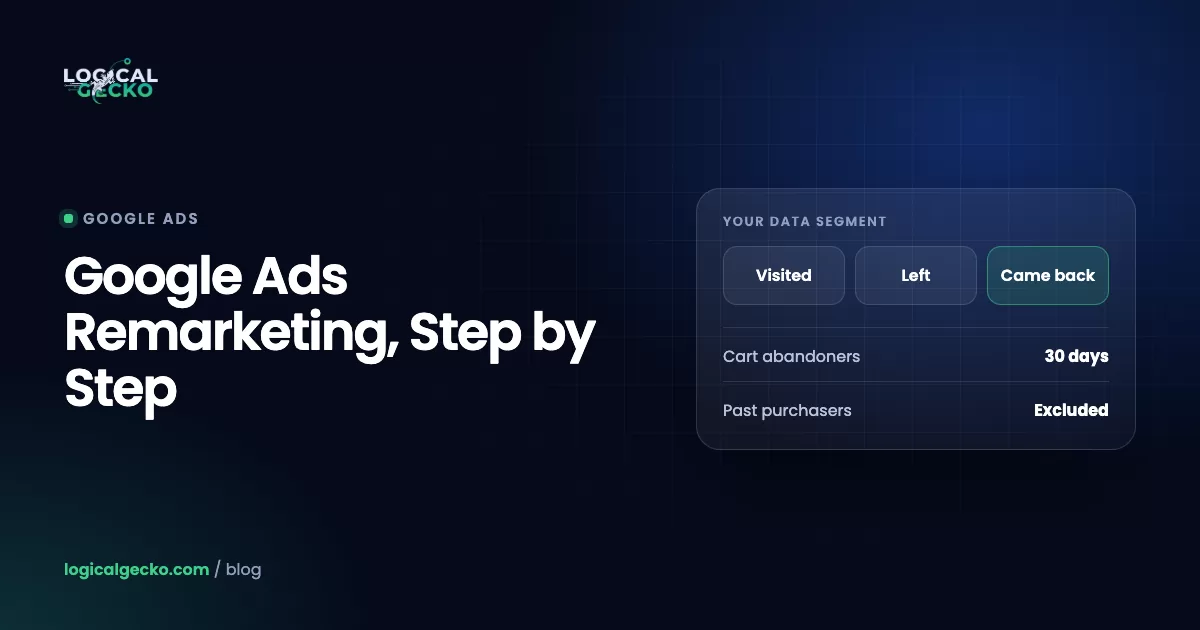
Remarketing in Google Ads shows your ads to people who have already interacted with your business. They visited your website, used your app, watched your YouTube videos, clicked through to your site from Google, or are on an email list you collected. Google renamed remarketing to "your data" in the interface, so these lists now live under Your data segments in Audience manager (About your data segments).
The Google tag on your site adds each visitor to one or more segments based on rules you set, such as "visited a page whose URL contains /checkout in the last 14 days." When those people later search on Google, watch YouTube, open Gmail or browse one of the more than 2 million sites and apps in the Google Display Network, your campaign can show them an ad. Audience manager shows you list sizes, never names, and a list must reach a minimum size before it can serve.
These people already know you, so they are closer to acting than strangers. The catch is that many would come back on their own, which is why measurement matters as much as setup.
What changed in 2026: Google is moving Display campaigns into Demand Gen. A migration tool started rolling out in June 2026, and Google says new Display campaigns will later be created only inside Demand Gen, with the rest migrated automatically (Display's new home in Demand Gen). Video action campaigns were already upgraded to Demand Gen as of May 2026. Your lists carry over; the campaign type around them changes.
Remarketing vs retargeting: what is the difference?
Inside Google Ads there is no difference. "Remarketing" was Google's name for showing ads to past visitors, and "retargeting" is the general industry word for the same thing. Some marketers use remarketing for email and retargeting for ads, but Google does not draw that line.
The split that matters is where the list comes from: the Google tag, or contact details you collected yourself and Google matches to signed-in accounts. They follow different rules:
Tag-based lists
- Website visitors, app users, YouTube viewers
- Built automatically by the Google tag or a linked channel
- Need ad personalization consent for EEA, UK and Swiss visitors
- People drop off after the membership window (30 days by default)
Uploaded contact lists (list matching)
- Emails, phone numbers and addresses you collected first-hand
- Matched to signed-in Google accounts on Search, YouTube, Gmail and Display
- Full targeting needs 90 days of history and over $50,000 lifetime spend
- Memberships expire 540 days after you add or refresh them
What types of remarketing does Google Ads offer?
Google Ads offers six practical kinds of remarketing. They differ in what builds the list and where the ads can show.
| Type | Built from | Where it runs in 2026 | Best for |
|---|---|---|---|
| Standard website remarketing | Google tag plus page or event rules | Demand Gen (including the Display Network), Display campaigns until migrated, Performance Max signals | Reminders for long decisions, such as roofing or furniture |
| Dynamic remarketing | Tag events that pass product IDs, plus a Merchant Center or business data feed | Demand Gen with a product feed, Display campaigns until migrated | Stores with many products |
| Search remarketing (RLSA) | Website segments added to Search ad groups | Google Search | Higher bids, different ads or broader keywords for past visitors |
| YouTube viewers | A linked YouTube channel: viewers, subscribers, video actions | Demand Gen, Video campaigns | Brands that publish video |
| Uploaded contact lists | Emails, phones and addresses you collected | Search, Shopping tab, Gmail, YouTube, Display | Win-back, exclusions, seed lists |
| Google-engaged audiences | Created by Google from people who clicked to your site from Google properties | Search, YouTube, Gmail, Shopping, Performance Max | Extra reach when tags lose signal |
The two remarketing types for display ads are standard and dynamic. Standard shows the same ad to everyone on a list. Dynamic builds each ad from the items a person viewed, so someone who looked at a cast iron skillet sees that skillet and its price.
What dynamic remarketing needs
Dynamic remarketing needs two things. First, a feed: retailers use their Google Merchant Center product feed, while other businesses upload a business data feed to the Shared library (About dynamic remarketing). Second, tag events that say which item a person touched: view_item, add_to_cart and purchase, each with an items array. For retail, each item's id must match the id, item_group_id or display_ads_id in your feed, and google_business_vertical is set to retail (dynamic remarketing events). When the IDs in the tag and the feed do not match, Google cannot connect a visitor to the product they viewed. If your feed is new, our guide to Google Shopping ads and product feeds covers the feed side.
What do you need before you start remarketing?
You need four things before you build a list: a Google tag on every page, a privacy policy with Google's required disclosures, valid consent for visitors in Europe, and an account in good policy standing. Dynamic ads also need an approved product feed.
- Google tag on every page. Add conversion tracking too, or the automatic "All converters" segment stays empty. See our guide to Google Ads conversion tracking.
- Privacy policy disclosures. State how you use remarketing, that vendors including Google show your ads on other sites using cookies or device identifiers from past visits, and how people opt out through Google's Ads Settings or the Network Advertising Initiative page (privacy policy requirements).
- Consent for EEA, UK and Swiss visitors. Google's EU user consent policy requires consent for cookies and ad personalization. In Consent Mode,
ad_personalizationset to denied turns off remarketing for that visitor, and bothad_user_dataandad_personalizationmust be granted for personalized ads (Consent mode reference). A correct Consent Mode v2 setup keeps lists filling legally. - Uploaded lists collected first-hand. Upload only contact details people gave you directly, disclose that you share data with service providers, and never upload anyone under 13 (list matching policy).
- No tag on restricted pages. Google does not permit remarketing tags on pages about policy-restricted offers.
- GA4 audiences. Link GA4 to Google Ads and turn on Google signals or user-provided data collection to use its audiences for remarketing (Connect Google Ads to Analytics).
Who can target uploaded contact lists?
Every account with a good record of policy compliance and payments can use uploaded lists, but how depends on history and spend:
| Account | Observation (report and adjust) | Exclusions | Targeting (show ads only to the list) | Manual bid adjustments |
|---|---|---|---|---|
| Any policy-compliant account | Yes | Yes | No | No |
| 90+ days of history and over USD 50,000 lifetime spend | Yes | Yes | Yes | Yes |
Per Google's list matching page, Smart Bidding and optimized targeting use every uploaded list in the account unless you opt out, and Google recommends Data Manager (under Tools) for new list connections.
How do you build remarketing segments in Google Ads?
You build website segments in Audience manager, under the Shared library, then add them to campaigns as targeting, observation or signals. The path as of October 2026, from Google's guide to creating a website visitor segment:
- Check the tag. Confirm the Google tag fires on every page and sends the events you plan to use, such as
add_to_cart. - Open Audience manager. Click the Tools icon, open the Shared library drop-down and choose Audience manager. Stay in the Segments section.
- Start a website segment. Click the plus button and choose Website visitors.
- Name it by rule and window. For example "Cart, no purchase, 14 days," so it is easy to pick later.
- Set the members and actions. Choose an option under Segment members, then build the rule under Actions: a page visit or event, refined by URL or parameter, plus the days a person stays on the list. Add an excluded action for "visited the cart but not the order confirmation page."
- Pre-fill it. Under Pre-fill options, add matching visitors from the previous 30 days.
- Create the segment and wait. Click Create segment. Google says a new list can take 48 to 72 hours to populate.
- Add it to a campaign. In Campaigns, open Audiences, keywords, and content, then Audiences, and click Edit audience segments. On Search, choose Observation to report and adjust bids, or Targeting to show ads only to the list. In Demand Gen, add it to the ad group audience; in Performance Max, add it as an asset group signal.
The same plus button builds other lists. For YouTube viewers, link your channel, choose YouTube users and pick an action such as viewed a video. For contact lists, choose the list upload option and upload a CSV of emails and phone numbers, or connect a source through Data manager. Google also creates All visitors, All converters and Google-engaged audiences from people who clicked to your site from Google Search, YouTube or other Google sites (Google-engaged audiences).
How big must a remarketing list be, and how long do people stay on it?
A segment must have at least 100 active users in the past 30 days to serve on the Display Network, Search or YouTube. People stay on a website list for 30 days by default, and you can set up to 540 days (How your data segments work).
| List type | Minimum to serve | Default membership | Maximum membership |
|---|---|---|---|
| Website visitors, Display Network (Demand Gen or Display) | 100 active users in the past 30 days | 30 days | 540 days |
| Website visitors, Google Search | 100 active users in the past 30 days (an older Search page still says 1,000) | 30 days | 540 days |
| YouTube viewers | 100 active users | Set per action | 540 days |
| Uploaded contact lists | 100 matched users (1,000 for lists last uploaded before February 1, 2024) | Set by you | 540 days after each add or refresh |
Plan for 1,000 on Search: Google's size table lists 100 active users for Search, but its page on data segments for Search ads still says a Search segment needs 1,000 cookies. Until Google aligns the two, treat a Search list under 1,000 as at risk of not serving.
Three rules catch people out. A segment unused in any campaign for 540 days is closed and stops collecting. Uploaded lists need at least 100 members added or refreshed within the last 540 days, so schedule a regular refresh. And Google's personalized advertising policy forbids combining a list with other targeting, such as a tight location, so that an ad reaches only a handful of people.
Google's advice on duration is to match your sales cycle. A short window keeps the list warm but small. For example, a store with 4,000 monthly visitors and a 5% add-to-cart rate gets about 200 cart adds a month. A 7-day cart list then holds roughly 45 people and never serves, while a 30-day window holds about 200 and can (illustrative numbers, before consent and matching losses).
How does remarketing work in Performance Max and Demand Gen?
Performance Max treats your remarketing lists as hints, not limits, and shows ads to anyone likely to convert. Demand Gen can target your lists directly, so it is the closer replacement for an old Display remarketing campaign.
Performance Max: lists are signals
Performance Max runs only on optimized targeting, so any list you add to an asset group's Audiences section is a signal, and Google may show ads outside it when someone is likely to convert (audience signals for Performance Max). You cannot make Performance Max serve only past visitors, but you can steer it with lifecycle goals: the acquisition goal can bid higher for new people or bid only for new people, and the retention goal's re-engagement mode, which needs value-based bidding and a purchase goal, bids higher for lapsed purchasers (lifecycle goals). Our Performance Max campaigns guide covers asset groups and signals.
Demand Gen: lists can be targeting
Demand Gen accepts website visitors, app users, YouTube users and uploaded lists as audience targeting, plus exclusions, and runs across YouTube (including Shorts), Discover, Gmail and the Google Display Network (Demand Gen audiences). Turn on optimized targeting only if you want reach beyond your lists. Add a Merchant Center feed and Demand Gen shows product ads, which carries dynamic remarketing over as Display moves. Lookalike segments built from your lists also live in Demand Gen, and since March 2026 Google has been switching them to work as suggestions rather than strict similarity limits (Lookalike segments). For structure and creative, see our guide to Demand Gen campaigns.
Performance Max
- Your lists are signals only
- Ads can reach people outside the lists
- Uploaded lists used automatically by Smart Bidding
- Retention goal can bid up for lapsed purchasers
Demand Gen
- Your lists can be targeting or exclusions
- Optimized targeting is optional
- Product feeds for dynamic-style ads
- No manual CPC, no bid adjustments, no frequency cap setting
Which remarketing segments should you build for your business?
Build four to six segments by intent stage instead of one "all visitors" list, and use converters as exclusions. The windows below are our starting points on new accounts; adjust them to your list sizes and sales cycle.
| Business | Segment | Rule | Starting window | How to use it |
|---|---|---|---|---|
| Online store | Cart abandoners | Added to cart, no purchase | 14 to 30 days | Demand Gen with a product feed; Search observation with a higher bid |
| Online store | Product viewers | Viewed an item, no cart | 30 days | Dynamic product ads |
| Online store | Recent purchasers | Purchase event | 30 days | Exclude from acquisition campaigns |
| Online store (consumables) | Reorder due | Purchase event | Your reorder cycle, such as 60 days | Reminder ads timed to when the product runs out |
| Lead gen or home services | Quote page visitors | Visited the quote or booking page, not the thank-you page | 30 days | Search observation; Demand Gen reminders with reviews and response time |
| Lead gen or home services | Service page visitors | URL contains the service path | 30 to 60 days | Proof ads: license, warranty, ratings |
| Lead gen or home services | Converted leads | Thank-you page or All converters | 540 days | Exclude from lead campaigns so you stop paying for repeat clicks |
| Lead gen or home services | Past clients | Uploaded contact list from your CRM | Refresh quarterly | Seasonal reminders, such as an AC tune-up each spring |
For stores, this list sits beside the feed and campaign structure in our guide to Google Ads for Shopify stores. For lead-gen businesses, start with the exclusion: people who already converted can click your ads again when they look up your phone number, and you pay for each of those clicks.
How often should remarketing ads show, and when should you refresh them?
Cap frequency where Google lets you, watch it where it does not, and change the creative when click-through rate falls. A small list sees the same ad often, so fatigue comes faster than in prospecting.
The controls differ by campaign type. Display campaigns let you cap impressions per person per day, week or month at the campaign, ad group or ad level, and Video campaigns cap impressions or views at the campaign level (Frequency capping). Demand Gen has no frequency cap: its FAQ says the system controls frequency and points you to unique reach instead. As Display moves into Demand Gen, check frequency yourself:
Impressions ÷ Unique users (reach) for the same date rangeOur working rule is to rotate new images or videos every four to eight weeks, and sooner if click-through rate drops by a third from its first month. Match the message to the stage:
- Cart abandoners: the product, the price, and your shipping and returns terms.
- Quote page visitors: reviews, your license or certification, and how fast you call back.
- Past clients: the next seasonal job or the item that pairs with their last order.
Write ads that do not reveal what you know about the person. Google's list matching policy bans ad content that implies knowledge of personal or sensitive information, so "Still thinking about our water heaters?" is safer than an ad that names a condition or a past order.
How do you measure whether remarketing actually adds sales?
Measure remarketing against a holdout: a group of similar people or regions that does not see the ads. The ROAS in the campaign table counts every tracked sale after an ad, including people who were coming back anyway, so it overstates what remarketing causes. Three ways to test, in order of rigor:
- Conversion Lift. Google's incrementality study splits people (or regions) into a group that sees ads and a control group that does not, then reports incremental conversions and incremental ROAS. The user-based study needs at least 1,000 observed conversions and a $5,000 minimum campaign budget, and it is not available in every account; Google says to ask your account representative (Conversion Lift setup).
- A custom experiment. For Search, Display and Video campaigns, the Experiments page can split traffic by cookie between your campaign and a trial with the remarketing segment or bid change removed. Google advises at least 10,000 users in the list for accurate cookie-split results (custom experiments).
- A geo holdout you run yourself. Split your states or metro areas into two groups with similar past sales, pause remarketing in one group for four weeks, and compare total revenue from your store or CRM, not Google Ads conversions.
(Revenue in test regions − Revenue in holdout regions, adjusted for the pre-test gap) ÷ Remarketing spend in test regionsFor example, a store selling cookware spends $2,000 a month on remarketing. Its two region groups had near-identical revenue in the eight weeks before the test. Over four weeks, the group with remarketing spends $1,000 and Google Ads reports $8,000 in conversion value, an 8.0x ROAS. Store revenue in that group is $104,000, against $100,000 in the holdout group. The ads caused about $4,000 of extra revenue, an incremental ROAS of 4.0x (illustrative numbers).
Compare incremental ROAS with your break-even ROAS, which is 1 ÷ contribution margin; the ROAS formula guide shows how to work it out. One four-week test is noisy, so repeat it in a different season before you cut or double the budget.
Which businesses can't use remarketing in Google Ads?
Businesses that promote anything in Google's sensitive interest categories can't use their own audience lists: no website segments, uploaded contact lists, lookalike segments or audience expansion for those ads, per Google's personalized advertising policy.
The sensitive interest categories include health, alcohol, gambling, birth control, clinical trial recruitment, negative financial status, relationship hardships, religious beliefs, sexual orientation, political content, race and ethnicity, and several more. For lead-gen businesses, health is the category most likely to apply, so check it first if you advertise medical, therapy or treatment services. Advertisers in these categories can still use predefined Google audiences such as in-market and affinity segments, plus keyword-based Search campaigns.
Three related rules also apply:
- Housing, employment and consumer finance. Ads in these "access to opportunities" categories can't target by age, gender, parental status, marital status or ZIP code in the US and Canada.
- Minors. People under 18 are not eligible for personalized ads of any kind.
- Demand Gen limits. Sensitive-category Demand Gen campaigns are generally limited to YouTube inventory and must use predefined Google audiences only (About Demand Gen campaigns).
If your account is flagged for sensitive content, Google's compatibility page notes that uploaded lists can be restricted too, and you may need to appeal. Check this before you plan remarketing, not after the lists stop serving.
If you want this set up on your store, our eCommerce Google Ads management builds remarketing around exclusions, Demand Gen product feeds and lift tests rather than the ROAS in the campaign table.
Frequently asked questions
Does Google Ads do retargeting?
Yes. Google Ads calls it remarketing, and the interface now files these lists under "your data segments." You can show ads to past website visitors, app users, YouTube viewers and people on email lists you collected, across Search, YouTube, Gmail, Discover and the Google Display Network. In 2026 most display and YouTube remarketing runs through Demand Gen campaigns, while Search campaigns use the same lists to adjust bids or limit who sees an ad.
Which two types of remarketing can be used on Google display ads?
Standard and dynamic. Standard remarketing shows the same ads to everyone in a segment, such as all visitors to your pricing page in the last 30 days. Dynamic remarketing builds each ad from the products or services a person viewed, pulling the image, title and price from a feed. Retailers need a Merchant Center feed and tag events that pass product IDs; other businesses upload a business data feed to the Shared library.
Is retargeting still effective in 2026?
It can be, but it reaches fewer people and is harder to judge than a few years ago. Consent choices in Europe and Apple's App Tracking Transparency rules both shrink tag-based lists, and reported results credit remarketing for people who would have come back anyway. Fill the gaps with email lists you own and Google-engaged audiences, and judge remarketing on incremental return from a holdout test, not on the ROAS in the campaign table.
How long does it take a remarketing list to start working?
Expect 48 to 72 hours for a new segment to populate in Google Ads, then however long it takes to reach 100 active users in the past 30 days. If you choose the pre-fill option when you create a website segment, Google adds matching visitors from the previous 30 days, so a site with steady traffic can be ready within a few days. A new site, or a narrow rule such as a 7-day cart segment, can take weeks.
Can you do remarketing in Google Ads without a website tag?
Yes, in four ways. Upload email addresses, phone numbers or mailing addresses you collected yourself, which Google matches to signed-in Google accounts. Link your YouTube channel and build segments of viewers and subscribers. Use Google-engaged audiences, which Google builds from people who clicked to your site from Google properties. Or use the segment Google creates from people who submitted a lead form asset. A website tag still gives you the most detail.
How much does Google Ads remarketing cost?
There is no separate fee for remarketing. You pay through the normal auction, so cost depends on bids, budget and competition. Search remarketing pays per click like any Search ad. Demand Gen bills per thousand impressions on YouTube and the Google Display Network, per click for Discover image ads, and per first click on Gmail ads. Budget follows list size: a list of 2,000 people cannot absorb the spend of a prospecting campaign.
Can you exclude past purchasers from Google Ads campaigns?
Yes. Add a segment of converters, such as people who reached your order confirmation page in the last 30 days, as an exclusion on campaigns built to find new people. Every account with a good policy and payment history can also use uploaded email lists for exclusions, even without access to list targeting. In Search, Shopping, Performance Max and Demand Gen, the acquisition goal can also be set to bid only for people who have not bought from you before.
Sources31 references
- Google Ads Help: About your data segments
- Google Ads Help: About setting up your data segments
- Google Ads Help: How your data segments work (segment size and membership duration)
- Google Ads Help: About your data segment compatibility
- Google Ads Help: Create an audience segment that includes your website visitors
- Google Ads Help: Add data segments for website visitors to ad groups
- Google Ads Help: About your data segments for Search ads
- Google Ads Help: Use your data segments to advertise on YouTube
- Google Ads Help: About list matching with contact data you collected (answer 6379332)
- Google Ads Help: Upload a contact list for list matching (answer 6276125)
- Google Advertising Policies Help: List matching policy (answer 6299717)
- Google Advertising Policies Help: Restricted targeting in Personalized advertising
- Google Ads Help: What to include in your privacy policy for your data segments
- Google Ads Help: Consent mode reference
- Google: EU user consent policy
- Google Ads Help: About dynamic remarketing
- Google Ads Help: Dynamic remarketing events and parameters
- Google Ads Help: About audience signals for Performance Max campaigns
- Google Ads Help: About lifecycle goals (answer 12080169)
- Google Ads Help: About Demand Gen campaigns
- Google Ads Help: Google Display Ads campaigns have a new home in Demand Gen
- Google Ads Help: Demand Gen audiences overview
- Google Ads Help: Demand Gen Frequently Asked Questions
- Google Ads Help: Use Lookalike segments to grow your audience
- Google Ads Help: Video action campaigns (upgraded to Demand Gen as of May 2026)
- Google Ads Help: About Google-engaged audiences
- Google Ads Help: Frequency capping: Definition
- Google Ads Help: About Conversion Lift
- Google Ads Help: Set up Conversion Lift based on users
- Google Ads Help: Set up a custom experiment
- Google Analytics Help: Connect Google Ads to Google Analytics

Safeer leads strategy at Logical Gecko, a Google Partner and Shopify Partner agency that runs Google Ads for eCommerce and home-service brands and recovers suspended Merchant Center accounts. Everything in these guides comes from work on live client accounts. More about the team.