Quick answer
Target ROAS (tROAS) is a Google Ads Smart Bidding strategy that sets a bid in every auction to win as much conversion value as possible while keeping your average return on ad spend near a percentage you choose. Set the target from your margin, start near the ROAS the campaign already earns, and allow 1 to 2 conversion cycles after each change.
Key takeaways
- Target ROAS predicts the conversion value of each auction and bids higher where it expects more value, aiming for an average Conv. value / cost equal to your target.
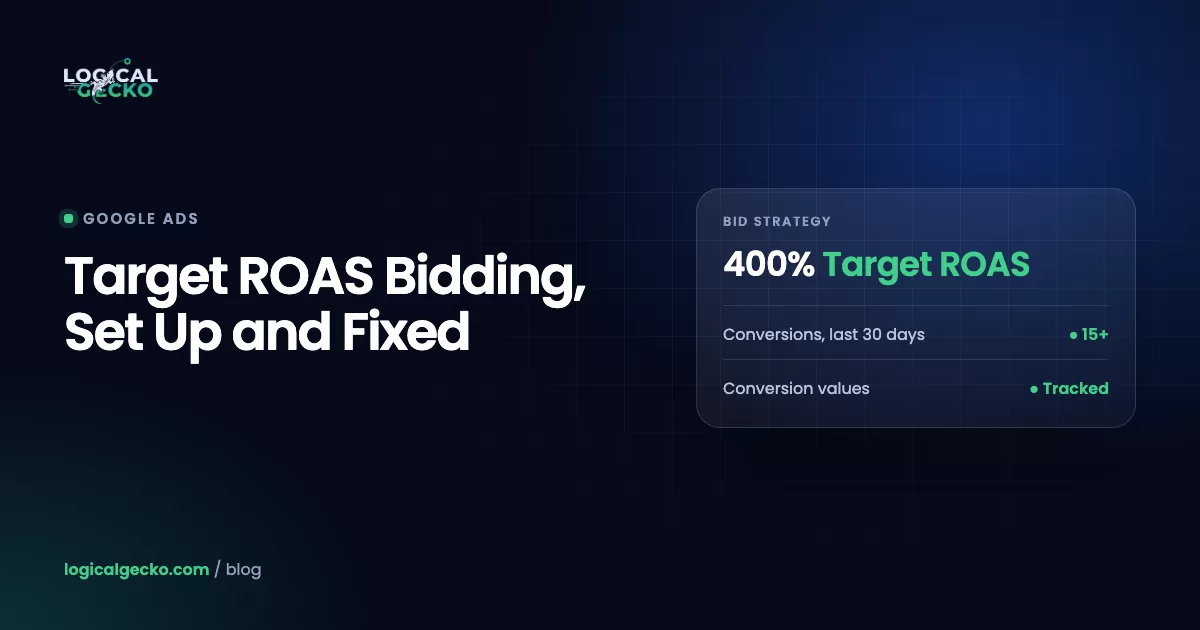
- Search and Shopping campaigns need at least 15 conversions in the past 30 days, and every conversion used for bidding must pass a value above zero.
- Pick the target from your margin (break-even is 1 divided by contribution margin), then start near the ROAS the campaign earned over the last 4 weeks and move toward the profit target in steps.
- Since August 17, 2026, budget-limited campaigns on Target ROAS deliver closer to the target you set, so a campaign that used to beat its target now drifts toward it unless you raise the target or the budget.
- Use Maximize conversion value without a target when the budget is the hard limit and you accept ROAS swings; use Target ROAS when you need a profit floor and can give the budget room.
On this page
- What is Target ROAS in Google Ads?
- How do you calculate the right Target ROAS?
- What do you need before you switch on Target ROAS?
- How do you set up Target ROAS at campaign or portfolio level?
- How does Target ROAS differ in Search, Shopping and Performance Max?
- How long does Target ROAS learn, and how fast can you change the target?
- What changed for Target ROAS in 2026?
- When should you use seasonality adjustments and data exclusions?
- Why is Target ROAS not spending, missing its target or losing volume?
- Target ROAS vs Maximize conversion value: which should you use?
- How do you know Target ROAS is working?
- FAQ
What is Target ROAS in Google Ads?
Target ROAS is a Smart Bidding strategy that bids to get the most conversion value it can while keeping your average return on ad spend near a target you set. You enter the target as a percentage. A 400% target asks for $4 in conversion value for every $1 of ad spend.
People shorten it to tROAS. The "t" is the difference between the two terms: ROAS is the result, conversion value divided by cost, and tROAS is the result you ask Google to aim for. If you search "troas" you will mostly find the ancient city in Turkey; in Google Ads it only ever means target ROAS.
How does Target ROAS set bids?
Target ROAS predicts how much conversion value each search is likely to bring, then sets a bid to match. Google's Target ROAS documentation says it bids high when a search looks likely to produce a high-value conversion and low when it does not. It sets those bids at auction time, using signals such as device, browser, location, time of day and whether the person is on one of your remarketing lists.
Two side effects follow from this. First, your bid adjustments for location, schedule and audiences stop working, because the strategy already uses those signals. The one exception is a -100% device adjustment, which still blocks that device. Second, the strategy is only as good as the values you send. If your purchase tag passes the wrong number, Target ROAS chases the wrong sales.
How do you calculate the right Target ROAS?
Calculate two numbers from your margin, then compare them with the ROAS the campaign already earns. The margin tells you where profit starts. The history tells you where the campaign can start without losing most of its traffic.
1 ÷ (Contribution margin − Desired profit %) × 100Break-even is the same formula with a profit goal of zero: 1 ÷ margin. Use contribution margin, meaning revenue minus product cost, shipping, payment fees and returns, not price minus product cost. Our ROAS formula guide builds that margin line by line, and the guide to ROAS vs ROI shows how to turn an ROI goal into a ROAS target.
Then find your recent ROAS the way Google suggests. Add the Conv. value / cost column, set the date range to the last 4 weeks, and leave out the last few days, since late conversions have not arrived yet. Multiply by 100 to get the percentage.
A worked example
For example, a store selling cast-iron cookware has a contribution margin of 35% and wants 10% of revenue left as profit after ads. Break-even is 1 ÷ 0.35 = 286%. The profit target is 1 ÷ (0.35 − 0.10) = 400%. Over the last 4 weeks the Shopping campaign returned 4.6x, or 460%.
Here is what four targets could look like for this store. The spend levels are illustrative, since a lower target buys more auctions:
| Target ROAS | Monthly spend | Conversion value | Contribution (35%) | Profit after ads |
|---|---|---|---|---|
| 500% | $5,000 | $25,000 | $8,750 | $3,750 |
| 460% (recent history) | $7,000 | $32,200 | $11,270 | $4,270 |
| 400% (profit target) | $10,000 | $40,000 | $14,000 | $4,000 |
| 286% (break-even) | $16,000 | $45,760 | $16,016 | About $0 |
This store should start at 460%, its recent history, then test about 415%, a 10% step down. If profit holds or grows, it can try 400%. If profit falls, it goes back. That is how we answer "what is a good target ROAS": the one that clears break-even and leaves the most profit at a volume the campaign can actually reach.
Pro tip: Type the target as a percentage. Entering 4 instead of 400 tells Google you accept a 0.04x return.
What do you need before you switch on Target ROAS?
You need conversion tracking that passes real order values, enough recent conversions, and a budget with some room. Google lists the data minimums by campaign type on its Target ROAS page, as of October 2026:
| Campaign type | Minimum conversions for Target ROAS |
|---|---|
| Search | 15 in the past 30 days, at the conversion tracking level |
| Shopping | 15 in the past 30 days, per Merchant Center ID |
| Display | 15 with values in the past 30 days across all campaigns; new Display campaigns need no history |
| Demand Gen | 50 in the past 35 days in the campaign (10 in the last 7 days), or 100 in 35 days across all Demand Gen campaigns |
| Video action | 30 in the past 30 days |
Conversions only count when their value is above zero. Run this check before you switch:
- Your purchase action is set as primary and is included in the Conversions column
- The value Google records for a test order matches the order in your store, without tax
- No duplicate purchase tags, and no micro-conversions such as add to cart counted as primary
- Values have been reported for at least 4 weeks or 1 to 2 conversion cycles, whichever is longer
- You are comfortable if spend on some days reaches up to 2 times your average daily budget
The last point is Google's own advice. Spend can swing by day, but over a month Google will not charge more than your average daily budget times 30.4. If any tracking point fails, fix it first with our guide to Google Ads conversion tracking. Target ROAS on bad values is worse than manual bidding.
How do you set up Target ROAS at campaign or portfolio level?
Set it on one campaign as a standard strategy, or across several campaigns as a portfolio strategy in the Shared library. Use a campaign-level target when one campaign has enough conversions and its own margin goal. Use a portfolio when several small campaigns share a goal and none has enough data alone.
- Open the campaign settings. Go to Campaigns, open the campaign, select Settings, then Bidding and Change bid strategy.
- Choose Target ROAS. Since June 2026 Google labels it simply Target ROAS. During the transition some screens still show "Maximize conversion value" with a box to set a target return on ad spend; both are the same strategy.
- Enter the target. Use the number from your margin math, near recent history. Google also shows a recommended target based on your last few weeks.
- Save, or save as an experiment. Save as experiment runs the new setting against the current campaign so you can compare before you commit.
For a portfolio, go to Tools, then Bid strategies in the Shared library, create a Target ROAS strategy and add campaigns to it.
Campaign (standard) strategy
- One target for one campaign
- Works in Search, Shopping and Performance Max
- Best when the campaign has 15+ conversions a month alone
- Changes affect only that campaign
Portfolio strategy
- One target shared by several campaigns
- Not available for Performance Max, Hotel or Travel
- Pools conversion data from small campaigns
- Only place you can set bid limits, used in Search Network auctions
Google advises against bid limits and ad group targets, because both restrict the strategy. If Maximize conversion value campaigns share a budget with campaigns on other strategies, the status shows "Misconfigured"; put them all on one portfolio strategy or remove the shared budget.
How does Target ROAS differ in Search, Shopping and Performance Max?
The bidding logic is the same in all three. What changes is the data minimum, the settings around it and how you read the results.
| Topic | Search | Shopping | Performance Max |
|---|---|---|---|
| Data minimum | 15 conversions in 30 days | 15 conversions in 30 days per Merchant Center ID | No separate minimum in Google's Target ROAS article |
| Is a target required? | Optional (Maximize conversion value works without one) | Optional | Optional ROAS target on the conversion value goal |
| Seasonality adjustments | Yes, with Target ROAS | Yes (Standard Shopping), with Target ROAS | Yes, with any bid strategy |
| Data exclusions | Yes | Yes | Yes |
| Extra to know | Smart Bidding Exploration lets the target flex lower to reach new search categories | Wait 15 days before judging; clicks may drop as bids shift | Since August 17, 2026, traffic can shift between channels |
Search
Search is the only campaign type where Google offers Smart Bidding Exploration, an opt-in that uses a flexible, lower ROAS target to win searches in categories you were already eligible for. It works best with broad match, Dynamic Search Ads or AI Max, and Google recommends running it for at least 6 weeks. Treat it as a test, not a default.
Shopping
Google's Shopping setup guide says to base the target on the last 4 weeks of conversion value divided by cost, give the strategy 15 days before you evaluate it, and review weekly when traffic is low. Expect fewer clicks: the strategy cuts bids on clicks unlikely to meet the target and spends the savings where a sale looks more likely. Split products by margin so each group gets its own target, as our guide to Google Shopping ads explains.
Performance Max
Performance Max lets you add an optional ROAS target to a conversion value goal. It cannot use a portfolio strategy. One budget covers Search, YouTube, Display, Gmail, Discover and Maps, and Google notes that since the August 2026 change, traffic can also shift between those channels when the target binds. Our Performance Max guide covers structure, brand overlap and why a campaign stops spending.
How long does Target ROAS learn, and how fast can you change the target?
Expect 1 to 2 conversion cycles of learning after a change, and judge results only after that. A conversion cycle is the time it usually takes for a click to turn into a conversion. If most of your orders arrive within 2 days of the click, one cycle is about 2 days. If people take two weeks to decide, it is two weeks.
Google shows a "Learning" status for these reasons, per its learning period article:
- New strategy: the strategy was just created or switched back on.
- Setting change: you changed a setting, such as the target.
- Composition change: you added or removed campaigns, ad groups or keywords from the strategy.
- Ad group target change: in some cases on Shopping campaigns.
How long learning lasts depends on how many conversions you get, how long your conversion cycle is and which strategy you use. More conversions mean faster learning.
How much should you change the target at once?
Google says Smart Bidding reacts to a new target right away and can handle large or small changes. It still recommends waiting 1 to 2 conversion cycles before you judge the result. Our rule of thumb is to move the target about 10% at a time, one change per cycle: down for more volume, up for more value per dollar. Small steps show which change caused what.
What changed for Target ROAS in 2026?
Two changes matter. In June 2026 Google renamed the strategy in the bid strategy menu, and since August 17, 2026 budget-limited campaigns stick closer to their targets.
The June 2026 label change
Starting in June 2026, "Maximize conversion value with a Target ROAS" is labeled "Target ROAS", and "Maximize conversions with a Target CPA" is labeled "Target CPA". In Search campaigns they now show as standalone options, separate from Maximize conversion value and Maximize conversions. Google says in its label change note that the bidding works exactly the same and that you need to take no action. Google Ads Editor, the API and the mobile app may show the old names for a while.
The August 17, 2026 budget-limited change
Before August 17, 2026, some campaigns that were "Limited by budget" beat their targets by a wide margin. Now, per Google's announcement, budget-limited campaigns on Target ROAS or Target CPA deliver more consistently toward the target you set, even when you change the budget. Google finished the global rollout on August 27, 2026.
In practice: if a budget-limited campaign has a 400% target but has been returning 550%, it now trends toward 400%. Campaigns that are not limited by budget do not change. In Performance Max and Demand Gen, traffic can also shift between channels. Google will not adjust your targets or budgets for you.
| Your situation | What to do |
|---|---|
| Your target already reflects your profit goal | Keep it, and raise the budget when you can; extra spend should now scale close to the target |
| You want to keep the ROAS you were getting | Raise the target to match recent performance, for example 400% to 550% |
| You want a different efficiency level | Set a custom target from your margin math; check volume in the bid simulator first |
| Your budget cannot move at all | Switch to Maximize conversion value and accept that ROAS will vary with the budget |
Google's FAQ on the change adds three details. It does not recommend a target for campaigns with fewer than 7 conversions. It applies to portfolios and shared budgets too, and you adjust those at the portfolio or shared budget level. And it advises against adding data exclusions or bid limits only because of this update.
When should you use seasonality adjustments and data exclusions?
Use a seasonality adjustment when you expect a big, short jump in conversion rate, such as a 3-day sale. Use a data exclusion when your conversion tracking broke and the bidder learned from bad numbers. Both live under Tools, Budgets and bidding, Adjustments.
Seasonality adjustments
Smart Bidding already handles normal seasonal patterns, so Google advises using seasonality adjustments only for major changes. They work in Search, Standard Shopping and Display campaigns on Target ROAS or Target CPA, and in Performance Max on any bid strategy. If you expect a 50% higher conversion rate during a 3-day sale, schedule a conversion rate adjustment of up to 50% for those 3 days. Bidding returns to normal after the event on its own.
For a long season such as November and December, skip the adjustment. Lower the target instead if competitors raise their bids; Google's Shopping guide gives the same advice for sales periods.
Data exclusions
A data exclusion tells Smart Bidding to ignore clicks from a period when tracking was wrong, such as a removed tag, a site outage or a failed upload. It changes only what bidding learns from; your reports still show the data. Google's own example: if uploads failed from October 15 to 18 and your conversion delay is 5 days, exclude October 10 to 18.
Watch out: Google says not to remove an exclusion once applied, not to use exclusions often or for long periods, and not to backfill the missing conversions afterward, because that can hurt Search and Shopping bidding. Bids and spend may dip after an exclusion; you can lower the target for a short time, then reset it.
Why is Target ROAS not spending, missing its target or losing volume?
Most Target ROAS problems come from a target that does not match recent results, broken conversion values, or a change judged too early. Start with the bid strategy status in Tools, Bid strategies; hover over it to see the reason.
| Symptom | Likely cause | What to do |
|---|---|---|
| Spends little or nothing | Target far above the last 4 weeks of Conv. value / cost; status Limited by inventory or bid limits | Set the target near recent ROAS; remove portfolio bid limits; widen targeting |
| Status "Misconfigured (conversion setting)" | No usable conversion action in the Conversions column | Enable the purchase action and set Include in Conversions to Yes |
| ROAS below target in the first weeks | Still learning, or recent days are missing late conversions | Wait 1 to 2 conversion cycles; judge a date range that leaves out the last few days |
| ROAS below target for a month or more | Values are wrong (tax, duplicates) or the target is out of reach | Check a test order's value; lower the target to what the campaign can reach |
| Volume dropped after raising the target | Expected: a higher target means fewer auctions | Go back one step and compare profit, not ROAS |
| ROAS fell toward the target after August 17, 2026 | The campaign is budget-limited and was beating its target | Raise the target to recent performance to get that ROAS back, or keep it and raise the budget for more volume |
| Bidding swings after a tracking problem | The model learned from missing or inflated conversions | Add a data exclusion that covers the bad clicks |
| Spend jumped after removing the target | Maximize conversion value without a target spends the full daily budget | Lower the budget or add a target back |
For Shopping and Performance Max, also check Merchant Center. Disapproved or out-of-stock products shrink the auctions the strategy can join, and no target fixes that.
Target ROAS vs Maximize conversion value: which should you use?
Use Target ROAS when you need a floor on return, and Maximize conversion value without a target when the budget is your real limit. Google's bid strategy guide frames it the same way: set a target ROAS to hit a desired ROAS; use Maximize conversion value to get as much value as possible within a set budget.
Target ROAS
- Aims for your average return
- Spends less when good auctions are scarce
- Needs 15 conversions in 30 days (Search, Shopping)
- Scales close to the target when you add budget
Maximize conversion value (no target)
- Aims to spend the whole daily budget
- No ROAS floor, so return moves with the budget
- Can raise spend a lot if you underspend today
- Good for building value data or a fixed-budget push
Choose Maximize conversion value without a target when:
- The campaign is new and has too little value history to pick a target from.
- Your budget is fixed and you accept that ROAS will rise and fall as you change it. Google suggests this switch for budgets that cannot move after the August 2026 change.
- The campaign runs far above break-even and you want the most value from a capped budget.
Choose Target ROAS when you know your break-even, can give the budget room above daily spend, and want each extra dollar to hold a set return. If all your conversions are worth the same, such as leads of equal value, Target CPA fits better than either. Our guide to Google Ads bidding strategies compares all of them side by side.
How do you know Target ROAS is working?
It is working when actual ROAS stays close to the target and total profit grows as you add budget. Add the Avg. target ROAS column next to Conv. value / cost on the Campaigns page. The average target is weighted by traffic across every target you set in the date range, so it stays fair after changes.
Then check profit once a month: conversion value times contribution margin, minus ad spend. If ROAS looks fine but store revenue does not move, the ads may be taking credit for sales that would have happened anyway.
Scaling in steps is what holds ROAS as spend grows. On Oil-Stores, an auto parts and lubricants store, we raised spend month by month and only after each level held its return. Between January 1 and July 31, 2026, the account produced €322,276 in tracked conversion value on €15,908 of spend, a 20.26x ROAS. If you want the same approach on your store, see how our Google Ads management for eCommerce sets targets from margin and moves them with the data.
Frequently asked questions
What does tROAS mean in Google Ads?
tROAS means target return on ad spend. It is the ROAS you ask Google Ads to aim for, entered as a percentage, while ROAS is the result you actually get: conversion value divided by cost. A 400% tROAS tells Smart Bidding to aim for $4 in conversion value per $1 of spend. Your actual ROAS can land above or below that on any given day, and Google tracks the gap with the Avg. target ROAS column.
What is a good target ROAS for Google Ads?
A good target ROAS is one that clears your own break-even and still lets the campaign spend. There is no universal number, because break-even depends on margin: 1 divided by contribution margin. A store with a 40% margin breaks even at 250%, and one with a 25% margin needs 400%. Start near the ROAS the campaign earned over the last 4 weeks, then move toward the target that leaves the profit you want.
Is Target ROAS the same as Maximize conversion value?
They are close relatives. Maximize conversion value without a target spends your full daily budget to win the most value. Add a target ROAS and Google says it behaves like a Target ROAS strategy. Starting June 2026, Search campaigns show Target ROAS as its own option instead of a setting inside Maximize conversion value. The label changed; the bidding did not.
How many conversions do you need for Target ROAS?
Search and Shopping campaigns need at least 15 conversions in the past 30 days. For Shopping, Google counts 15 conversions per Merchant Center ID. Display needs 15 conversions with values across all your campaigns, Demand Gen needs 50 in 35 days per campaign or 100 across Demand Gen, and Video action campaigns need 30 in 30 days. Conversions only count when their value is above zero.
Should you start with Maximize conversions before Target ROAS?
Google suggests bidding to your conversion goal with Target CPA first, then reporting conversion values for 4 weeks or 1 to 2 conversion cycles, whichever is longer, before you set a ROAS target. A new campaign with no value history can also start on Maximize conversion value to build data. Switch to a target once you have 15 conversions with real values and a few weeks of stable ROAS to base it on.
Does Target ROAS use bid adjustments?
No. Target ROAS sets bids in real time from signals such as device, location, time of day and remarketing lists, so it ignores your location, schedule and audience bid adjustments. The one exception is a device bid adjustment of -100%, which still blocks that device. You do not need to delete old adjustments; Google simply does not apply them while a Smart Bidding strategy runs.
What happens if you set target ROAS too high?
A target set too high shrinks the number of auctions the campaign can win at that return, so impressions, clicks and spend fall, sometimes close to zero. ROAS may rise while total conversion value and profit drop. Google recommends lowering the target gradually to win more volume. Compare the target with the Conv. value / cost the campaign earned over the last 4 weeks before you set it.
Sources17 references
- Google Ads Help: About Target ROAS bidding
- Google Ads Help: Changes to target based bid strategies
- Google Ads Help: Frequently asked questions about changes to Target-based bid strategies
- Google Ads Help: Changes to how Smart Bidding strategies are organized for Search campaigns
- Google Ads Help: About Maximize conversion value bidding
- Google Ads Help: Pick the right bid strategy
- Google Ads Help: Set up Target ROAS bidding for Shopping campaigns
- Google Ads Help: About Performance Max campaigns
- Google Ads Help: Portfolio bid strategy definition
- Google Ads Help: About bid strategy statuses
- Google Ads Help: Duration of the learning period for campaigns and what affects it
- Google Ads Help: Conversion cycle definition
- Google Ads Help: About seasonality adjustments
- Google Ads Help: Create a seasonality adjustment
- Google Ads Help: About data exclusions
- Google Ads Help: About Smart Bidding Exploration
- Google Ads Help: Frequently asked questions about Smart Bidding Exploration

Safeer leads strategy at Logical Gecko, a Google Partner and Shopify Partner agency that runs Google Ads for eCommerce and home-service brands and recovers suspended Merchant Center accounts. Everything in these guides comes from work on live client accounts. More about the team.