Quick answer
Demand Gen campaigns are Google Ads campaigns that show image, video, carousel and product ads to audiences you choose on YouTube (including Shorts), Discover, Gmail, Google Maps and the Google Display Network. They replaced Discovery campaigns, never run on Google Search, and work best for reaching people before they search, using remarketing lists, lookalike segments and vertical video.
Key takeaways
- Demand Gen is the Google Ads campaign type for visual, audience-based ads on YouTube (including Shorts), Discover, Gmail, Google Maps and the Google Display Network, and it never serves on Google Search results.
- Demand Gen replaced Discovery campaigns in late 2023 and early 2024 and absorbed every Video action campaign as of May 2026, and since June 2026 Google has been moving Display campaigns into it, with the move expected to finish by 2027.
- Since March 2026, Google has been turning lookalike segments in Demand Gen into suggestions, so your seed list and your narrow, balanced or broad setting act as signals unless you opt out.
- Google recommends a Demand Gen daily budget of at least 10 times your target CPA and about 50 conversions before you change bids, and value bidding needs 50 conversions with value in 35 days, including 10 in the last 7.
- Measure Demand Gen with click-through, engaged-view and view-through conversions split by ad event type, plus a lift or holdout test, because last-click reports miss the people who watch an ad, skip the click and buy later.
On this page
- What is a Demand Gen campaign in Google Ads?
- Where do Demand Gen ads show in 2026?
- Demand Gen vs Performance Max vs Search: which should you use?
- How does audience targeting work in Demand Gen?
- Which bidding strategies does Demand Gen support?
- How do Merchant Center product feeds work in Demand Gen?
- What are the Demand Gen ad specs in 2026?
- How do you set up a Demand Gen campaign step by step?
- How do you measure Demand Gen results?
- What are the most common Demand Gen mistakes?
- What changed in Demand Gen in 2026?
- Should you run Demand Gen yourself or get help?
- FAQ
What is a Demand Gen campaign in Google Ads?
A Demand Gen campaign is a Google Ads campaign type that shows image, video, carousel and product ads to audiences you choose, on YouTube, Discover, Gmail, Google Maps and the Google Display Network. It targets people, not searches. There are no keywords, and the ads never appear on Google Search results pages.
Google built it for advertisers who know paid social. Most ads appear in feeds, you pick audiences much as you would on Meta, and Google says the campaign can reach up to 3 billion people a month (About Demand Gen campaigns). Its job is to reach people before they search for you, then turn that interest into visits, leads and sales.
What did Demand Gen replace?
Demand Gen has absorbed three older campaign types, so older guides and reports still use their names:
- Discovery campaigns. Google launched Demand Gen in October 2023 as "the next generation of Discovery campaigns" and upgraded Discovery campaigns through early 2024 (Google's announcement).
- Video action campaigns. No new ones since April 2025, and Google confirms every remaining campaign was upgraded to Demand Gen as of May 2026 (Google Ads Help).
- Display campaigns. A migration tool opened in June 2026. Next, new Display campaigns can only be built inside Demand Gen and the rest move automatically, with the transition expected to finish by 2027 (Google's May 2026 post).
Where do Demand Gen ads show in 2026?
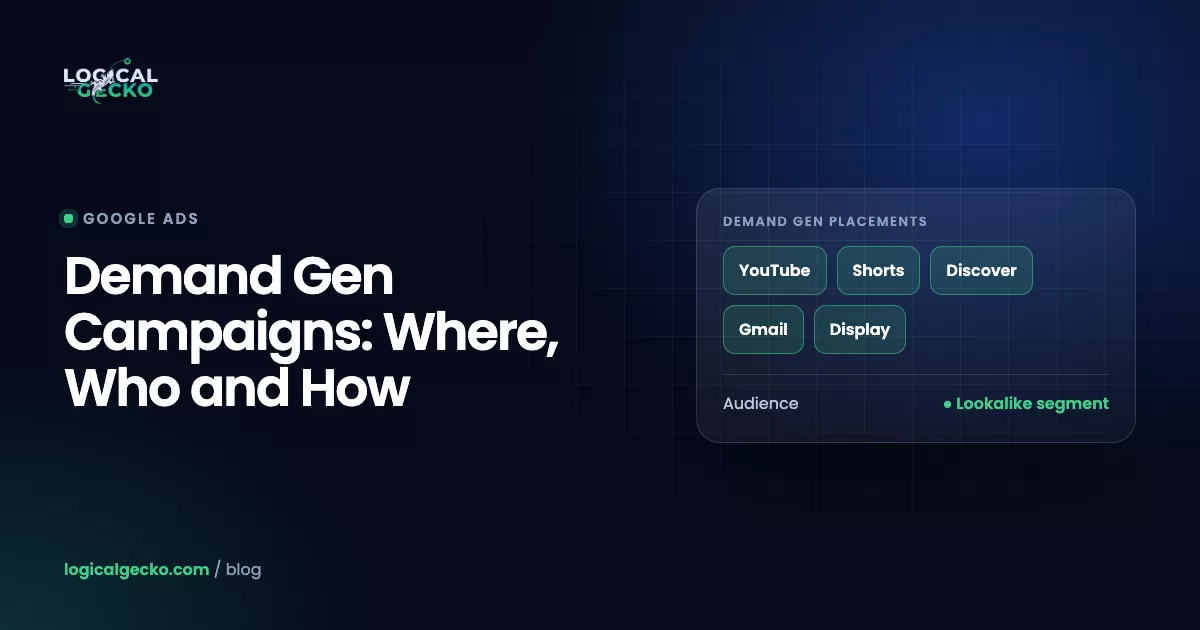
As of October 2026, Demand Gen ads can show in five channels: YouTube (Shorts, in-stream and in-feed), Discover, Gmail, Google Maps and the Google Display Network. You choose channels per ad group with channel controls. Google recommends the default, All Google channels, and the Display Network is an optional add-on to it.
| Channel | Where the ad appears | What to know |
|---|---|---|
| YouTube | Shorts feed, in-stream before or during videos, in-feed on Home, YouTube Search and Watch Next | Billed per 1,000 impressions (CPM). Videos under 10 seconds cannot run in-stream. |
| Discover | The Discover feed in the Google app and on Android home screens | Mobile only. Image ads are billed per click, or per 1,000 impressions when view-through bidding is on. |
| Gmail | Promotions and Social tabs | Billed on the first click that opens the ad, not the second click to your site. |
| Google Maps | Promoted pins while people browse, search and navigate | Serves only with a location asset on the account. Google's Display migration page still labels Maps as beta. |
| Google Display Network | Partner websites and apps | Optional. Runs responsive and uploaded static display ads; billed per 1,000 impressions. |
Billing rules from Google's Demand Gen FAQ.
Channel controls sit in each ad group under Channels. Choose All Google channels or Let me choose, then pick from YouTube in-stream, in-feed and Shorts, Discover, Gmail, Maps and the Display Network (Channel controls in Demand Gen). Google advises judging the campaign on overall cost per conversion, not channel by channel, because the system buys the cheapest conversions wherever they are. To force volume onto one channel, give it its own ad group with a higher target CPA, at some cost to efficiency.
Demand Gen vs Performance Max vs Search: which should you use?
Use Search to capture people already searching, Performance Max to chase conversions across every Google channel from one budget, and Demand Gen to reach audiences you choose with visual ads before they search. Most accounts we manage add Demand Gen after Search or PMax, once tracking works and they have video to feed it.
| Search | Performance Max | Demand Gen | |
|---|---|---|---|
| Main job | Capture existing searches | Conversions across all of Google | Create demand and drive action from feeds |
| Where ads show | Google Search, search partners | Search, Shopping, YouTube, Display, Discover, Gmail, Maps | YouTube, Discover, Gmail, Maps, Display Network; never Search |
| Targeting | Keywords | Audience signals only, no hard targeting | Audiences you select, with optional optimized targeting |
| Lookalike segments | No | No | Yes |
| Bidding | Clicks, conversions, value, impression share | Conversions or conversion value | Clicks (including Target CPC), conversions, conversion value |
| Creative | Text ads and assets | Asset groups, optional product feed | Image, video, carousel, product feed ads |
| Channel choice | Network checkboxes | None; Google picks | Per ad group channel controls |
Comparison built from Google's When to use Demand Gen table. Our guide to Performance Max campaigns covers the controls PMax does give you.
When Demand Gen beats Performance Max or Search
- Your product sells on looks or a demo. Apparel, home goods, food and fitness show better in a video than in a text ad.
- Search volume is capped. You already win the profitable searches, and more Search budget only buys pricier clicks.
- You have first-party lists. Site visitors, past purchasers and YouTube viewers feed remarketing and lookalikes.
- You want control PMax will not give. You pick the audience, channel and creative per ad group, and test them in A/B experiments.
- You are launching something nobody searches for yet. A new product or brand needs awareness before searches exist.
When to wait
Hold off if conversion tracking is not working, if you cannot fund roughly 10 times your target CPA per day, or if you only have one landscape banner. Emergency home-service work (burst pipes, lockouts) comes from search; Demand Gen fits planned jobs such as remodels, solar or a new HVAC system.
How does audience targeting work in Demand Gen?
You build audiences in each ad group from your own data, lookalike segments, custom segments, Google's interest segments and demographics. Optimized targeting, which Google recommends keeping on, lets the system reach people beyond those audiences, so your selections work more like signals than fences.
- Your data segments. Website visitors, YouTube viewers and contact lists you upload. Our guide to Google Ads remarketing covers how to build these lists.
- Lookalike segments. People who resemble a seed list, such as past purchasers. Search and Performance Max do not offer them.
- Custom segments. Audiences you define yourself; Google suggests 10 to 15 search terms that show purchase intent.
- Interests and demographics. Affinity, in-market and life-event segments, plus age, gender, parental status and household income.
Lookalike segments changed in March 2026
A lookalike segment starts from a seed list and a reach level: narrow, balanced or broad, which used to mean the 2.5%, 5% or 10% of people in your target location most like the seed. Since March 2026, Google has been switching Demand Gen lookalikes to a suggestion mode in phases (Lookalike segments). The seed list and reach level now act as signals, and the system may go outside the threshold if it predicts conversions.
Lookalikes before March 2026
- Reach slider is a hard limit (2.5%, 5% or 10%)
- Seed list needed at least 100 users
- Ads stay inside the similarity threshold
Lookalikes as suggestions (2026)
- Seed list and reach level are signals
- The 100-user minimum no longer applies
- Ads may reach people outside the threshold
- Opt out through Google's form; interface control promised later in 2026
Optimized targeting and audience signals
Optimized targeting is selected by default when you build an ad group (Create a Demand Gen campaign). It looks past your chosen audiences, and past the demographics you picked, for people likely to convert. Leave it on for prospecting. Turn it off in a remarketing ad group, or that ad group stops being remarketing.
A starting structure for most stores: one remarketing ad group (site visitors and cart abandoners from the last 30 days) and one prospecting ad group (a lookalike of past purchasers plus a custom segment), with purchasers excluded from prospecting. Keep ad groups few; Google suggests merging those with fewer than about 30 conversions in 30 days (Display to Demand Gen guide).
Which bidding strategies does Demand Gen support?
Demand Gen supports six strategies: Maximize clicks, Target CPC, Maximize conversions, Target CPA, Maximize conversion value and Target ROAS. Manual CPC is not available. Google recommends a daily budget of at least 10 times your target CPA and about 50 conversions before you change bids.
| Strategy | Optimizes for | Use it when | What it needs |
|---|---|---|---|
| Maximize clicks | Most clicks for the budget | Traffic goals or building remarketing lists | No conversion data and no minimum budget; you cannot set a max CPC |
| Target CPC | Clicks at an average cost you set | Traffic at a predictable click cost | No conversion data |
| Maximize conversions | Most conversions for the budget | Starting a conversion campaign | Working conversion tracking |
| Target CPA | Conversions at your target cost | After about 50 conversions | Daily budget of at least 10 times the target |
| Maximize conversion value | Most conversion value for the budget | Orders with different values | 50 conversions with value in 35 days, including 10 in the last 7 (or 100 across all Demand Gen campaigns) |
| Target ROAS | Value at your target return | Stores with a known ROAS floor | Same as above; start 20% below your last 30-day ROAS |
Sources: Demand Gen performance guide and value-based bidding for Demand Gen. Our guide to Google Ads bidding strategies explains each one.
Target CPA × 10Google's rules for a stable campaign, from the same pages:
- Start on Maximize conversions; switch to a target after at least 50 conversions.
- Move bids 5% to 10% a week, never more than 15%.
- After a switch to value bidding, change nothing for 14 days.
- Avoid changing the conversion goal of a live campaign; start a new one.
Demand Gen buys more of whatever you count, so bid on the action you care about, such as a purchase, and track lighter steps like add to cart as secondary goals. Clean Google Ads conversion tracking comes first.
Example: budgeting a Demand Gen test for a store
For example, a store selling $90 linen bedding sets keeps a 40% contribution margin, so it breaks even at $36 per order, the same math as break-even ROAS in our ROAS formula guide. It wants a $30 target CPA, and Google's rule says $300 a day. That is too much for a test, so it starts a product feed campaign on Maximize conversions at $100 a day, the minimum Google suggests for feed campaigns on that strategy. At about $30 per order, it reaches 50 conversions in about 15 days, then sets a $30 Target CPA. These numbers are illustrative.
How do Merchant Center product feeds work in Demand Gen?
Link Google Merchant Center to Google Ads, turn on Run a product feed campaign (or add the feed to an existing campaign), and Demand Gen builds shoppable ads from your product images, titles and prices next to your own video and image creative. Google says established Demand Gen campaigns with large product selections typically see 33% more conversions after adding a feed (product feeds in Demand Gen).
What Google requires and recommends:
- Shopping ads turned on as a marketing method in Merchant Center. New feeds can take up to 3 days to approve.
- At least 4 products to qualify for all placements; Google's best practice is 50.
- Square (1:1) product images for the best coverage, at 500 × 500 pixels or larger if you want YouTube ads on TV screens.
- A
short_titleunder about 65 characters, anditem_group_idso variants do not show as duplicate images. - One feed label per campaign. Regional availability and pricing feeds are not supported.
- Both an image-and-products ad and a video-and-products ad, each with one headline and one description for a store-wide message such as free shipping.
Two limits matter. A campaign created with Run a product feed campaign can only hold product ads, and carousel ads are not available with a Merchant Center feed. Google's A/B experiments now support a test of the same campaign with and without a feed, which is the clean way to check the 33% claim on your own catalog (Demand Gen experiments).
Demand Gen uses the same feed as Shopping, so our Google Shopping ads guide on titles, images and identifiers applies here too. Our Google Ads management for eCommerce runs one feed across Shopping, PMax and Demand Gen.
What are the Demand Gen ad specs in 2026?
Image ads need a 1.91:1 landscape image, a 1:1 square image and a square logo, with 4:5 and 9:16 vertical images recommended. Videos must be on YouTube, at least 5 seconds long, ideally 10 to 60 seconds, in landscape, square and vertical. Headlines run to 40 characters and descriptions to 90.
| Image asset | Ratio | Recommended size | Minimum | Required |
|---|---|---|---|---|
| Landscape | 1.91:1 | 1200 × 628 | 600 × 314 | Yes |
| Square | 1:1 | 1200 × 1200 | 300 × 300 | Yes |
| Vertical | 4:5 | 960 × 1200 | 480 × 600 | No, recommended |
| Vertical full screen | 9:16 | 1080 × 1920 | 600 × 1067 | No, recommended for Shorts |
| Logo | 1:1 | 1200 × 1200 | 144 × 144 | Yes, max 150 KB |
Images are .jpg or .png up to 5 MB, with up to 20 per ad. Google suggests 3 of each orientation.
| Asset | Limit | Notes |
|---|---|---|
| Video | 1 to 5 per ad; 16:9, 1:1, 4:5 or 9:16 | Minimum 5 seconds; under 10 seconds will not run in-stream; Google recommends 10 to 60 seconds and says over 15 seconds widens reach |
| Headline | 40 characters, up to 5 | Keep at least one at 30 or fewer so the ad can serve on the Display Network |
| Long headline | 90 characters | Video ads only, used in-feed on YouTube and Discover |
| Description | 90 characters, up to 5 | Carousel descriptions are limited to 40 |
| Business name | 25 characters | Required |
| Carousel | 2 to 10 cards | Same aspect ratio on every card; each card can have its own URL |
| Uploaded display ad | Static .jpg, .png or .gif, 150 KB | Display Network only; HTML5 is planned for late 2026 |
Specs from Google's format requirements, image guidelines and video guidelines. Gmail crops the logo to a circle, so keep the mark centered.
Pro tip: Make vertical assets first. Since Google's September 2026 Demand Gen Drop, a 9:16 full-bleed image ad on Shorts opens your landing page with one tap. A campaign with only landscape assets gives Shorts little to show.
How do you set up a Demand Gen campaign step by step?
Fix tracking, create the campaign with the right goal and budget, set location yourself, build two or three ad groups by audience, and load assets in every ratio. Then leave it alone until it has about 50 conversions. This is the order we use on new accounts.
- Check conversion tracking. Your purchase or lead action should record a test conversion with the right value.
- Create the campaign. Click Create, then Campaign, then Demand Gen. Turn on Run a product feed campaign only if the campaign will run product ads alone.
- Choose the goal. Sales, Leads, Website traffic, App promotion, YouTube reach, views and engagements, or Local store visits and promotions. Then select the conversion goals to bid on.
- Set location and language. By default they sit at the ad group level as All locations and All languages. Campaign level is the only way to use a radius, and you cannot switch levels after publishing.
- Pick bidding and budget. Maximize conversions for a new campaign, or Target CPA with a daily budget of at least 10 times the target.
- Build ad groups by audience. Remarketing in one, prospecting in another. Start with All Google channels and set optimized targeting per ad group.
- Create ads. Video, image and carousel ads in landscape, square and vertical, plus a business name, logo and sitelinks.
- Review view-through settings. New campaigns include view-through conversions in bidding by default; check the setting and your conversion windows.
- Launch and wait. Allow 24 hours for ad review and about 50 conversions before you judge anything.
- Location set to the US (or your service area), not All locations
- Purchasers or past leads excluded from prospecting ad groups
- Vertical 9:16 video or image in every ad group
- Budget at or above 10 times target CPA, or Maximize conversions
How do you measure Demand Gen results?
Judge Demand Gen on click-through conversions, engaged-view conversions from video, and the lift it creates in brand searches and total sales. A last-click report alone undercounts it, because many people see a feed ad, do not click, and look you up later.
| Conversion type | Counted when | Default window in Demand Gen |
|---|---|---|
| Click-through | Someone clicks the ad and converts | Your click-through window |
| Engaged-view | No click, but the person watched 10 seconds of an in-stream ad (or all of a shorter one) or 5 seconds in-feed or on Shorts, then converted | 1 day |
| View-through | The ad was on screen, with no click or engaged view, then the person converted | Google recommends 1 day when view-through bidding is on |
Definitions from Google's pages on engaged-view conversions and view-through conversion bidding.
Three things to check before you trust the numbers:
- View-through bidding is on by default. New campaigns count view-through conversions from video assets on YouTube, Display and Discover in the main Conversions column. Your store platform and other third-party tools do not receive these, so their totals run lower.
- Platform Comparable columns are for social comparisons only. Conversions (Platform Comparable) adds view-through conversions and gives full credit to the last Demand Gen touch, as social platforms do. Google says not to use them against Search or PMax (Platform Comparable columns).
- Lift studies answer the real question. Conversion Lift is available for Demand Gen, Search Lift measures brand searches it drives, and Brand Lift needs a Google account representative and measures YouTube only (Comparing lift types).
Without a lift study, we compare brand search volume and total store revenue for four weeks before and four weeks during the test, or run Demand Gen in some states and hold out others. If total sales do not move while Demand Gen reports conversions, it is taking credit for sales you would have made anyway.
What are the most common Demand Gen mistakes?
Most failed Demand Gen tests we audit come down to settings and expectations, not the campaign type.
- Judging it like Search in week two. Last-click only, then paused before 50 conversions.
- Leaving location on All locations. The ad group default reaches every country.
- Landscape-only creative. No 9:16 video or image means weak or no Shorts delivery.
- A Search-level target CPA on day one. Feed traffic is earlier in the decision, so a tight target or a budget below 10 times the target starves delivery.
- Prospecting to people who already bought. Exclude purchasers, or prospecting quietly turns into remarketing.
- Expecting Display-style controls. Demand Gen has no frequency caps, and content suitability and keyword exclusions sit at the account level.
What changed in Demand Gen in 2026?
In 2026, Google moved lookalikes to suggestion mode (March), finished the Video action upgrades (April), opened the Display migration tool (June) and shipped a Demand Gen Drop (September). The migration tool carries 42 days of history and cuts learning to about 1 to 2 days. The September 24 Demand Gen Drop added a Business Agent beta for YouTube video ads with product feeds, one-tap image ads on Shorts and Gmail, and affiliate location extensions on Maps for retail networks and dealerships. Google says advertisers who add Gmail see 40% more conversions from image ads at the same ROI (Google internal data, February 2026).
If you still run Display campaigns, migrate before the automatic move. Migrated ads go through review again, and lead form assets, shared budgets and campaign-level content exclusions must come off first.
Should you run Demand Gen yourself or get help?
Run it yourself if your tracking is clean, you have vertical video and a budget near 10 times your target CPA, and you can wait for 50 conversions. Get help when you need a feed fixed, a Display migration planned or a lift test designed. See how Logical Gecko manages Google Ads for online stores and home-service businesses, with Demand Gen judged on the sales it adds.
Frequently asked questions
Does Demand Gen run on Google Search?
No. Demand Gen ads never appear on Google Search results pages. They run on YouTube (including YouTube Search results, Shorts and in-stream), Discover, Gmail, Google Maps and the Google Display Network. If you want ads on Google Search, you need a Search campaign or Performance Max. That difference is why Demand Gen traffic looks weaker on last-click reports: it reaches people who were not searching for you at that moment.
Can Demand Gen ads run only on YouTube Shorts?
Yes. In the ad group settings, open Channels, choose Let me choose, and select only YouTube Shorts. Give that ad group 9:16 vertical videos and images, because that is the format Shorts shows best. Google still recommends All Google channels for most advertisers, since the system then buys the cheapest conversions across every surface. We use a Shorts-only ad group when a client has strong vertical creator video and wants to test it on its own.
What happened to Discovery ads?
Discovery ads became Demand Gen. Google announced Demand Gen in October 2023 as the next generation of Discovery campaigns and upgraded Discovery campaigns from then through early 2024. Demand Gen kept the Discovery feed placements and added video ads, YouTube in-stream and Shorts and lookalike segments, then later channel controls, Google Maps and the Google Display Network. Old reports and guides still use the Discovery name.
Is Google replacing Display campaigns with Demand Gen?
Yes. Google Display Ads campaigns are moving into Demand Gen, where the Display Network becomes one channel you can select. Since June 2026, eligible advertisers can move campaigns with a migration tool that carries over 42 days of performance history. Later, new Display campaigns can only be built inside Demand Gen, and remaining campaigns move automatically. Google expects the transition to finish by 2027. You can still run Display-only campaigns by selecting only that channel.
How much budget does a Demand Gen campaign need?
Google recommends a daily budget of at least 10 times your target CPA, so a $25 target CPA needs about $250 a day. Maximize clicks has no minimum. For product feed campaigns on Maximize conversions, Google suggests at least $100 a day. A $20 daily budget can run a Maximize clicks or small remarketing test, but it is too thin for Smart Bidding to learn from conversions in a reasonable time.
Do lookalike audiences still exist in Google Ads?
Yes, as lookalike segments. Google's older similar audiences evolved into lookalike segments, used in Demand Gen. You build one from a seed list, such as past purchasers, website visitors or YouTube viewers, and pick narrow, balanced or broad reach. Since March 2026, Google has been switching Demand Gen lookalikes to a suggestion mode, where the seed list guides the system instead of limiting it. You can opt out through a Google form.
Is Demand Gen good for lead generation?
It works for leads when people plan the purchase, such as remodeling, solar, education or high-ticket services, and less well for urgent needs people search for. Lead form assets are not supported in Demand Gen, so send traffic to a landing page form. Then send qualified leads back to Google Ads as offline conversions, so bidding learns which audiences turn into real jobs, not just form fills.
Sources25 references
- Google Ads Help: About Demand Gen campaigns
- Google Ads Help: Demand Gen campaigns specs and format requirements
- Google Ads Help: Demand Gen campaign creative: Asset specifications and guidelines
- Google Ads Help: About image assets specifications and ad format guidelines for Demand Gen campaigns
- Google Ads Help: About video assets specifications and ad format guidelines for Demand Gen campaigns
- Google Ads Help: Channel controls in Demand Gen campaigns
- Google Ads Help: Google Display Ads campaigns have a new home in Demand Gen
- Google Ads Help: Video Action Campaigns are being upgraded to Demand Gen
- Google Ads Help: Video action campaigns (all upgraded to Demand Gen as of May 2026)
- Google Ads Help: Use Lookalike segments to grow your audience
- Google Ads Help: Create a Demand Gen campaign
- Google Ads Help: Demand Gen Frequently Asked Questions (FAQ)
- Google Ads Help: Use a product feed to show your products in Demand Gen campaigns
- Google Ads Help: Value based bidding for Demand Gen campaigns
- Google Ads Help: Demand Gen campaign performance guide
- Google Ads Help: About Demand Gen campaign metrics and reporting
- Google Ads Help: About Engaged-view conversions
- Google Ads Help: About view-through conversion optimized bidding for Demand Gen campaigns
- Google Ads Help: About conversions (Platform Comparable) columns
- Google Ads Help: Create A/B experiments for Demand Gen campaigns
- Google Ads Help: Set up Brand Lift
- Google Ads Help: Comparing lift types
- Google Ads & Commerce Blog: Turn discovery into action with September's Demand Gen Drop (September 24, 2026)
- Google Ads & Commerce Blog: Google Display Ads has a new home in Demand Gen (May 26, 2026)
- Google Ads & Commerce Blog: Demand more from social with AI-powered ads (October 10, 2023)

Safeer leads strategy at Logical Gecko, a Google Partner and Shopify Partner agency that runs Google Ads for eCommerce and home-service brands and recovers suspended Merchant Center accounts. Everything in these guides comes from work on live client accounts. More about the team.